


Participating Frequently
October 16, 2025
Open for Voting

Fix frequent buggy sign-ins and authentication

  • October 16, 2025
  • 7 replies
  • 186 views

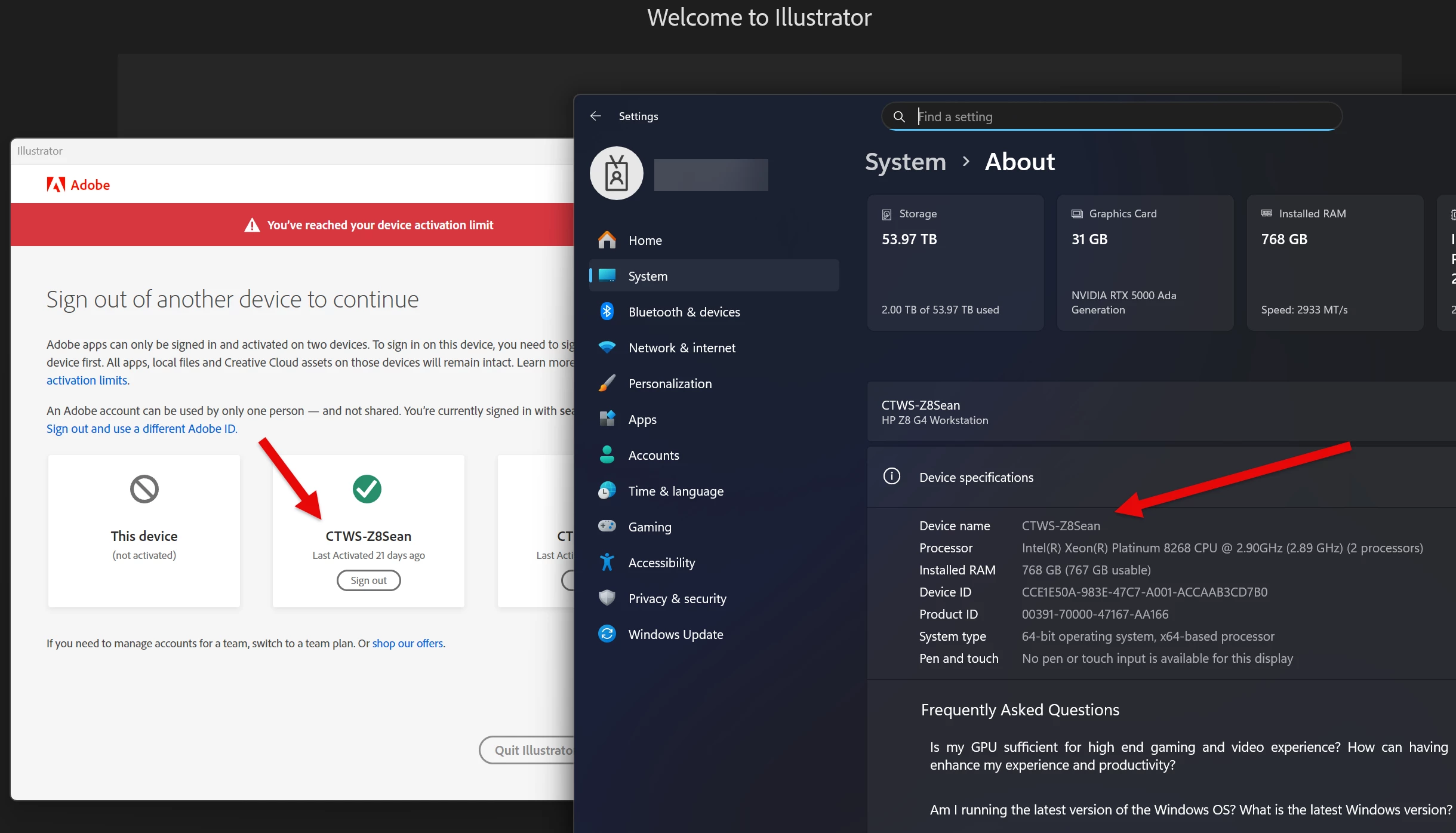
Adobe CC authentication is too strict and/or broken. Each time I reboot or windows reboots for updates I have to sign back in to use any app. Not only that fails to recognize it's a device that's already been signed into.  I can't tell you how frustrating this process is, especially when I just want to read a PDF.


It's not only reboots but extended time where my system is on and I run an adobe app, though it's gauranteed to do this after a reboot.  There has to be a better way to manage this so I'm not signing in multiple times a week just to use these apps.  This was a problem I complained about a couple years back and it improved. It's back and worse than ever.


7 replies

Ruchika Wadhawan
Adobe Employee
Adobe Employee
October 24, 2025

Hi @Sean30206362811r Once the logs are uploaded, please share the file name with us so we can retrieve them.


Regards,

Ruchika Wadhawan

Kalvyn Rasquinha
Community Manager
Community Manager
October 18, 2025

Could you create and upload a log file so we can investigate? Instructions are here: https://helpx.adobe.com/creative-cloud/apps/troubleshoot/diagnostics-repair-tools/run-log-collector-tool.html


I'll ask the engineering team to follow up.

Participating Frequently
October 18, 2025

It's a personal account

Kalvyn Rasquinha
Community Manager
Community Manager
October 17, 2025

Hi @Sean30206362811r , is this a personal / individual account? Or are you using it through work/school? Trying to understand if you're using Adobe's authentication system or if it's a third-party provider.

kglad
Community Expert
Community Expert
October 16, 2025

keep us updated.

Participating Frequently
October 16, 2025

@kglad 

Yes, 2FA is enabled.  The last time this happened it was recommended to try signing out of all devices and back in and it did not solve the problem.  I can try it again but I doubt it will help.


I gave up on the issue and then it seemed to go away a couple months later. I assumed they did something to fix it. The issue cropped up a month or two ago.

kglad
Community Expert
Community Expert
October 16, 2025

have you signed out of all devices using account.adobe.com and enabled 2fa?