


P: Better (actual) color grain
So, good color grain simulation is pretty hard to find, and a while back I came up with my own as a PS action, which is pretty good.
- (Optional) To give a better "pushed grainy color reversal film" look, increase saturation (even till unrealistic ... go look at E1600 +2/+3) and smooth image (texture -50 or thereabouts)
- Desaturate photo "-50" to avoid gamut problems
- Convert to CMYK
- For each channel:
a) Camera Raw Filter: Grain Amount 100, Grain Size whatever (e.g. 30), Grain Roughness 100
b) gaussian blur (to match grain size above) - Convert back to RGB
- Turn saturation back up "+50"
Et, voila!
Now, obviously there is no reason this can't be done in Lightroom itself, as basically all of this is built in (no explicit gaussian blur but it's used everywhere internally).
Here's an example up close and magnified. This is a nice clean digital photo run through the above action:
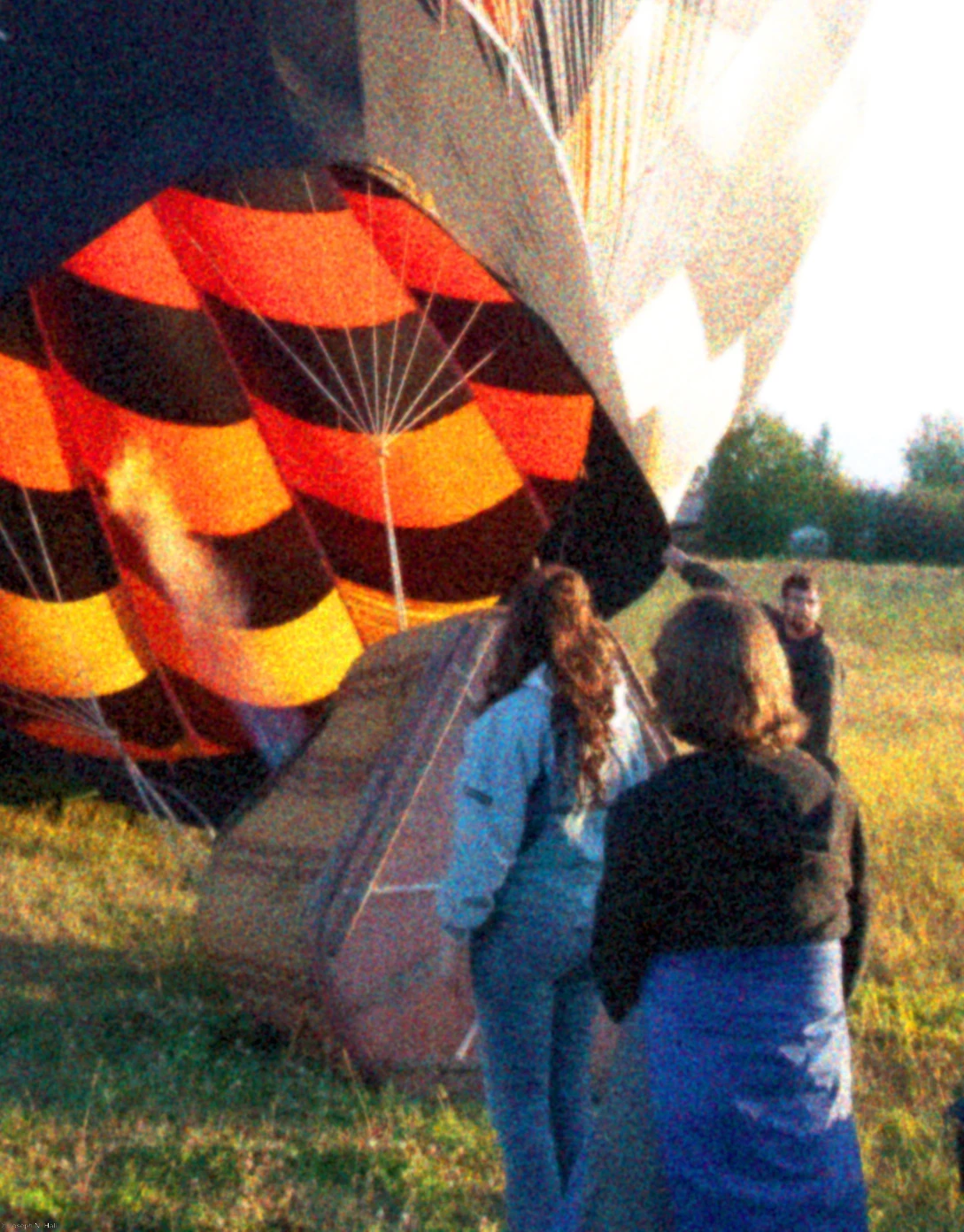
For comparison, here is a scan of +2 pushed cross-processed expired E100-something:

If looking for knobs to tweak, you could play somewhat with the "dye" colors (variations from pure CMY(K)), adjust size/roughness of the grain, blend with the original, etc. etc. Messing with the dye colors involves complicated color math that I don't want to get near in Photoshop scripting, but someone working on a pro software product would have no problem coming up with the appropriate profiles.
I'm sure there are plugins and whatnot out there that do a real color grain simulation, but:
- PS and LR don't
- Despite its excellent B/W grain simulation, Nik doesn't
- In the world of video/cinema (which I don't know much about), DaVinci Resolve doesn't
Please, Adobe, make it so!
See also this brief post:
 AdChoices