


Add False Color to Lightroom & ACR
I recently started to wrok with video grading and get to know False Color it is very valuable tool to set proper exposure when taking video but also to set exposure at color grading stage.
This video explain it breefly.
However there's no such tool in Lighroom & ACR.
Highlight and Shadows Clipping warning built in the ACR is serving entirely different purpose, i think it simply tells you if data you import from ACR to Photoshop is goingt o be clipped, but it does not aid in setting exposure.
Allow me to demonstrate.
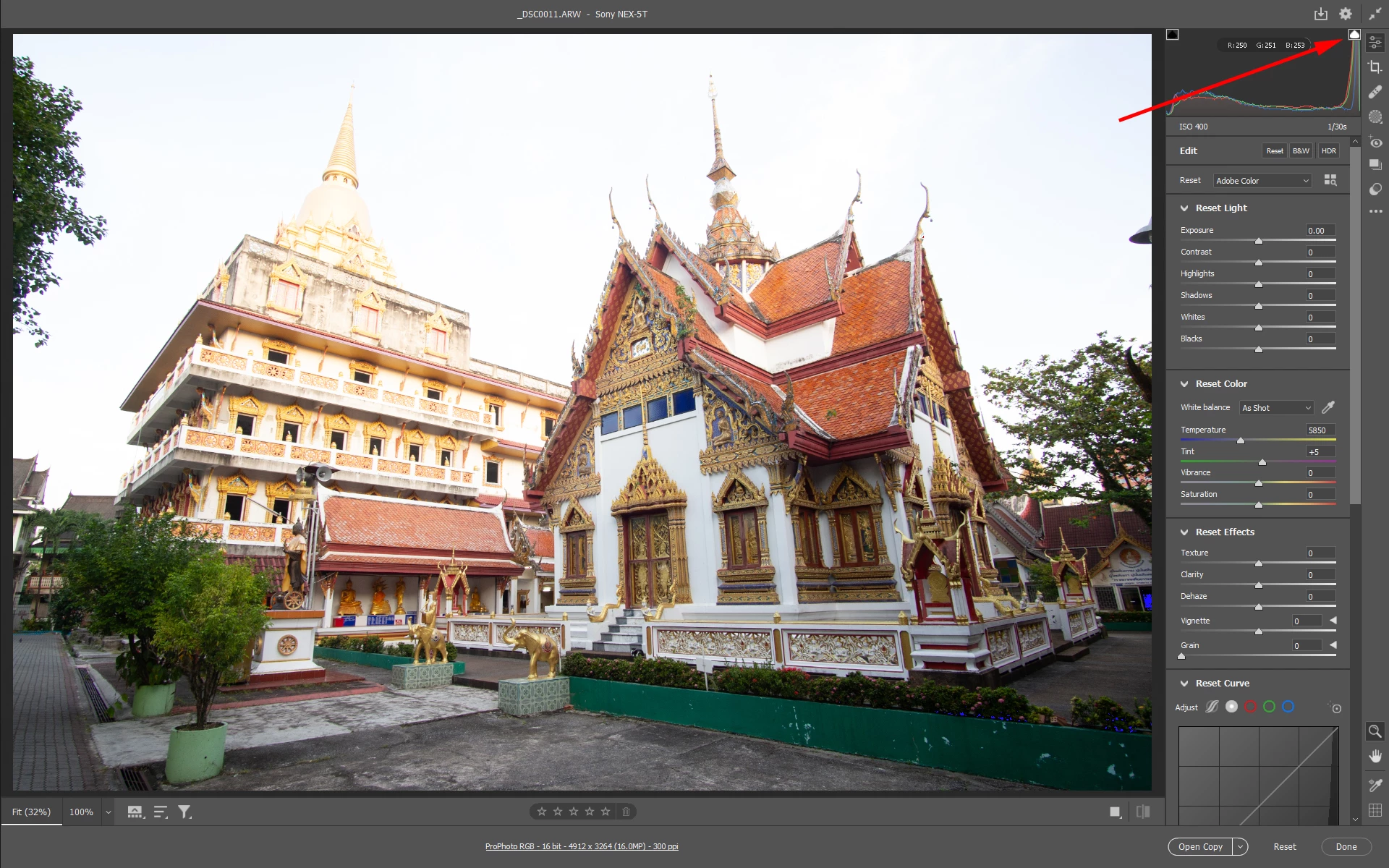
Highlight Clipping warning is turned ON and histogram shows clipping, yet no red overlay is showing in ACR. If i was to export JPG rom ACR it would also have sky overexposed. So highlights clipping warning in ACR is not intended for aiding exposure.
This is a False Color plugin from time-in-pixels set up to capture main monitor input and show False Color on another monitor, it clearly shows the highlights are clipped.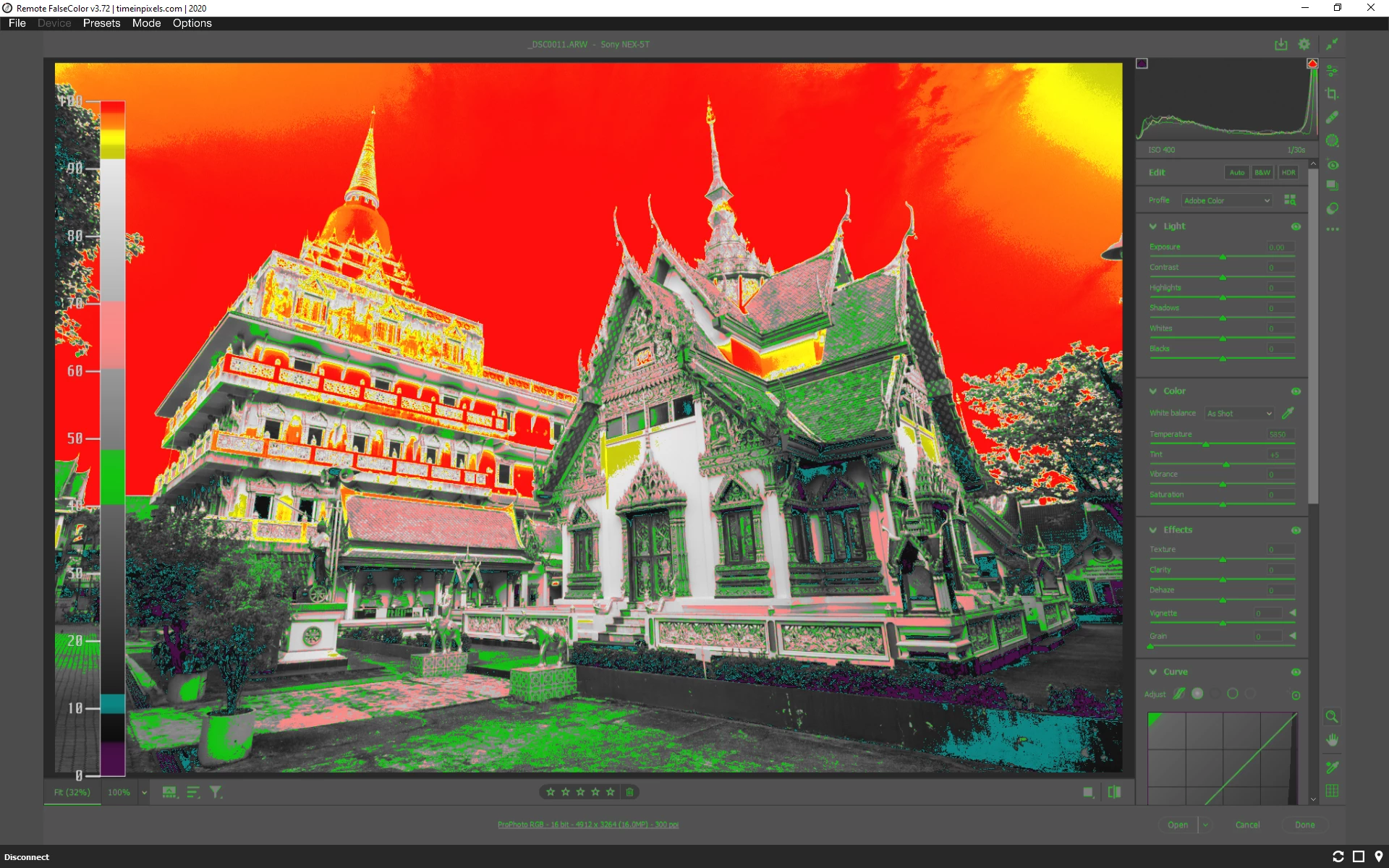
Now i use adjust sky exposure looking only on False Color on monitor until it shows no more clipping on the sky.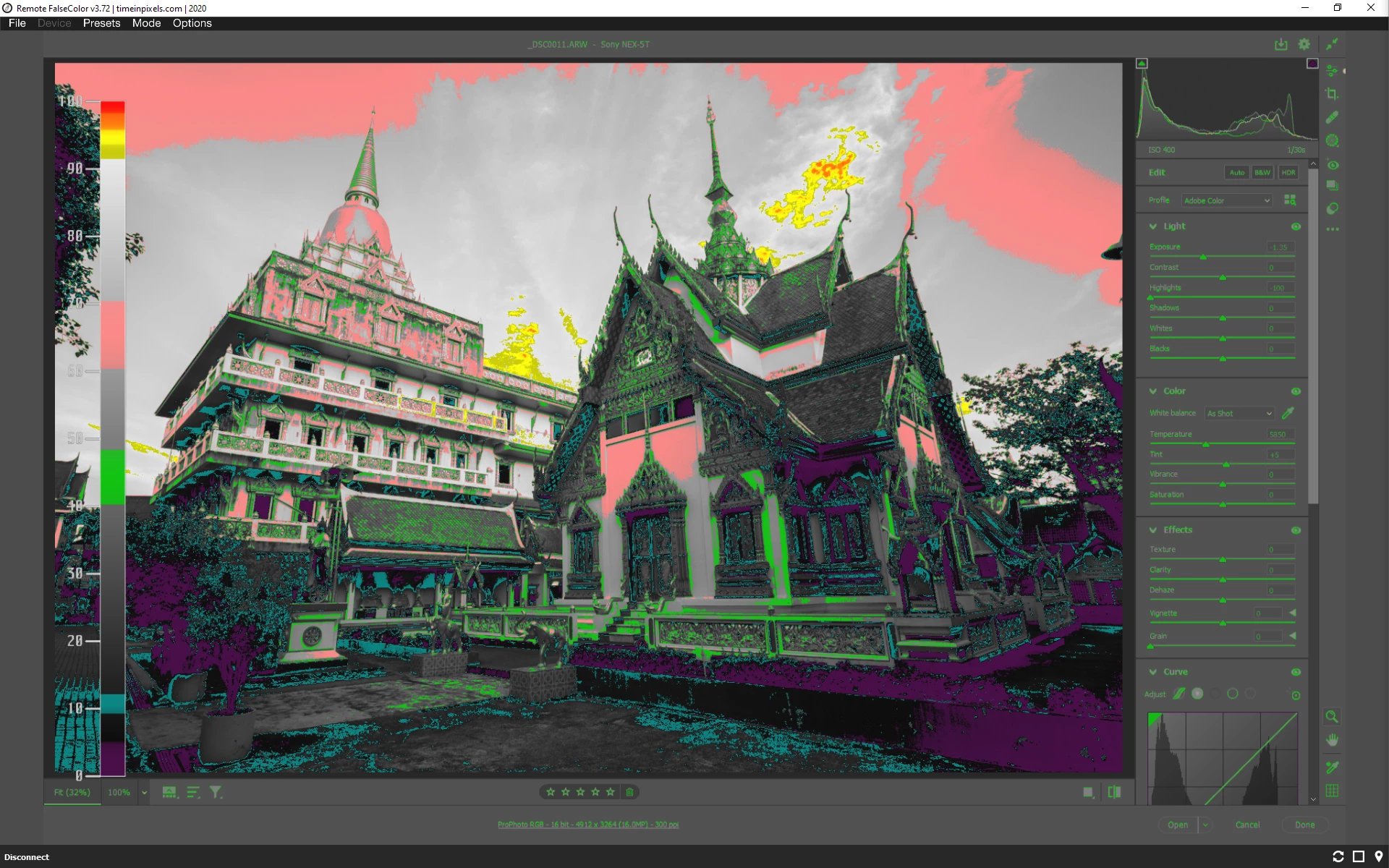
Now i look at ACR monitor and i see sky is properly exposed.
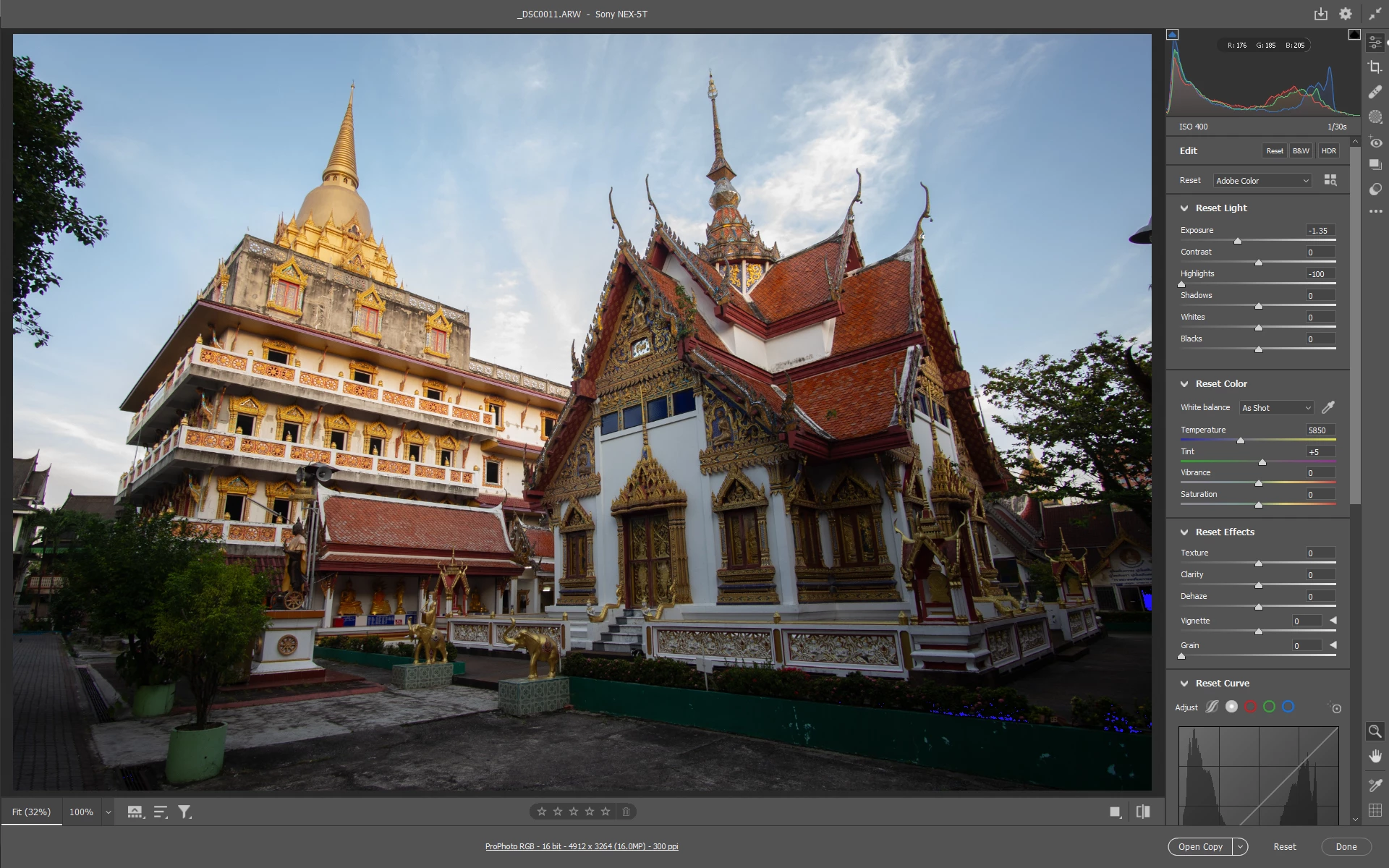
Hope you can see false color benefits the grading workflow.
 AdChoices