


Inspiring
January 7, 2025
Open for Voting

Add Icon to Zoom to Fit

  • January 7, 2025
  • 7 replies
  • 517 views

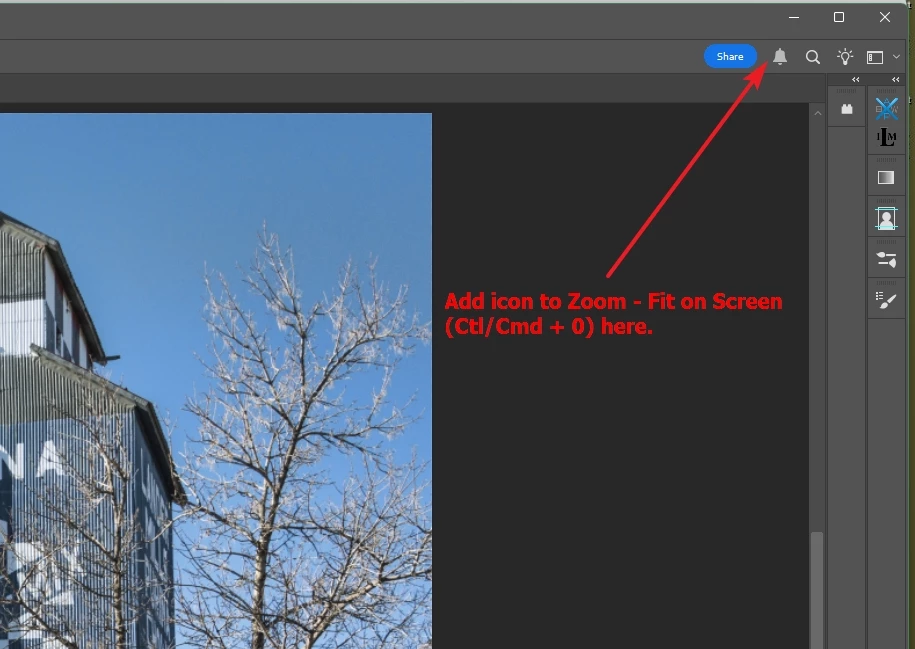
Kindly add a Zoom-to-Fit (Ctl/Cmd + 0) icon at top of PS window that is always visible. See embedded image. Since this command is used so frequently, it will save time by clicking icon instead of using keyboard.
 

7 replies

Jeff Arola
Community Expert
Community Expert
January 11, 2025

That's quite okay.


Just putting ideas out there.

Inspiring
January 10, 2025

Jeff Arola, thanks for the suggestion. Yes, I have used scripts and actions. In fact I have one that I wrote the automatically fits the image to screen upon opening the image. I know that I might seem a bit resistant to your idea, but I am aware of the button mode for actions, and do not want to use it. I have quite a few actions and prefer the normal menu-like display of them.

Jeff Arola
Community Expert
Community Expert
January 10, 2025

Do you ever use Actions?


You could create a Fit on Screen action, then put the Actions panel in Button mode.


Mark.Dahm
Community Manager
Community Manager
January 9, 2025

Command-zero (Mac) also does the same thing.

Inspiring
January 9, 2025

I tried Jeff Arola's suggestion, but I still like the idea of adding a button at the top to fit the image to the screen. When I double-clicked the hand tool as Jeff suggested, the currently active tool (such as lasso) lost focus. I would like to keep the focus on the current tool, and simply click a button.

Inspiring
January 7, 2025

Thanks, Jeff. I didn't know that. Works for me!

Jeff Arola
Community Expert
Community Expert
January 7, 2025

You can double click on the Hand Tool icon in the Toolbar to get Fit to Screen.