


Adjustment Panels are too Big
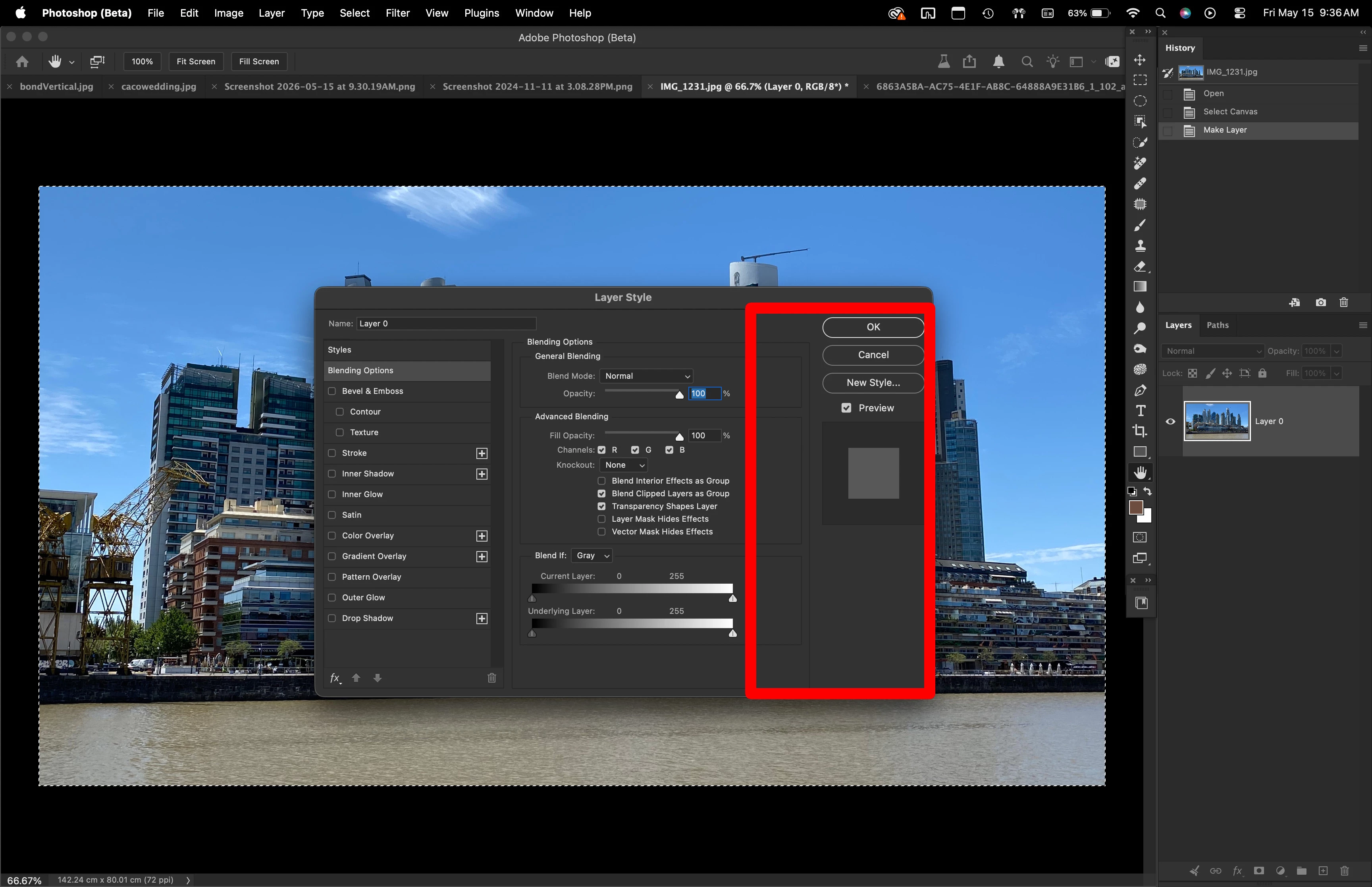
I have a 16” Mac Book Pro M5. The screen is big enough to work but every time I open a panel like Layer Style for example, it covers too much of the screen. I have to keep moving it away from the image so I can see what it’s doing. The windows can’t be resized and I think a new.more modern alternative should exist. It’s been the same box for 30 years. Everybody Is moving away from moving panels, like Lightroom or even camera raw where everything lives on the right hand of the screen without any distractions.
Either make them smaller, or remove unnecessary space on a panel that can't even be resized.
In this example, everything inside the red could be a lot smaller or condensed.
I watch some Photoshop tutorial videos on YouTube and I always see the presenters moving Panels all over the place not to cover an image on the screen… It happens to me every day and it’s frustrating.
After 27 versions of Photoshop the panels haven’t evolved at all.
 AdChoices