


Participant
February 8, 2024
Open for Voting

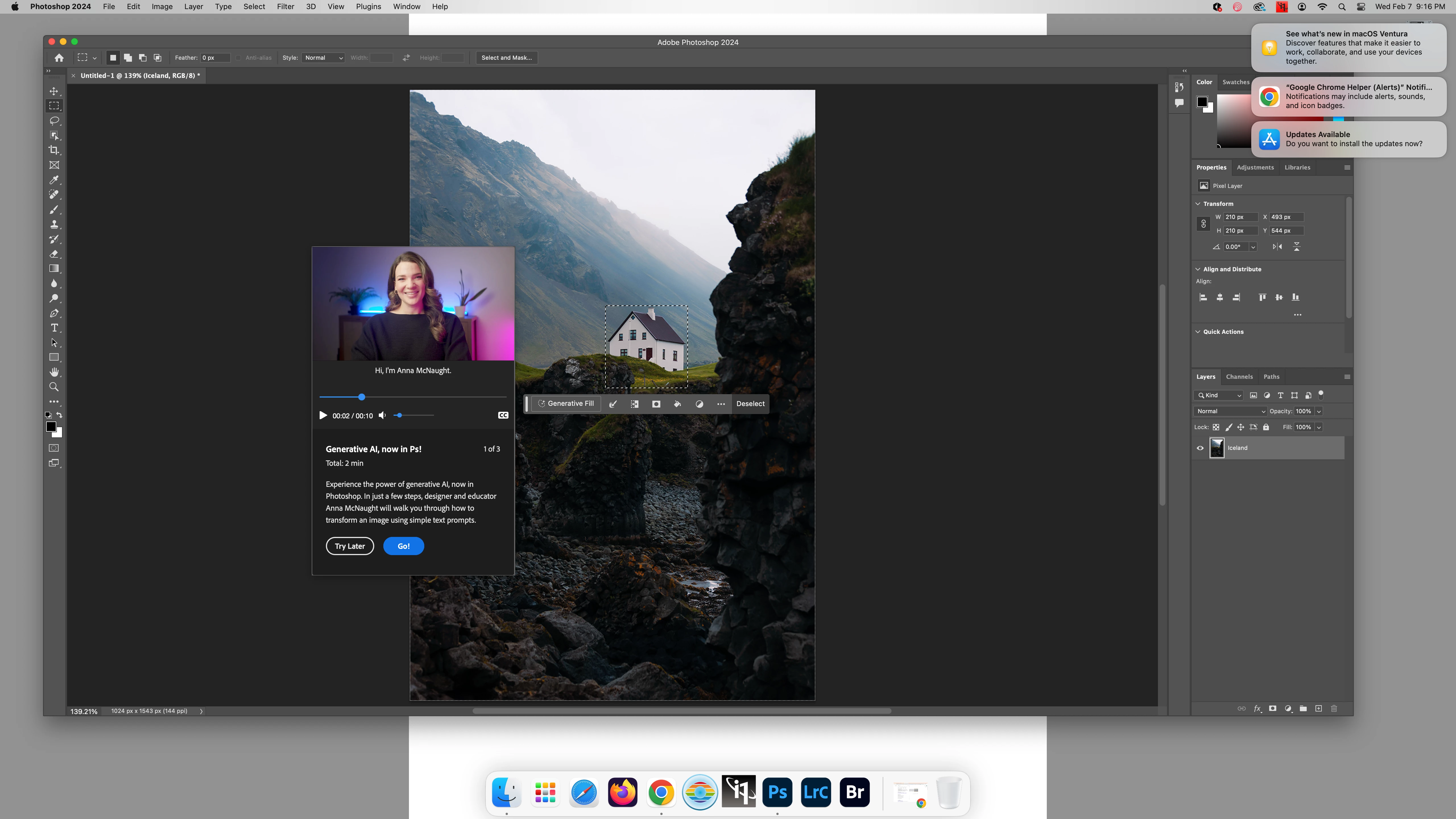
Ai Generative Fill Popup tutorial

  • February 8, 2024
  • 5 replies
  • 722 views

Hi Adobe,

Could you please add a "do not show again" button to the popup AI Generative Fill Tutorial. This keeps popping up every time my students and I login to Photoshop. It is sincerely interuptive and annoying. 


Thanks

Your dedicated user since 1995ish, version 4.
5 replies

Ged_Traynor
Community Expert
Community Expert
March 23, 2024

@SteveBlacker the fix didn't last long, the AI Gen Tutorial nightmare is back, it's back to version 25.5.1 for me

SteveBlacker
Participating Frequently
March 22, 2024

Thanks, I'll look into that. I've tried resetting preferences, uninstalling/reinstalling and nothing has worked so far. I'm also getting a completely nblank toolbar half the time - toolbar is there, but the button have no icons on them. Also a new thing that only starting happening recently, despite everything working fine until now. Time to roll back, I guess. Maddening. 

Participating Frequently
March 22, 2024

please allow for all the pop ups to be turned off. It's madening. 

Ged_Traynor
Community Expert
Community Expert
March 22, 2024

@SteveBlacker I had the same issue with the release of version 25.6, the only thing that fixed it for me was to uninstall version 25.6, in version 25.5.1 disable Contextual Task Bar and then reinstall version 25.6, so far it seems to have worked, just don't enable the Contextual Task Bar again

https://community.adobe.com/t5/photoshop-ecosystem-discussions/version-25-6-is-it-safe-to-upgrade/m-p/14507457#M795272


SteveBlacker
Participating Frequently
March 22, 2024

This is insanely annoying. Doesn't matter if I hit Try Later, Go or any other option, it pops up every time I open Photoshop. Severely disruptive and irritating. If I want a tutorial, I'll look for one. Shoving this in my face every time I open the software while I'm trying to work only serves to drive me completely nuts. Fix this, please.