


Allow changing the sample size when sampling by holding Alt key when the Brush Tool is active
When the eyedropper tool is active (keyboard shortcut: I) I can right-click to get access to the sample size menu.

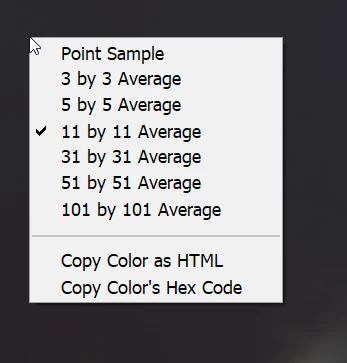
When the Brush tool is active (B) I can press Alt (on Windows) to temporary change to the eyedropper tool.
When I then right-click and hold I can change the brush size and hadrness by moving the mouse.
Feature request: show the sample point size menu when I right-click while holding Alt ehen the Brush tool is active, without holding the button down for a long time or moving the mouse.
Bonus points: include in that menu also the "Sample from" options, so that it would look like this:
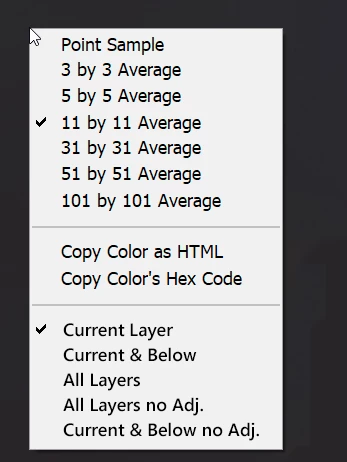
Motivation: there is no easy way to see or change the sampling size or sample from when using eyedropeer from the "Alt"-shortcut when the Brush tool is selected. I have to change from Brush to the Eyedropper tool and back to Brush.
 AdChoices