


Allow selecting and moving multiple corner points in Perspective Warp
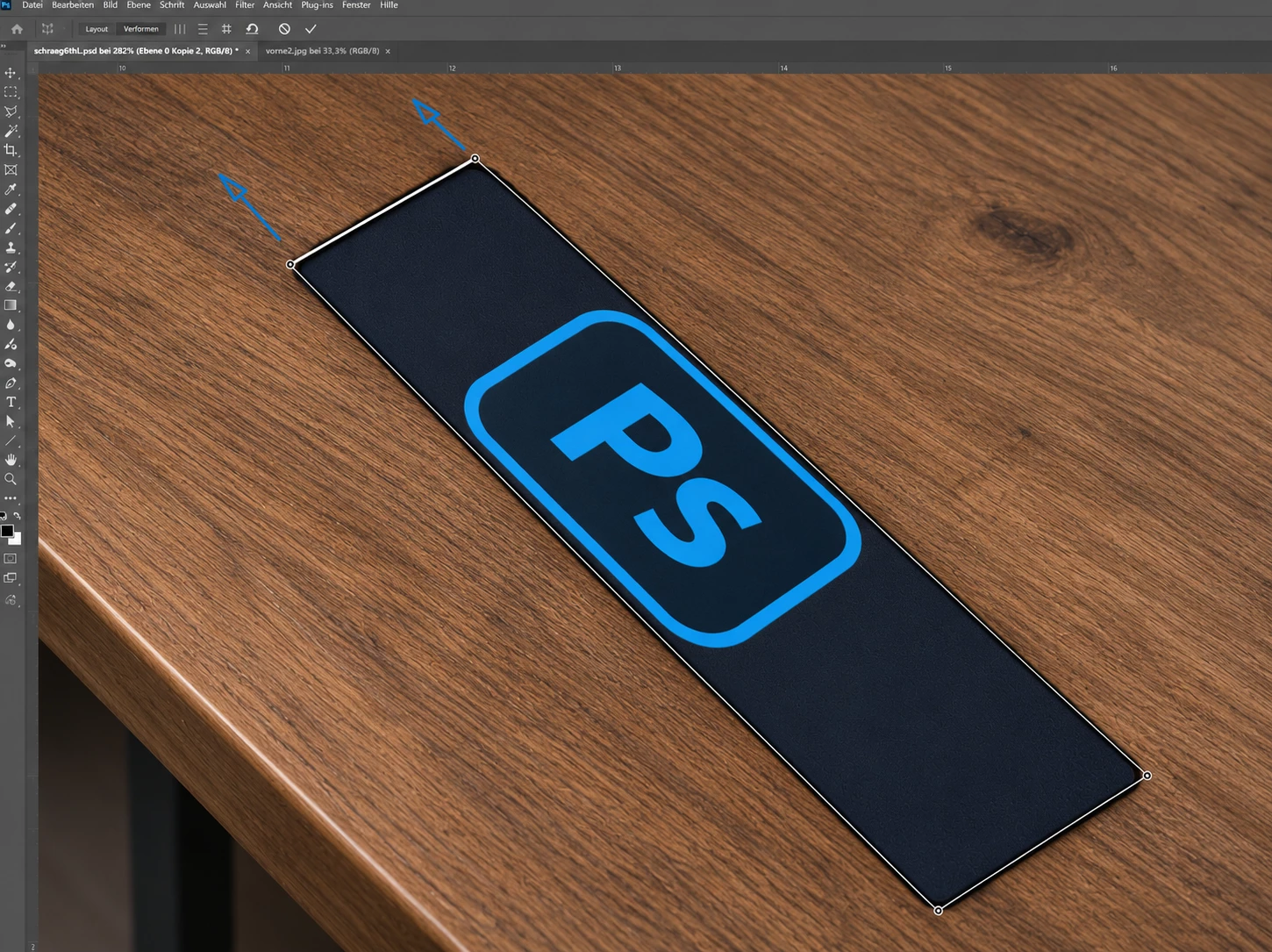
Currently, Photoshop's Perspective Warp tool only allows users to move individual corner points independently. While Shift-clicking an edge constrains it to a horizontal or vertical alignment, there is no way to select two adjacent corner points and move them together freely while preserving their existing orientation.
This is a surprisingly limiting restriction for such a fundamental transformation tool.
Suggested improvement:
-
Allow users to select multiple corner points using Shift-click and move them simultaneously.
-
Alternatively, simply allow Shift + Drag on an edge to move both connected corner points together, without snapping, straightening, or changing the edge's orientation.
-
Preserve the relative positions of the selected points.
-
Keep unselected corner points stationary.
Example use case:
Imagine a rectangular graphic positioned at an angle in a photograph. I want to extend the graphic in one direction while preserving its existing perspective.
Currently, I have to reposition both corner points individually, which is unnecessarily tedious and makes precise adjustments difficult.
This functionality is standard in many 3D and vector-based design applications.
Adding this simple interaction to Perspective Warp would make the tool significantly more intuitive, flexible, and useful for professional compositing and design workflows.
 AdChoices