



Open for Voting
Clone Stamp tool reset transform
I do a lot of image restoration with a Clone Stamp tool. Using another file as a source for cloning. A very important feature is the ability to clone from a source using a "zero" offset.
I have been searching for this without any luck. Is there a simple solution to reset transform (position, scale) values to "0" in the Clone Stamp tool? (A)
You can do it with rotation values. (B)
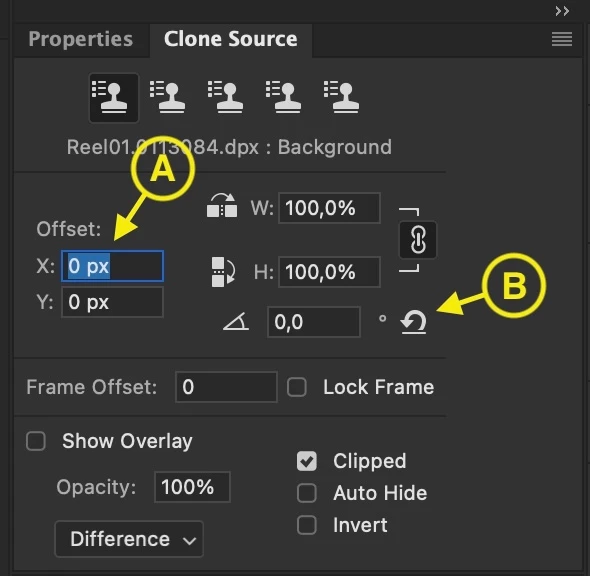
Currently, to reset transform I activate one of the offset boxes (being careful not to move the cursor over the image), select the 0 value and press enter. Not very handy at all.
If I have missed something, please enlighten me. If reset functionality does not exist, please make a button for it.
 AdChoices