Inspiring
August 5, 2021
Open for Voting

Crop to artwork boundaries

Not sure if this exists? But it would be very handy for my work to have a function/tool that allows you to crop any negative space, down to the boundaries of the artwork itself, even better would be this, but also able to set a boundary by pixel of negative space all around the image.

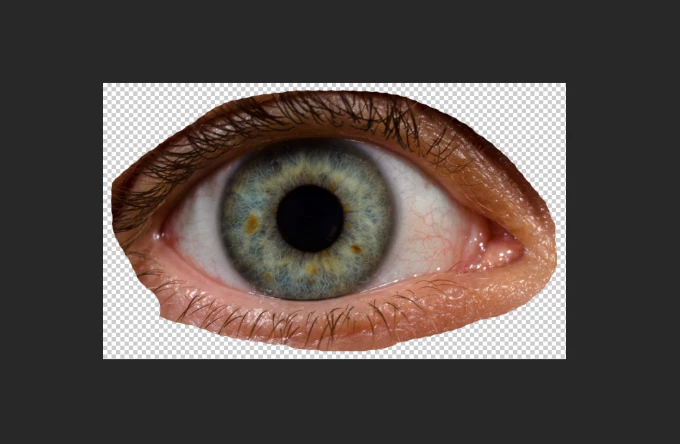
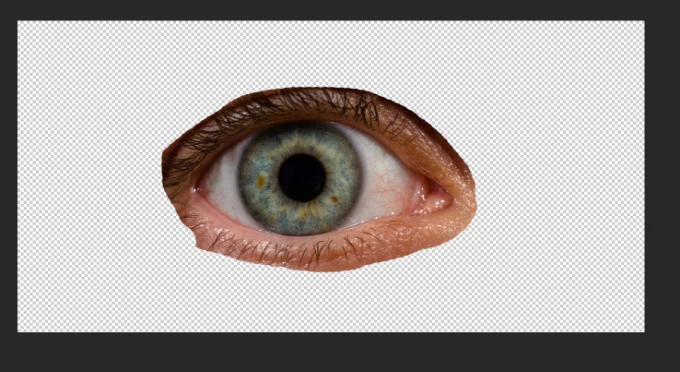
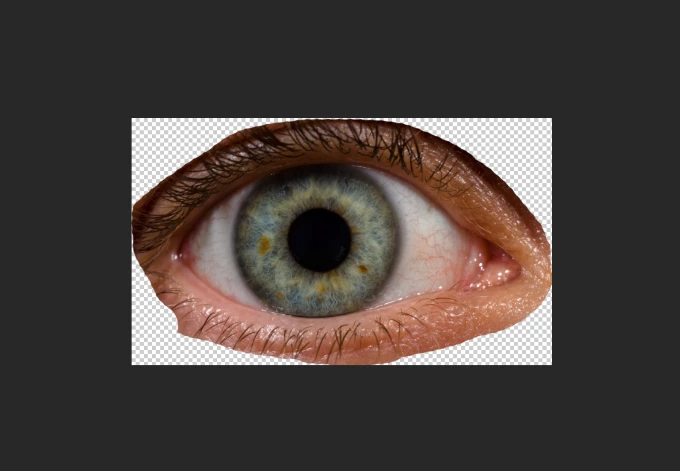
First image is a rough example of something I would start with, 2nd image would be after clicking one button - the crop boundaries go to the edges of the artwork. The 3rd example is the same but have set a pixel boundary of negative space to 2 px.
3 replies

Legend
September 21, 2021

With @JJMack suggestion, you can create an action add to Select > Modify > Expand by 2px to do it in one shot. Or Conversely, with @PECourtejoie suggestion, you could create an action to expand the canvas by a couple of pixels.

Translate
JJMack
Community Expert
Community Expert
September 21, 2021

You can also just select the artwork then with the selection active use menu Image>Crop. That will crop the document to the selections bounds. Or use Ctrl+J  new layer via copy to  have the artwork in its own layer   or  Ctrl+X and Ctrl+V the remove the artwork and paste in a new layer with only the artwork in it.


Translate
JJMack
PECourtejoie
Community Expert
Community Expert
September 21, 2021

Hello, part of the function is already present: Go to Image>Trim...

Translate