Inspiring
Aug 30, 2022 4:31 PM UTC
Open for Voting

Fit image to screen after cropping

Hi


I was wondering how to make photoshop behave so that after cropping an image, it fits the image exactly in the window. (= Ctrl+0)


I seem to recall this is how it behaved in the passed, but it doesn't anymore.

I've reset the crop tool, played with combinations of "Use Classic Mode" and (de)activate Overscroll...

It doesn't do what I want.


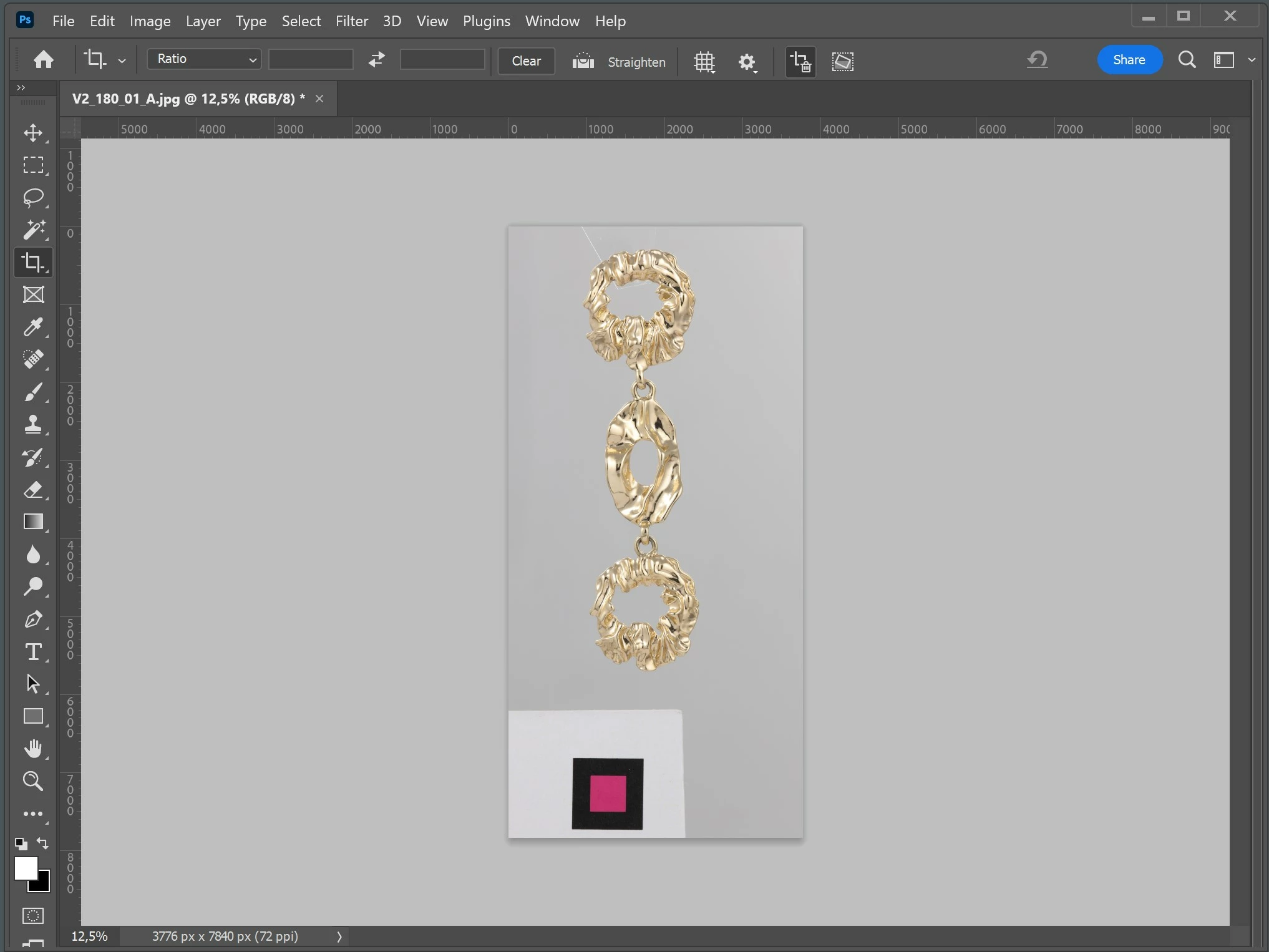
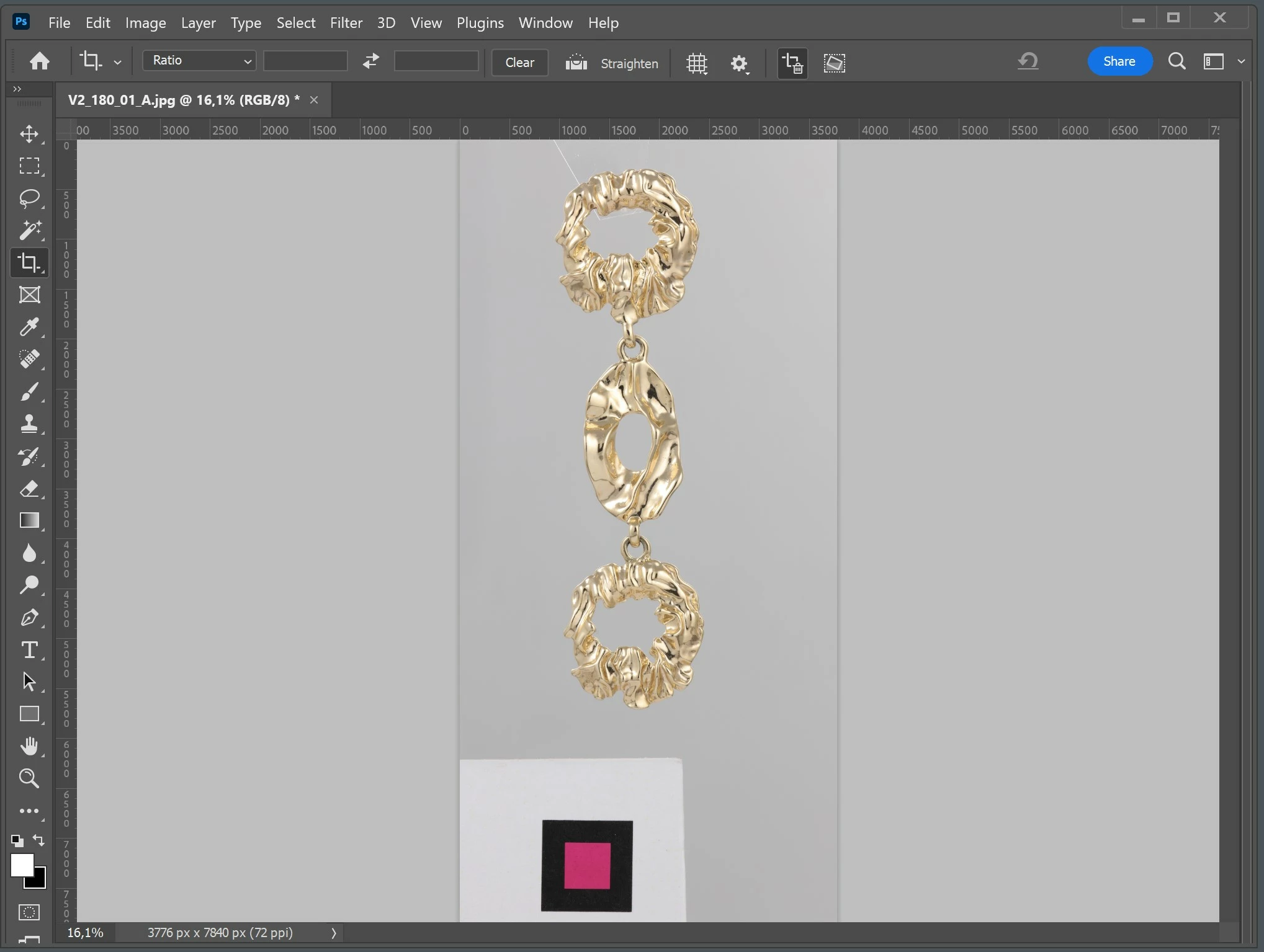
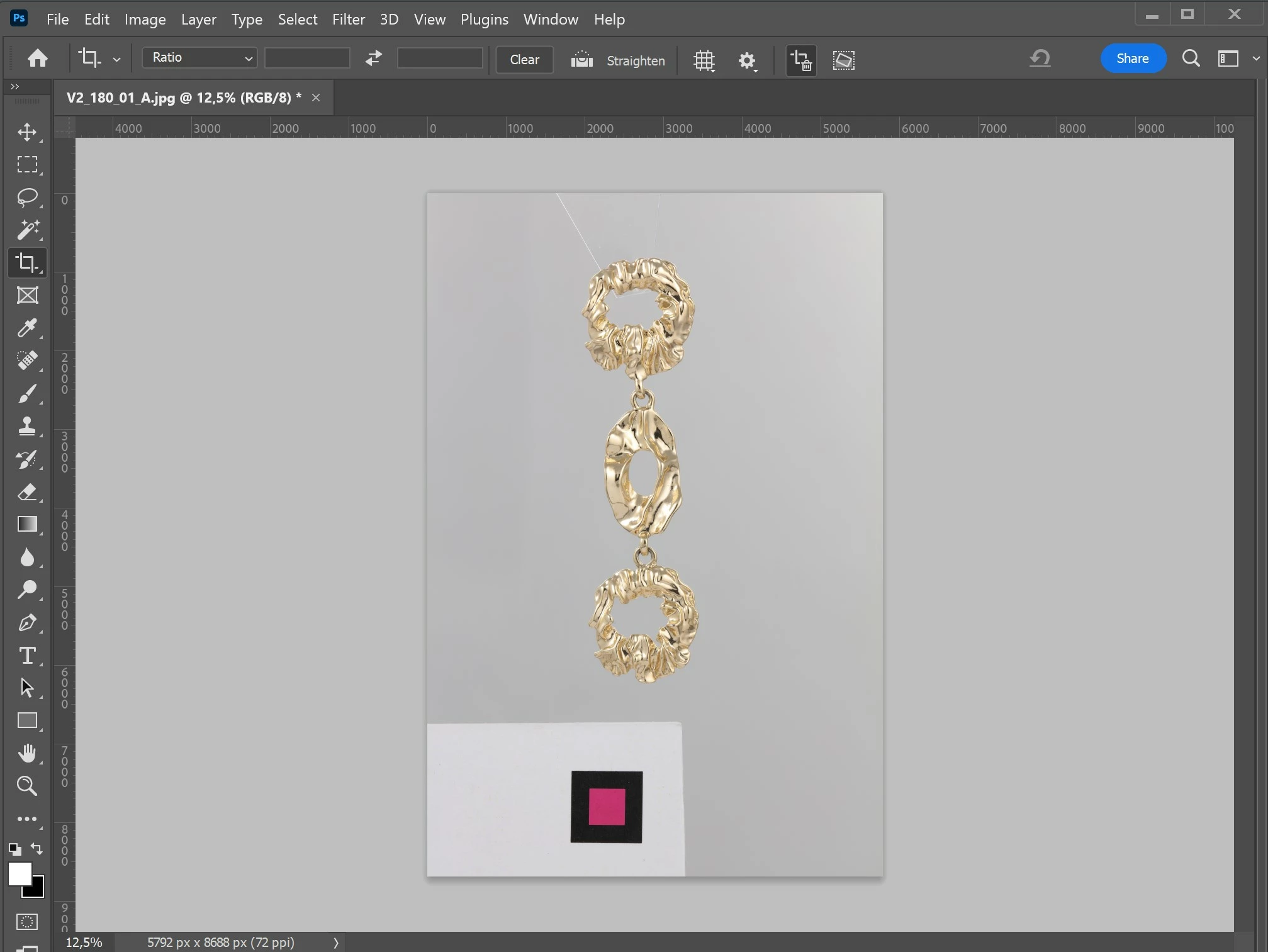
Screenshots attached of before, during & after + after-desired.


Do you know how to do this?

Perhaps there is an event to listen for using the Scripts Event Manager?


Thanks for your help!
 

7 replies

PECourtejoie
Community Expert
Community Expert
Apr 16, 2025 1:35 PM UTC

I tried to do it from memory, and I went to the scripting documentation on github and mistakenly entered "Document.crop" instead of Crop.

For a non coder, it is very difficult to add stuff in the list, not knowing what is the correct item.

So I stand with my suggestion to make the built-in list of events longer.

(but thanks, viewing your post, I was able to make it work!)

Translate
PECourtejoie
Community Expert
Community Expert
Feb 18, 2025 4:42 PM UTC

Thanks! Indeed, that said for the usefulness of the SEM, having a longer built-in list would be a plus!

Translate
Stephen Marsh
Community Expert
Community Expert
Feb 18, 2025 3:04 PM UTC

@PECourtejoie 


Many events can be found in the scripting documentation or here:


https://gist.github.com/codewings/725b91ae2c607d96f24e1cc1527b8217


However, not all events are documented and ScriptingListner may be required.

Translate
PECourtejoie
Community Expert
Community Expert
Feb 18, 2025 2:58 PM UTC

TIL that there are more events!
There should be a built in list. I'll go check.

(but IMHO the behavior should be the default one, as it was before.)

Translate
Stephen Marsh
Community Expert
Community Expert
Feb 18, 2025 2:47 PM UTC
quote

the scripts events manager could be used to automate it, but it would need a cropping event in the list to trigger it.


By @PECourtejoie 


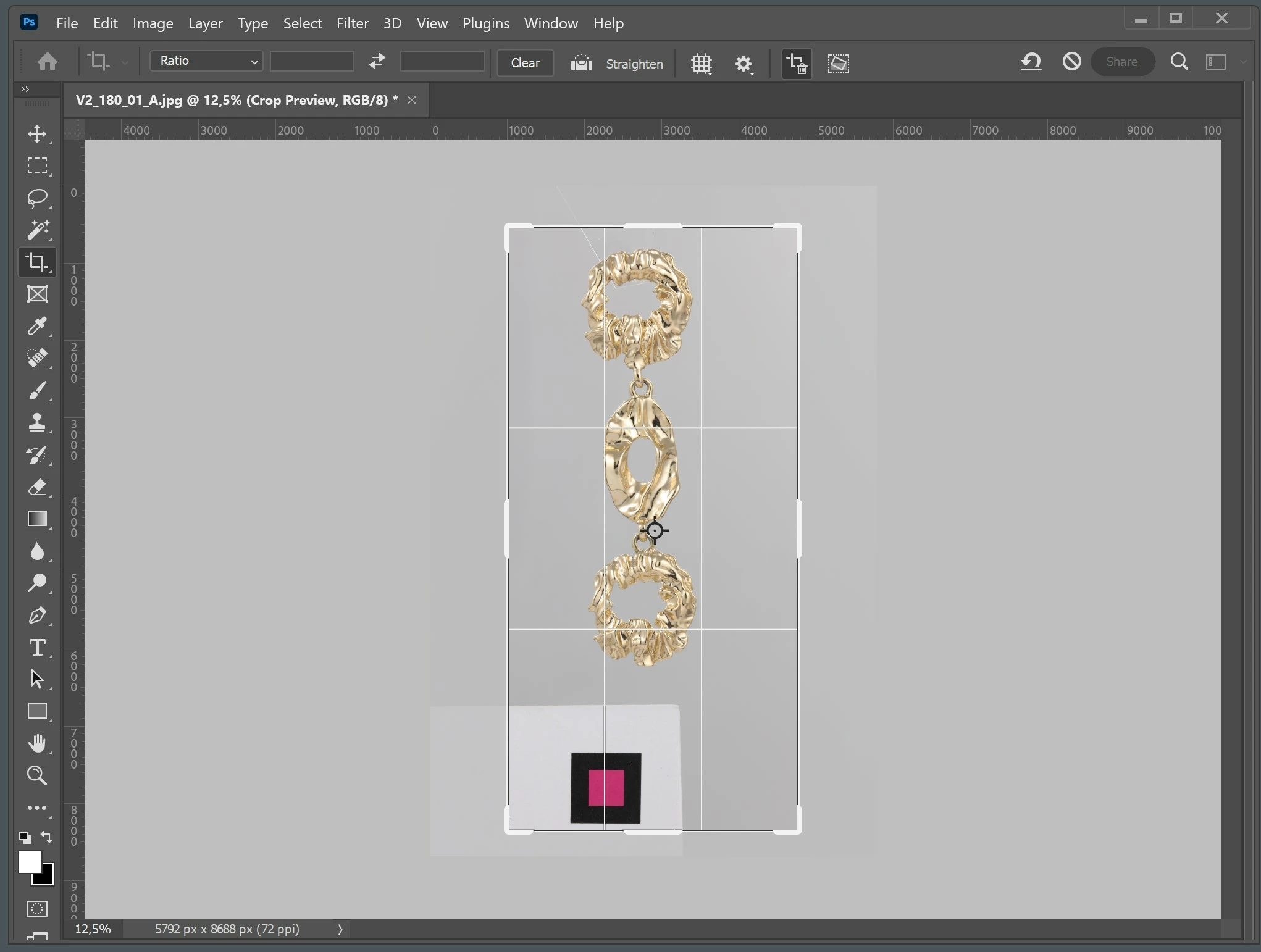
Here’s a screenshot, note that the Event Name can be anything, however, the Descriptive Label is case-sensitive and must be:


Crop


An action will need to have the "insert menu item command" used for the fit step:


https://community.adobe.com/t5/photoshop-ecosystem-discussions/fit-on-screen-automatically-in-photoshop/m-p/10576298


https://community.adobe.com/t5/photoshop-ecosystem-discussions/fit-to-screen-script-shuffling-file-sequence/m-p/13568693


https://prepression.blogspot.com/2021/10/photoshop-script-events-manager.html


Translate
PECourtejoie
Community Expert
Community Expert
Feb 18, 2025 1:51 PM UTC

Hi, I do remember the same behavior of a fit to screen after cropping in older versions of Photoshop, and wished it was still the case.

the scripts events manager could be used to automate it, but it would need a cropping event in the list to trigger it.

Converting your question to a feature request.

Translate
War Unicorn
Community Expert
Community Expert
Aug 30, 2022 5:26 PM UTC

Closest thing I can think of is to zoom in with the Overscroll option off, do your crop, and hope for the best. The zoom level will always stay the same, though. Maybe it can be done via scripting, but I'm no scripting maven.

Translate