Participant
April 14, 2026
Open for Voting

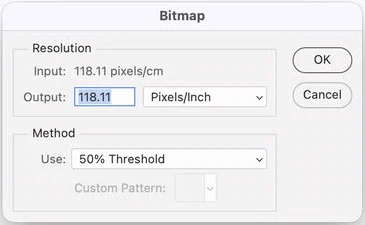
Image/Mode/Bitmap

  • April 14, 2026
  • 4 replies
  • 35 views

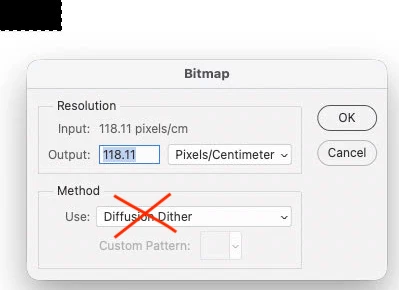
Is it possible to modify the “default” parameter when we change the Image mode to “Bitmap” . It's now by default to “Diffusion Dither” but it must be “50% Threshold”. The mode “Diffusion Dither” cause many trouble, because the picture became with multiple dots (pixels) instead of a uniform area. This cause major problems in the printing industry and designer don’t notice this issue. 
 

    4 replies

    Steven Whitea
    Participant
    April 14, 2026

    It sounds like you're encountering an issue with the "Diffusion Dither" mode in Bitmap, which is causing a pixelated effect instead of a smooth, uniform area. I agree that this can be problematic, especially in print design. It would be helpful if the default setting could be modified to "50% Threshold" to avoid this issue. You might also consider manually adjusting the dither settings or using other methods like "Halftone Pattern" or "Pattern Dither" depending on the program you're using. Hopefully, the developers will address this in future updates!

    jane-e
    Community Expert
    Community Expert
    April 14, 2026

    @Lina28445033b6i0 wrote: I know how to change it


    What I think I’m seeing is that you know how this works and how to change it. What you are looking for is for Adobe to change the default setting to help new users, which is why you posted to Feature Requests.


    Is that correct?


    Jane


    Participant
    April 14, 2026

    Exactly!! thanks Jane :)

    gener7
    Community Expert
    Community Expert
    April 14, 2026

    Now I get it… Upvoted!

    gener7
    Community Expert
    Community Expert
    April 14, 2026

    50% Threshold is a “sticky setting”.

    Once you select it, it should remain that way for all future bitmap mode conversions.

    Participant
    April 14, 2026

    Yes, but when you don’t know that “Diffusion Dither” (which is the default setting) makes trouble, you’re “stick” with this one also for all pictures modify with this setting.

    Legend
    April 14, 2026

    You can write a script to change the mode using app.activeDocument.changeMode(), that way you could hardcode your preferred options.

    Participant
    April 14, 2026

    I know how to change it, it’s all the new users who don't realize that this causes problems. I want to be changed in the Photoshop sources. When a user change a greyscale picture to bitmap for the first time, it should be in “50% Threshold”, not Diffusion Dither.