



Make action(folder) from "new actions panel" sticky
Photoshop 27.7 / Windows 11 / x64
First of all, I like the new actions panel, especially the option to “attach” an icon to any action for clear identification (would be nice to open/set your own icon(package), but I’m fine with how it works right now).
But there is one, or actually two, things I don't like.
Let's start with the easiest thing;
- Why can't I delete the predefined actions? It's called “essentials”, but they are not essential at all and take up my screen estate. Would be nice to delete those actions, their groups or the compete “tab” representing them.
- My other feature request is maybe an edge case, but for me it's really annoying;
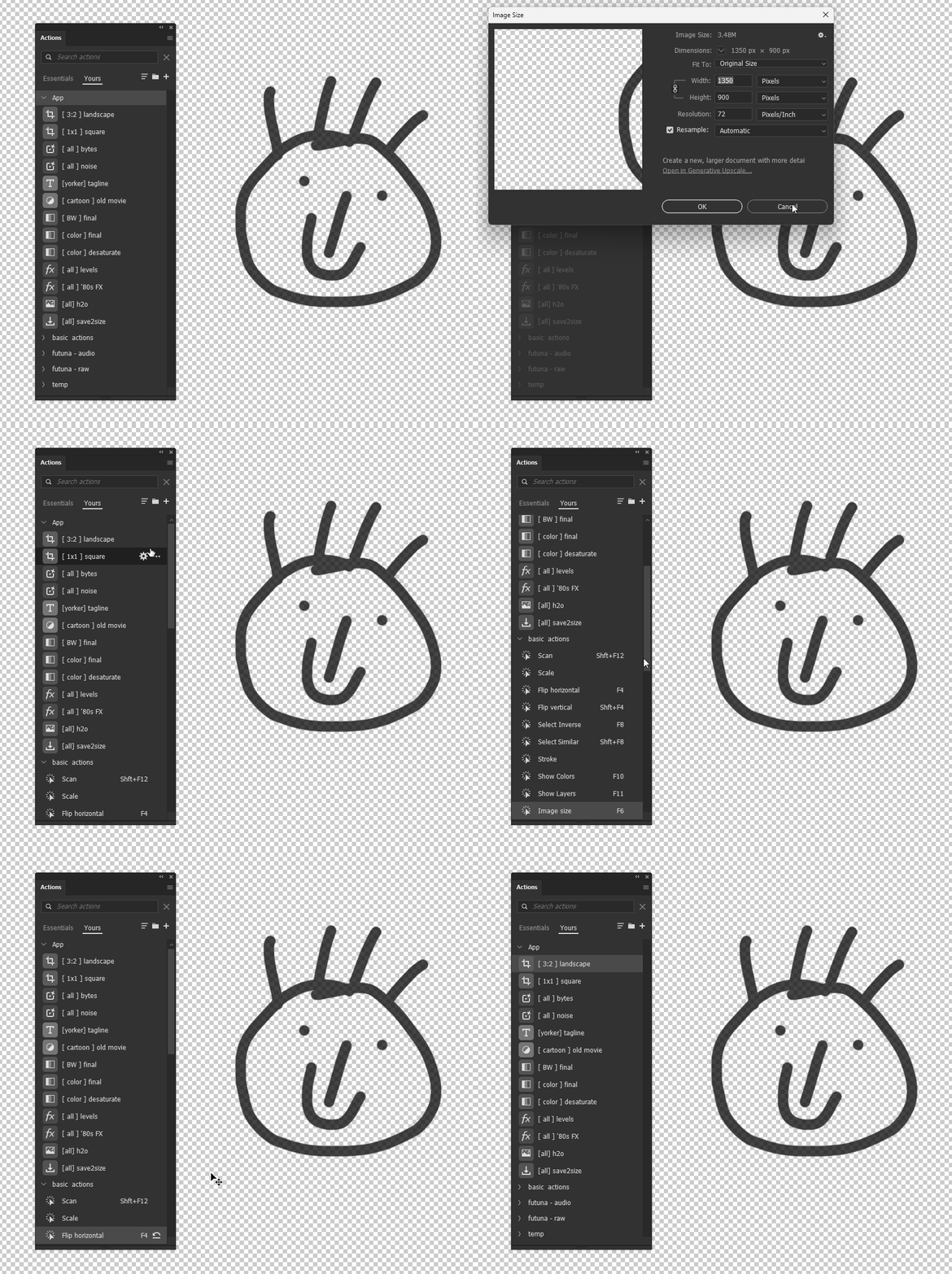
Please see the screen recording attached.
I am a heavily (?) actions user. And I use Photoshop since version 2.0 from 1992 or so.
I created a workflow with some “complex and dedicated” actions (see group “app” in the recording). Those are nested actions, custom scripts, etc… that do lot's of things within one single action.
And I have lots of simple actions, like "F6 - change image size” or "F4 - flip horizontal / SHIFT + F4 - flip vertical”. Those are placed in the group "basic actions” in the recording (below the “app” actions).
Now the problem / issue;
I need my “app” actions always to be on the screen. Because I use them 99,99% of the time. Period.
But when I simply flip a layer, or change the size of an image (F6 / F4), the actionpanel does “jump” to that particular action, does open the group were they are nested in and (worse of all) when I ‘cancel’ one of those simple shortcut-actions, it does not return to the main overview of all the actions.
So every time I check the size of an image (F6 - resize / view size) and do nothing (cancel), my whole workflow is stuck on a useless panel inside the actions panel. It show the current action (image size), with noting else.
And every time I see that, I have to press “back” (using the chevron in the UI), close the “basic actions” folder, scroll up to the “app” group and order my panel again.
Every - single - time.
I would be nice to have an option / toggle to make the UI “fixed” (or whatever you want to call it), so my main actions are always visible and not disturbed whenever I press a shortcut that triggers a complete other interface for that same panel.
(hopefully you can understand what I mean)
 AdChoices