


Under Review
no generative fill option has all the necessary tools
There seems to be three ways to use generative fill. But all are missing key elements. Is there a way to use generative workspace but control the pixel size of the final image?
Or a way to use a composition reference image on the other generative fill options?
It’s also weird you can’t see all the art styles together (via the "all" category) in generative workspace like you can in the other sections. But I can get around that. It just basically creates a treasure hunt aspect for no reason.
Thank you. 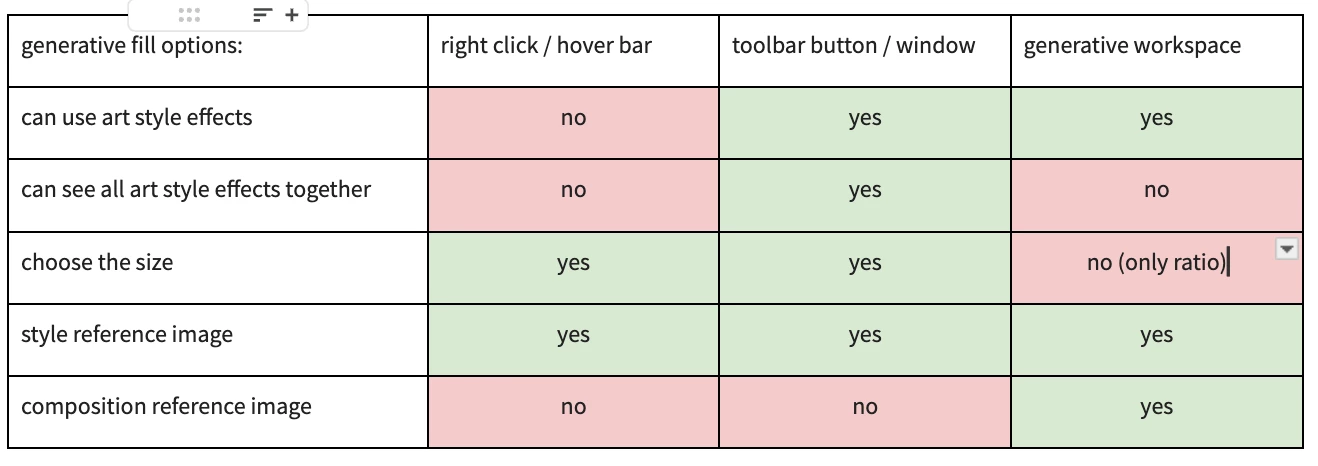
 AdChoices