



TenTin
Inspiring
May 16, 2026
Question

No Native RTL (Persian) Font Category or Grouping in Font Menu

  • May 16, 2026
  • 2 replies
  • 88 views

Is there a way to create a special font category for my native language (Persian, which is RTL) in the Photoshop font engine? It would be great if I could group all of my installed native language fonts into one category. The 'Favorites' feature is useless for this because I have to add them one by one, and it still mixes them up with Latin fonts!
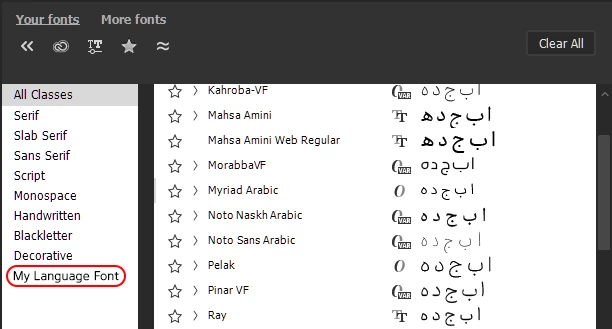
My Language Font Category


Classification Filter doesn’t work for me!
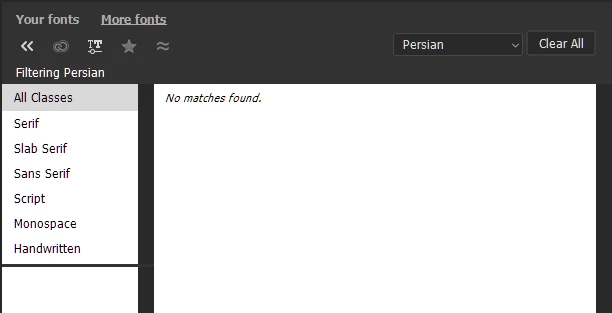
Persian (fonts) Classification Filter doesn’t work


    2 replies

    Srishti Bali
    Community Manager
    Community Manager
    May 19, 2026

    Hi ​@TenTin 


    Thank you for this detailed feedback and for sharing screenshots. I’m moving this to the Feature Request section so the product team can track it properly and so other users can upvote it.


    Thanks for being part of the community and helping us improve the experience for RTL-language designers.

    Thanks, Srishti Bali | Community & Engagement Strategist, Digital Imaging | Adobe
    creative explorer
    Community Expert
    Community Expert
    May 16, 2026

    @TenTin I use FontBook on my MacBook Pro, and I create a Collection of fonts for certain clients and projects. When not in use, I quickly ‘disable’ them so that they don’t show up in Photoshop or any other Adobe apps. This may be a work-around. Yah, at the beginning it may be a drag to set it all up with all your Persian fonts, but once you set-it-up, you can quickly disable the whole collection or enable it at once. I no longer scroll through the thousand of fonts while working anymore 

    m
    TenTin
    TenTinAuthor
    Inspiring
    May 19, 2026

    I use FontBase. It would be great if Adobe could add such feature (font grouping linke brush palette) in Ps.