


ABDESIGNS
Participant
March 3, 2017
Open for Voting

P: Ability to edit locked position smart objects

  • March 3, 2017
  • 2 replies
  • 1620 views

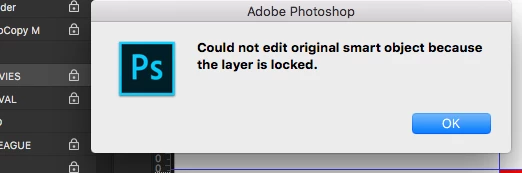
I create and use templates for work and it's essential that I have the ability to lock smart object positions within the file, but also have the ability to  open and edit the smart objects. Does anyone know a way to lock a smart object position but still preserve edibility? it would really help as a lot of people go into the files and the template gets messed up, which is so annoying for slicing. I just dont see how locking the position would stop you from getting in the smart object!
 

2 replies

Participant
October 15, 2021

If you link the Smart Object layer to the Background layer, the position will be locked but the Smart Object contents will be editable.

D Fosse
Community Expert
Community Expert
March 3, 2017

Lock position only:

davescm
Community Expert
Community Expert
March 3, 2017

Whilst that is the correct button to lock position, the OP is right. When position is locked the smart object won't open. Just checked back (as far as CS6) and older versions are the same.

Dave

ABDESIGNS
ABDESIGNSAuthor
Participant
March 3, 2017

Thanks Dave it's a massive issue for me, we have a team of subs who go through the email template and the smart object shift around, im so annoyed with these stupid bugs with adobe.