


Community Expert
June 23, 2012
Open for Voting

P: FFT-based pattern remover (Filter/Brush/Tool)

  • June 23, 2012
  • 37 replies
  • 8416 views

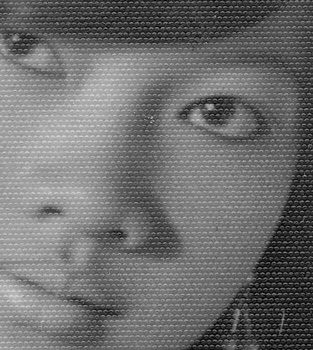
A filter that automatically removes/reduces repeating patterns like raster patterns or paper texture.It would be of great help for anyone who ever encounters a scanned image with a repeating pattern (typical for image restoration work or when the only source for an image is a printed copy).Before/after example (click to see gif animation): How to make such a filter: This can be done by doing a Fast Fourier Transform (FFT) to split an image into frequency components. The frequencies that make up repeating patterns will stand out and can be removed (today we do this manually with a black brush, but a filter can remove the "peaks" automatically). And inverse FFT is then performed to transform the image back. This entire process can be automated into one step; perhaps just with a slider to let the user choose how aggressively the filter removes frequencies.I posted a detailed explanation here with a short tutorial on how this is done step by step.Note that this only works on a single channel, so normally you would just bother to do this on the Luminosity component. Filtering each RGB-channel separately can also be done. I will leave that up to you Adobe... 😉
37 replies

missuskisses
Participant
April 19, 2022

Photos or artwork that have been printed tend to have the half-tone or dotted look up close. It would be great to have a feature where a scanned in photo/artwork can be converted via a neural filter to resemble either a digitally-taken photograph or a digitally-created artwork.

Stephen Marsh
Community Expert
Community Expert
April 20, 2022

So you are asking for a descreen, to make a contone image from a halftone image?

Inspiring
October 8, 2019
Steven,

Have a download at:  https://www.dropbox.com/s/45mfoxdz1o899r0/RONC_Scripts_Plugins08oct2019.zip?dl=0

This includes the latest Ft plugins and scripts which execute them on Windows with Photoshop CS6 - CC2019.  Readme.txt tells how to install the various pieces.  There are other scripts included which might be of interest.

RONC

Inspiring
October 8, 2019
Steven,
I have a Photoshop script that allows you to run the Ft plugins.  It is located in my GitHub repository.  It has worked on both Win and MAC for versions 6 through 2019 CC of Photoshop.  Let me try to remember how you can get it and the other Ft plugins.
Be back to you soon with a link.

Still have need for MAC help in compiling these things.

RONC
SJNBham
Participant
August 21, 2019
I'd like to see an FFT feature in PhotoShop as well. Having the preview on a small portion of the image would be super helpful as well when working on very high-res images. 
Participating Frequently
October 9, 2018
Uh... That's odd... These are two completely different topics. Why was this merged here?

The only thing in common is the mention of the word "frequency". 😛
Inspiring
October 8, 2018


I would like to see a frequency separation tool/brush. I know we can use an action to set up frequency separation but wouldn't it be smarter to have a tool that could work on an empty layer without all the extra steps? The tool would have all the adjustments of a normal brush, one form would work on texture and the next would work on color and tone. I would like to hear from a developer if this is even possible.
Community Expert
July 23, 2018
Good news: Mac version is now under development. Should be out in a few weeks hopefully.

Then we finally have a good free FFT-based pattern suppressor for Photoshop that works on both Mac and Windows. 🙂

Edit: Yes, Mac version was completed on schedule. See ft.rognemedia.no
Community Expert
June 27, 2018
The Affinity Photo one is nice. It is limited to manual painting over every star though (can be a bit of work, and not quite as accurate as the semi-automatic suppression). Preview is good though.
Inspiring
June 27, 2018
I just came across Affinity Photo.  Not only does in work on both Windows and Mac platforms, but it already has one of the best implementations of the FFT filter based pattern removers I've seen.  It shows a split screen of your image, and as you paint out the bright dots, you can see the immediate result in the 'after' split screen.  Also, it mirrors every dot you paint out in the opposite quadrant.  I spent a couple of hours with it last night, and I was able to do many of the things I normally do with PS without even needing a tutorial.  It is a very reasonable licensing agreement, and it is only $50.

https://affinity.serif.com/en-gb/photo/
Inspiring
June 26, 2018
Come on Adobe Photoshop, jump on this! Seems like the hard part is already done and it just needs to work on the mac version! Seems like this would be a great feature that people (especially retouchers dealing with older photographs) would use.