Okan5CA7
Inspiring
September 5, 2025
Open for Voting

P: Make the Feather Mask value scale according to the Image size.

  • September 5, 2025
  • 3 replies
  • 458 views

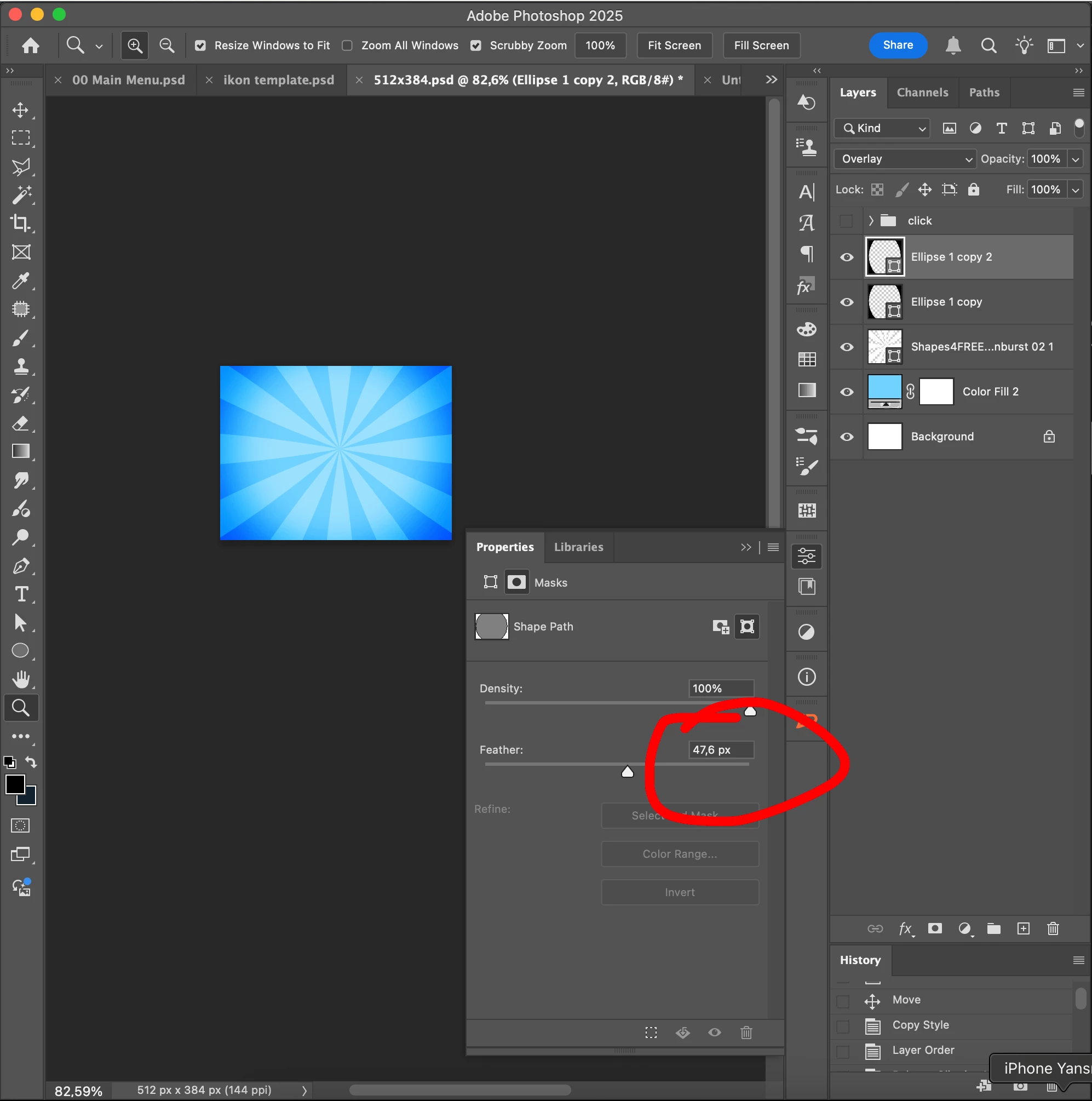
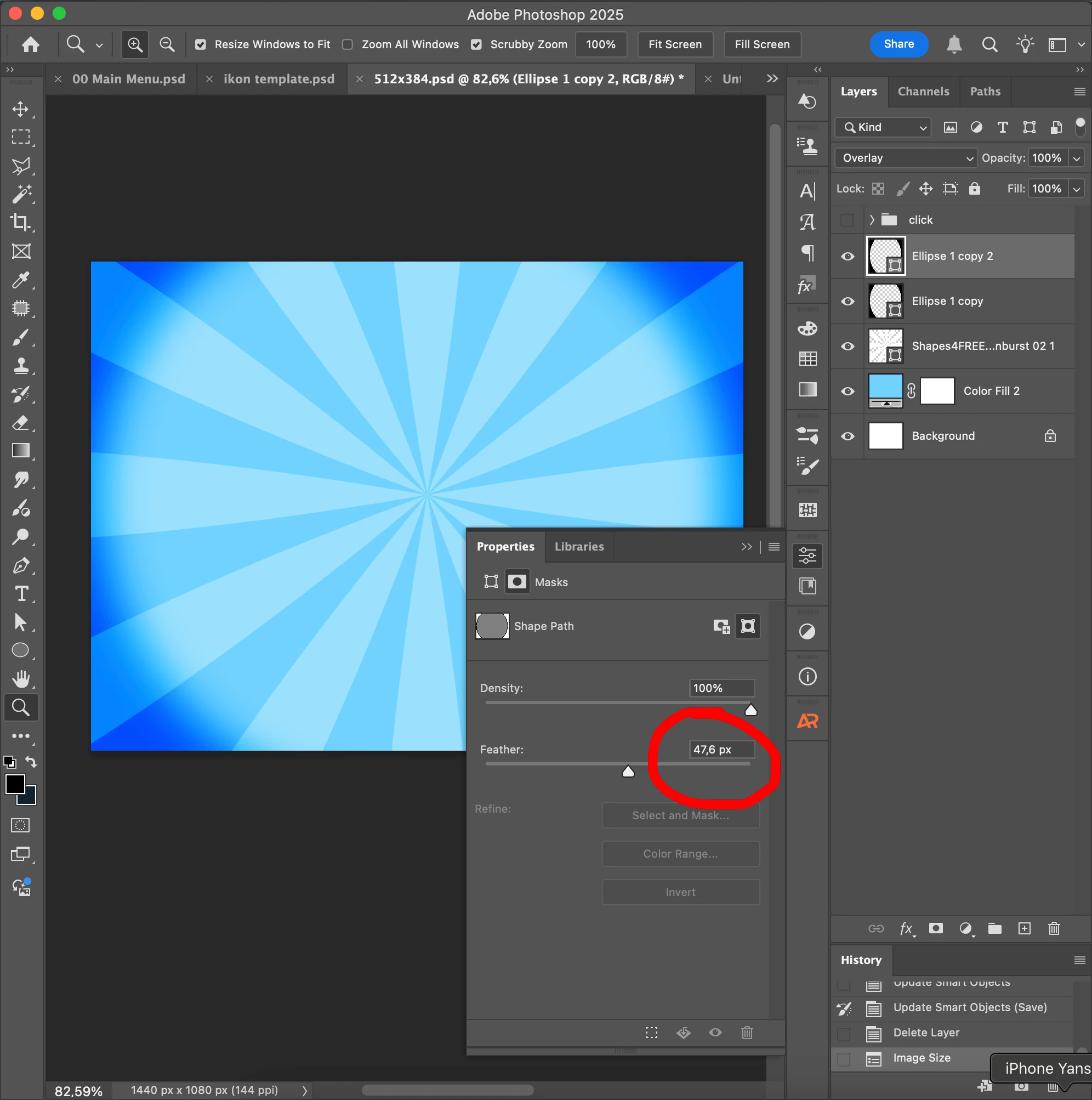
The Shape Feather Mask value remains the same when the resolution is increased. I have added 2 screenshots. There was no such issue in previous versions. It started after the latest updates and is still the same.


In the screenshots I added, I have two shape layers at a resolution of 512x384. The feather value of these layers remains the same when the resolution is increased to bigger size. (1440x1080)


I increase the resolution using Image Size. I checked the settings there, tinkered with them, but nothing changed. It's always the same. Scale Styles is selected in the settings.

As I said, this problem never happened before. It probably started after version 2025. I'm not entirely sure.


I'm using PS version 26.10.0

My system: Macbook Pro Apple M1 Max - 32GB Ram

MacOS: Sequoia 15.6.1


3 replies

Participating Frequently
September 10, 2025

Thanks for sharing the detailed information and screenshots! I'm seeing the same issue on my end after the update — it seems like the feathering is no longer scaling with the image size. It definitely seems like it was introduced in version 26.10.0.

Okan5CA7
Okan5CA7Author
Inspiring
September 10, 2025

Hello Noel. I am grateful to you for considering our opinions. I also thank you and your entire team very much. This situation really needed to be fixed. I appreciate that you took my problem seriously and resolved it.

davescm
Community Expert
Community Expert
September 5, 2025

Same in the Windows version (tested using v26.10 and Windows 11). I also tested using v24.7.5 and v22.2 which worked the same way.
Dave

Noel Orridge
Community Manager
Community Manager
September 5, 2025

Hi @Okan5CA7! Thanks for reaching out! I totally understand the confusion. It seems intuitive that the feathering value should scale with the image resolution. However, what you're seeing is actually expected behavior in Photoshop. That’s because feathering is considered a core attribute of the mask itself, not a style or effect. It tells Photoshop to "blur the edge of this mask by exactly 47.6 pixels," regardless of the canvas size. Could you let us know what you were expecting and what the results were in the earlier versions?


A workaround is to right-click your layer and "Convert to Smart Object" before you resize the image. This way, the shape and its mask are wrapped inside a Smart Object container, and Photoshop will scale everything proportionally — including the feathering. You'll see that the feathered edge now looks exactly the same, just scaled up perfectly with the rest of your image.


Hope this helps clarify things! 

Noel
davescm
Community Expert
Community Expert
September 5, 2025

Thanks Noel. My expectation would be that the value in the feather would change when the image is scaled thereby retaining the look. So if the image is scaled to 75% or 125% using re-sample in Image Size, then the value in the feather is changed by the same percentage. 

A checkbox in Image Size similar to that for scale effects would make it optional, or it could be linked to that same existing checkbox.


Dave