


P: Photoshop 27.9.1: Improve support for Remove Tool in 32bit/HDR documents
Remove Tool appears to clamp HDR values in a 32-bit document
I am using Photoshop 27.9.1 with a 32-bit/channel image in a VFX workflow.
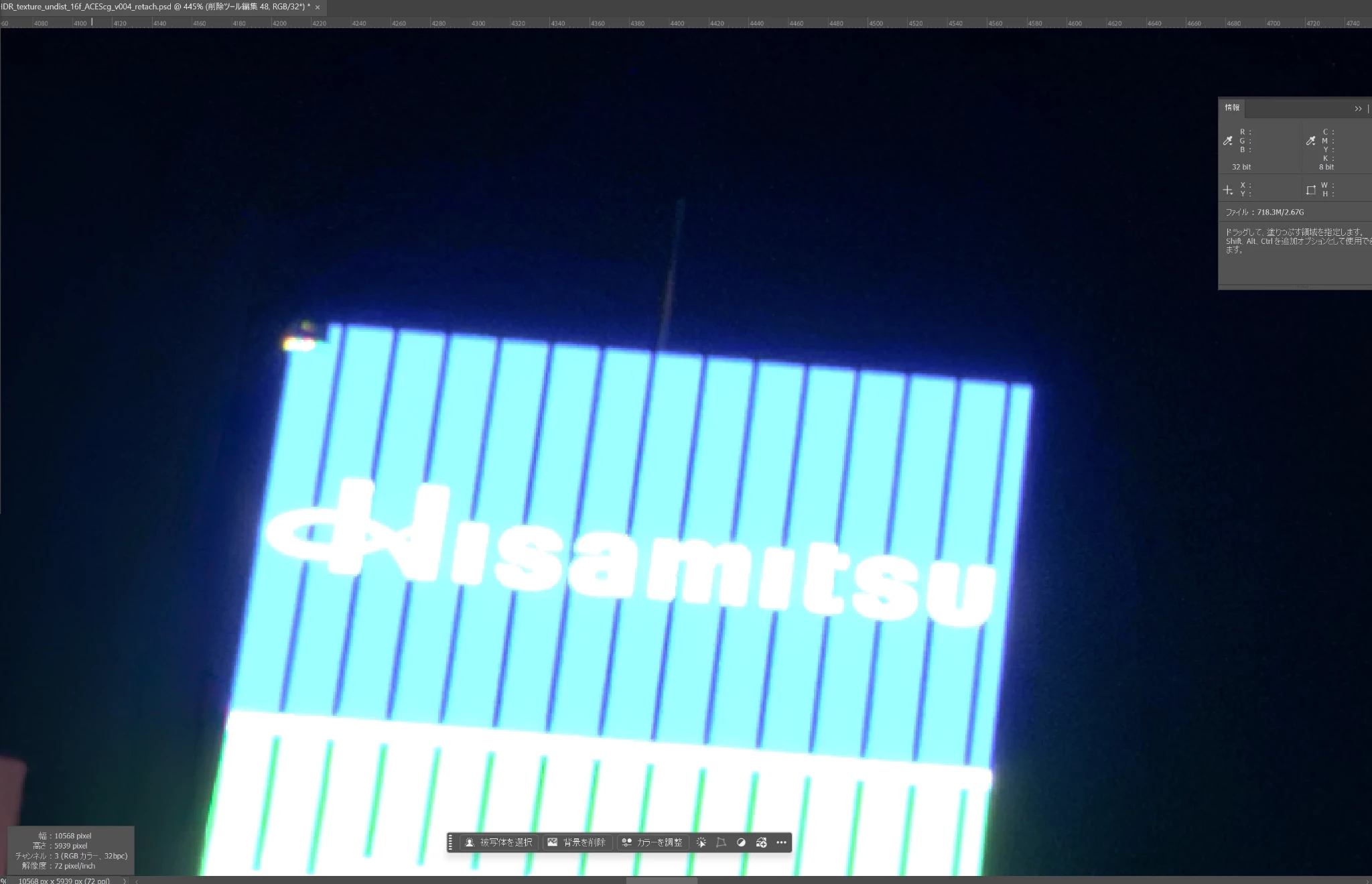
I used the Remove Tool to remove the text from a very bright area of the image.
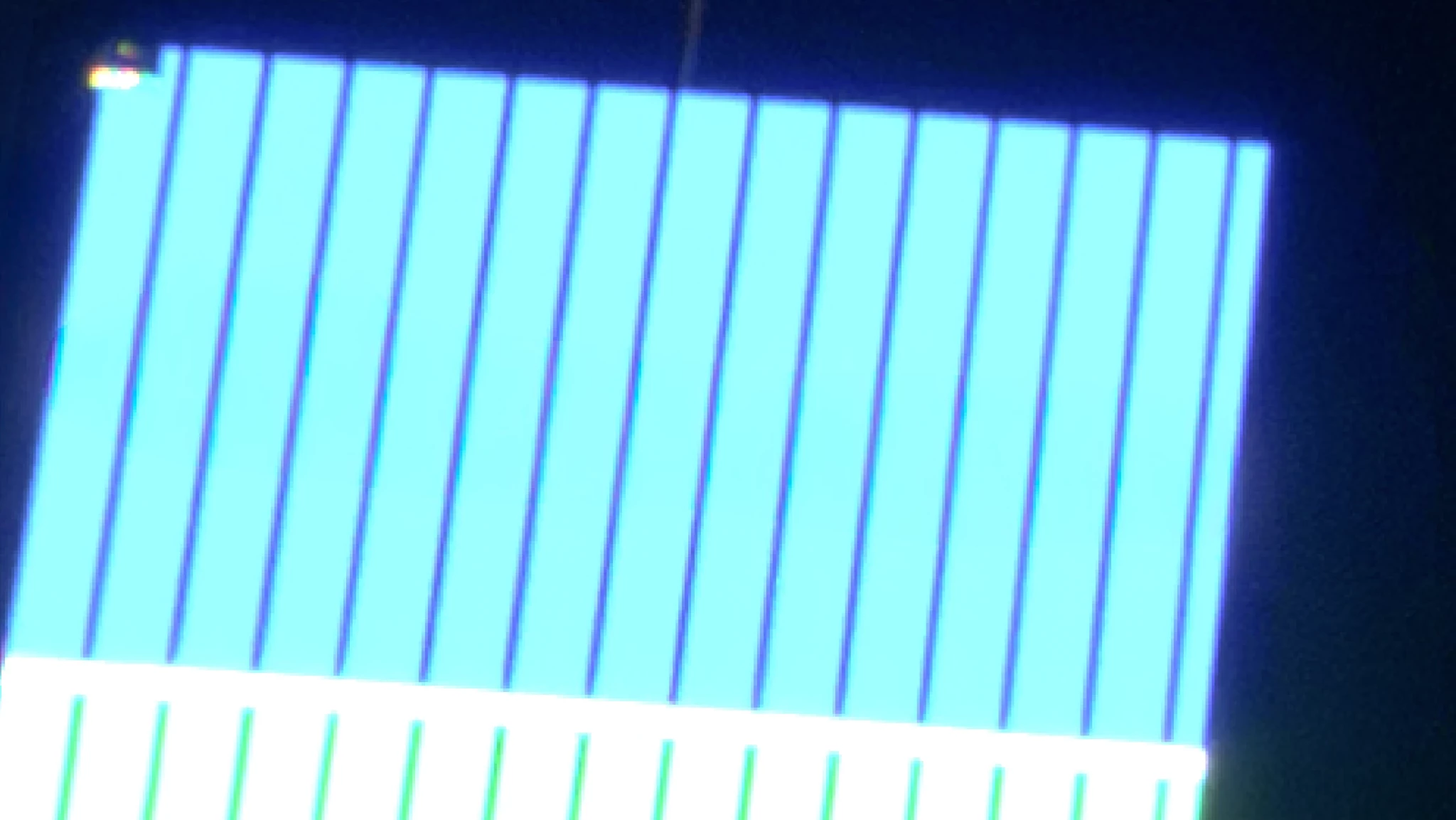
At normal exposure, the result looks clean and the removed area blends in well with the surrounding image, as shown in the first two attached images.
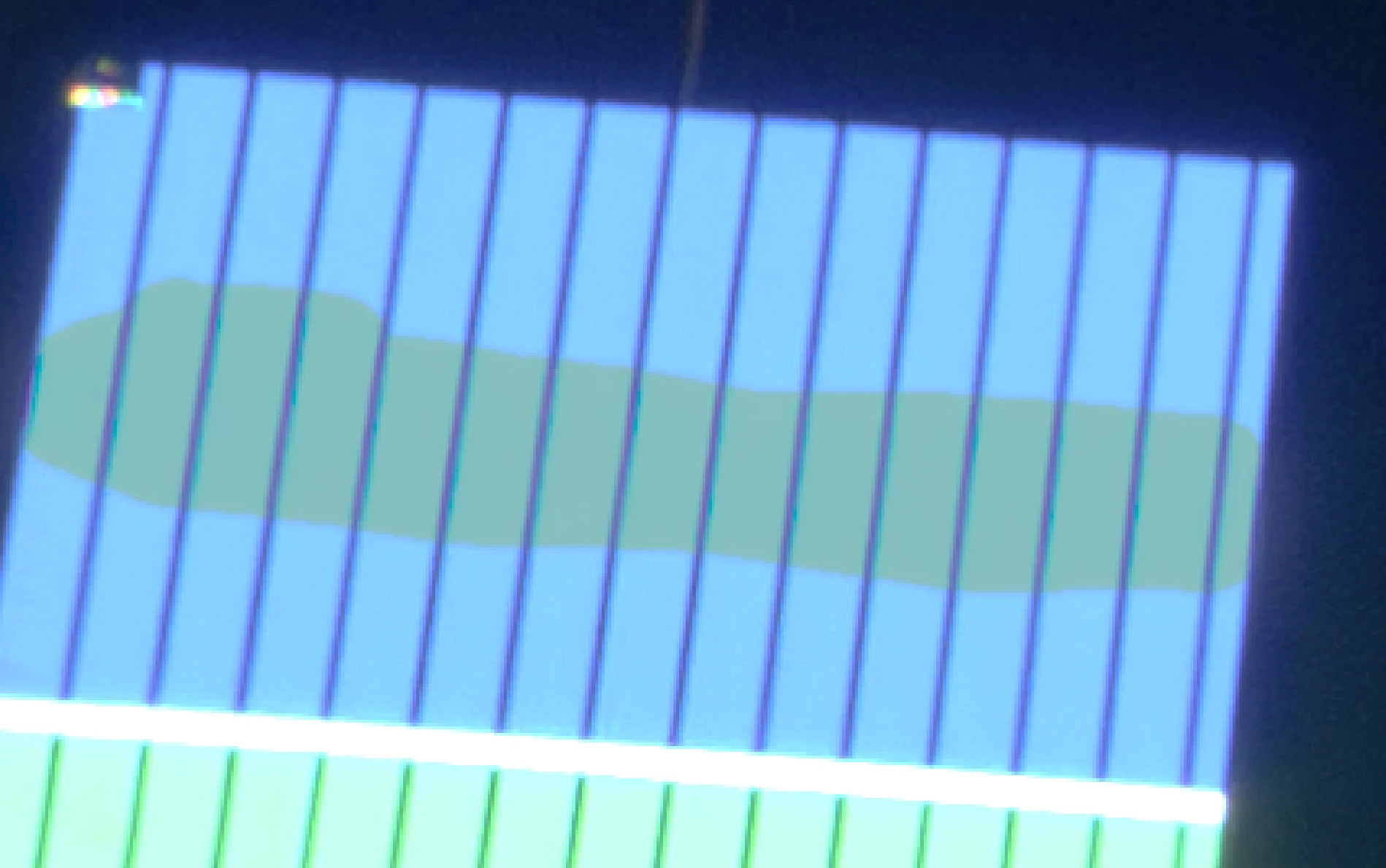
However, when I lower the exposure to inspect the HDR information, the area processed with the Remove Tool becomes clearly visible. It appears that the generated pixels are being limited or clamped, while the original surrounding pixels retain their higher HDR values.
The three attached images show:
-
Original image – before removing the text.
-
After using the Remove Tool – at normal exposure, the result appears clean.
-
After lowering the exposure – the area processed by the Remove Tool becomes clearly visible because its brightness range no longer matches the surrounding HDR pixels.
This may not be noticeable when exporting to an SDR format such as JPEG, but it becomes a significant issue when the edited 32-bit image is exported as an EXR for compositing. The Remove Tool area can then become visible when exposure or grading is changed later in the VFX pipeline.
Since the Remove Tool now supports 32-bit documents, I expected it to preserve or reconstruct HDR values above 1.0 rather than limiting the generated result to the SDR range.
Am I using the Remove Tool incorrectly, or is preserving HDR values above 1.0 currently a limitation of the Remove Tool in 32-bit documents?
If there is a setting or workflow that allows the Remove Tool to preserve the full HDR range when working with 32-bit EXR images, I would appreciate any guidance.
 AdChoices