


Participant
October 29, 2024
Open for Voting

"Paint Bucket Tool" or a "Fill" feature. Please restore it's function.

  • October 29, 2024
  • 7 replies
  • 584 views

I am a concept designer who occassionally works on Illustrator but mainly Photoshop.

Photoshop started making good and bad changes, but Fill feature is critically to me.

please see below for my "Closed" line drawing I did with the brush.

I am trying to color this object in dark gray.
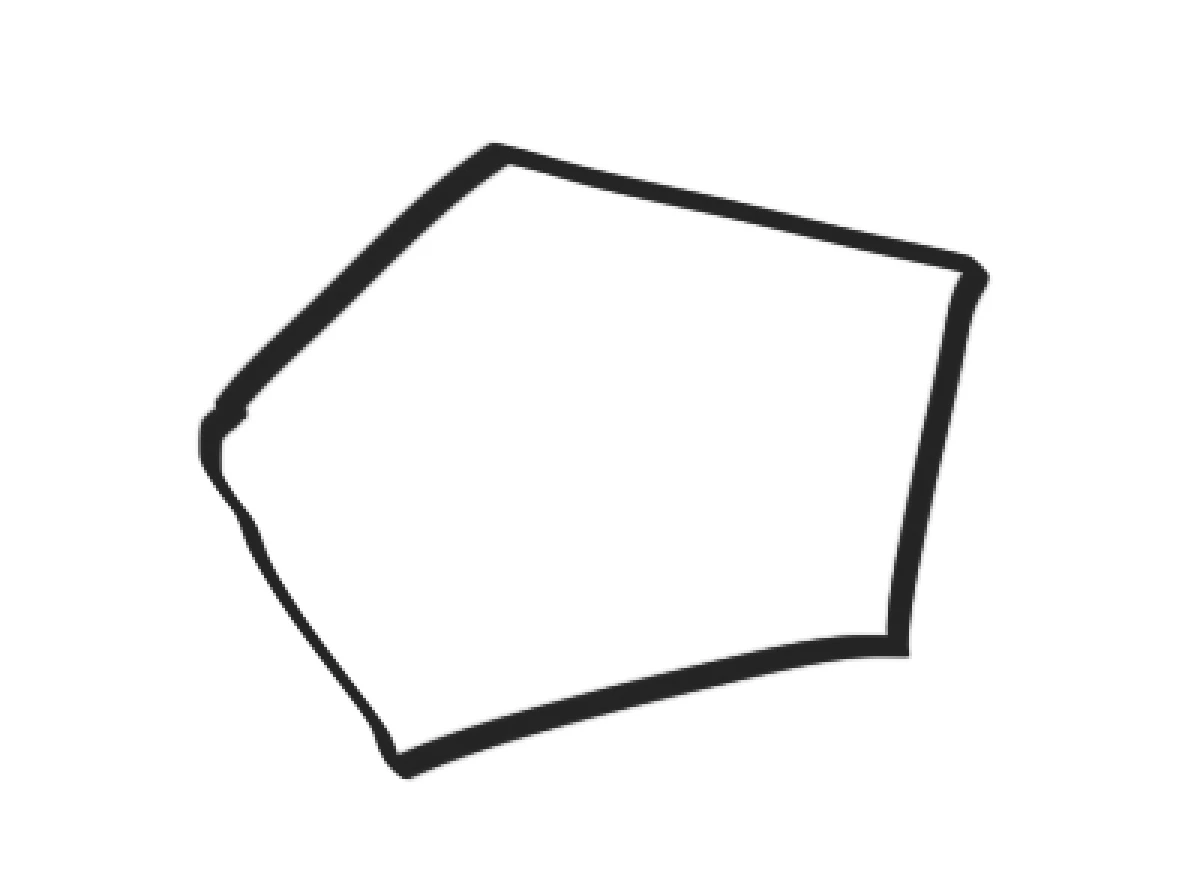
apply paint bucket inside the drawing..

TADA!
 

What is the point of paint bucket tool here?.. applying background color to the entire layer?is that it? Is this a glitch?

Many designers, digital painters I know like to block in the vague shape with the Paint Bucket tool.

This change fundamentally changes the way I work, and simply adds multiple more steps to the painting process. I am not saying the Photoshop and all its features must stay as it always has been. But please, do not deteriorate what's already good. I already have seen complaints about the "Fill" function when I arrived here, I 100% agree with the professional photographer who asked for restoring Fill function.

7 replies

Participant
November 6, 2024

lol! thanks for going extra miles checking that. I haven't EVER touched that box, and I only use my own "tool set" setting I made for my work routine. I had no problem in this same computer under the same setting with this adobe account for almost 3 years doing the same 2D sketching and rendering. Then one day, all of a sudden, both MAGIC WAND and PAINT BUCKET tool decided to uncheck "Contiguous" option box.. I didn't touch anything though I can't prove. Just saying.. but yes. Learning something new feels good! I can troubleshoot myself later, and will appear mighty to others experiencing the same issues.  Thanks.:)

Mark.Dahm
Community Manager
Community Manager
November 5, 2024

@eunji_7200 , I want all the way back to 22.2, and the option is there. 


I updated our workplace sign for the both of us. 


Participant
November 5, 2024

is that a new feature Adobe added?

it was originally unchecked, but it finally fixed the problem after checking the box! 

I have been continuously using it without checking the box, so it's gotta be a new feature...!

It even works with the Magic Wand tool when I check the "Contiguous" box....!!!!!!  has it always been there?

regardless, it finally fixed my issues with all my works ...... great! Thank you so much. Been wasting almost 2 hours every day working around these features, now they are saved for coffees and extended lunch.:) Thanks Thanks!

Mark.Dahm
Community Manager
Community Manager
November 4, 2024

@eunji_7200 


Is your 'contiguous' option selected in the options along the top? That could also produce this result. Check it to see if it behaves differently.


I was theorizing that anti-aliasing of the painted shape could be the explanation for the halo. At some point the fill algorithm may hit partially transparent pixels and fail to fill those areas.

Participant
November 4, 2024

Also, if the Paint Bucket is applied to the layer BELOW the paint layer... then it shouldn't create that weird white outline around the shape I drew. That thin white line is the proof that Paint Bucket is applied to the same layer... : )...

Participant
November 4, 2024

OH PLEASE. I already said I am a working professional in design field, using your software. I won't write any longer, see my attachment. I found out, your "Fill" or "Paint Bucket" tool is having issues probably because of "Magic Wand" being wrongly functioning. Seems like "Paint Bucket" is applied to the same area where your "Magic Wand" tool is working, that you select the certain range of similar color pallets at once. I am sure you guys have done something to this tool, while adding that AI - cloud selection tool there. 

This is not working properly, just like the Paint Bucket Tool. 

Probly because of this selection option you guys have updated.


Let me show you the layer with the demonstration, again.

Wow. A closed shape that I drew with my brush!


I selected the exact Layer, the exact line drawing, using Magic Wand.

see how it works just like the paint bucket tool?

UNSELECT, then add paint INSIDE the shape.

The same layer all along,.

even if my brush(used for line drawing) has low opacity / fill percentage, this should work.

You guys have done something to the tool and it just made the application worse by 3 times, at least.

Mark.Dahm
Community Manager
Community Manager
November 1, 2024

Hi @eunji_7200 , you might get this unexpected result if you filled the layer below the paint layer. Be sure to target the same layer as the painted object and I think you'll see the usual and familiar paint bucket behavior.