


Photoshop iPadOS 3.6.3: Arrow keys in text layers don’t work
Photoshop version 3.6.3 (20220629.426)
iPadOS 15.6.1
- Open or create a new document in Photoshop for iPadOS using an iPad Pro with a hardware keyboard (the type—USB, Bluetooth, or iPad Pro Magic Keyboard—doesn't matter)
- Use the Text tool to create text (point or paragraph text, doesn't matter)
- Type something (at least 3 characters; two or more lines can help showcase the issue)
- Deselect the text box, then reselect it for typing (with double-tap, etc.)
- Attempt to use:
- Keyboard arrow keys (←, →, etc.)
- Arrow-key chords ⌘ ← (beginning of line), ⌥← (previous word), etc.
- Home/End/PgUp/PgDn etc.
- Any of the standard macOS/iPadOS Emacs-like control keys (⌃A for beginning of line, ⌃E for end of line, ⌃B to move back one character, ⌃F to move forward one character, ⌃P for previous line, ⌃N for next line, etc.)
- Also, for those movement keystrokes above for which it is possible, additionally try holding down ⇧ (the Shift key) while pressing the movement key.
Expected Results:
Each of these keystrokes should move the insertion point in the commanded direction. Holding down ⇧ while using arrow keys should select text.
Actual Results:
Nothing:
- Without ⇧, the insertion point stays in place.
- With ⇧, the insertion point also stays in place, and nothing is selected.
Impact:
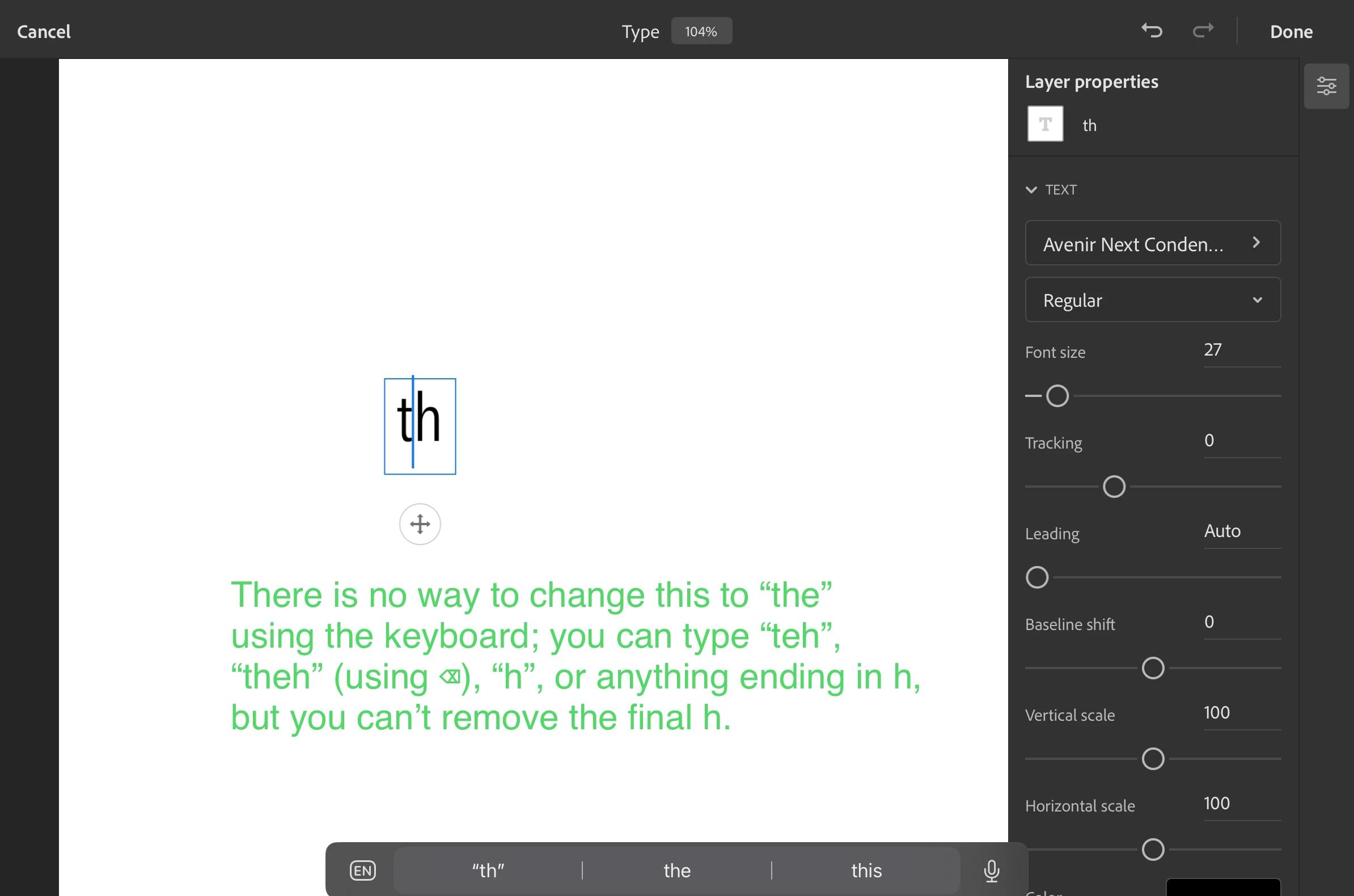
Moderate: For iPad users without keyboards, this bug has no impact. But for iPad users with keyboards, the impact is rather severe, especially for touch-typists like me who may alter or delete text in unexpected ways before noticing it has happened. For instance, the most-common way to prepend new text is to select a block, press ←, and begin typing; or, to append new text, select the text block, press ↓, and begin typing. But doing this on Photoshop for iPadOS results in all the text being replaced with the intended prepending or appending text. See below screenshot.
 AdChoices