


Preferences Toggle to Uncheck "Resize to Fill Canvas" Automatically
I use Photoshop 2021 for animations/tweening, which means I frequently use the Timeline window. When I right-click on a layer in the timeline, the Motion box pops up, but every time the "resize to fill canvas" option is automatically selected. It's been this way since I started using Photoshop a few years ago, but lately the inconvenience has gotten more tiresome.
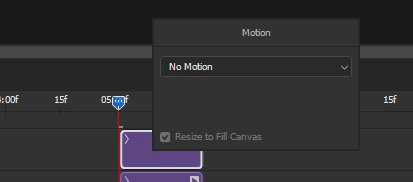
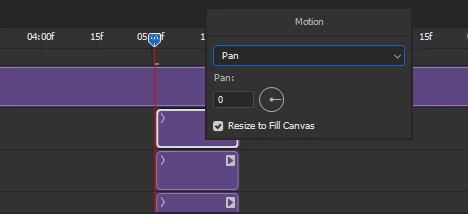
(After choosing pan/zoom/etc. At this point I have to manually uncheck if I don't want to enlarge the image)
I'm sure this is useful to others, but personally I have never used it, nor do I foresee myself ever using it. Yes, I can just uncheck the box so this is not a major issue, but it would be so much more convenient if I could just set it to be unchecked automatically. Unfortunately I haven't seen any option to do so in the Preferences window (though please let me know if I've overlooked it). Adding this toggle would greatly improve my experience and cut down on needless frustration.
If it's needed, I'm using a Windows 10 PC, version 21H1 (not sure what other specs might be relevant so just let me know if additional information is helpful), and Photoshop version 22.5.1 - just in case this is an issue on my end rather than for everyone.
 AdChoices