



Open for Voting
Save for Web (File > Export)
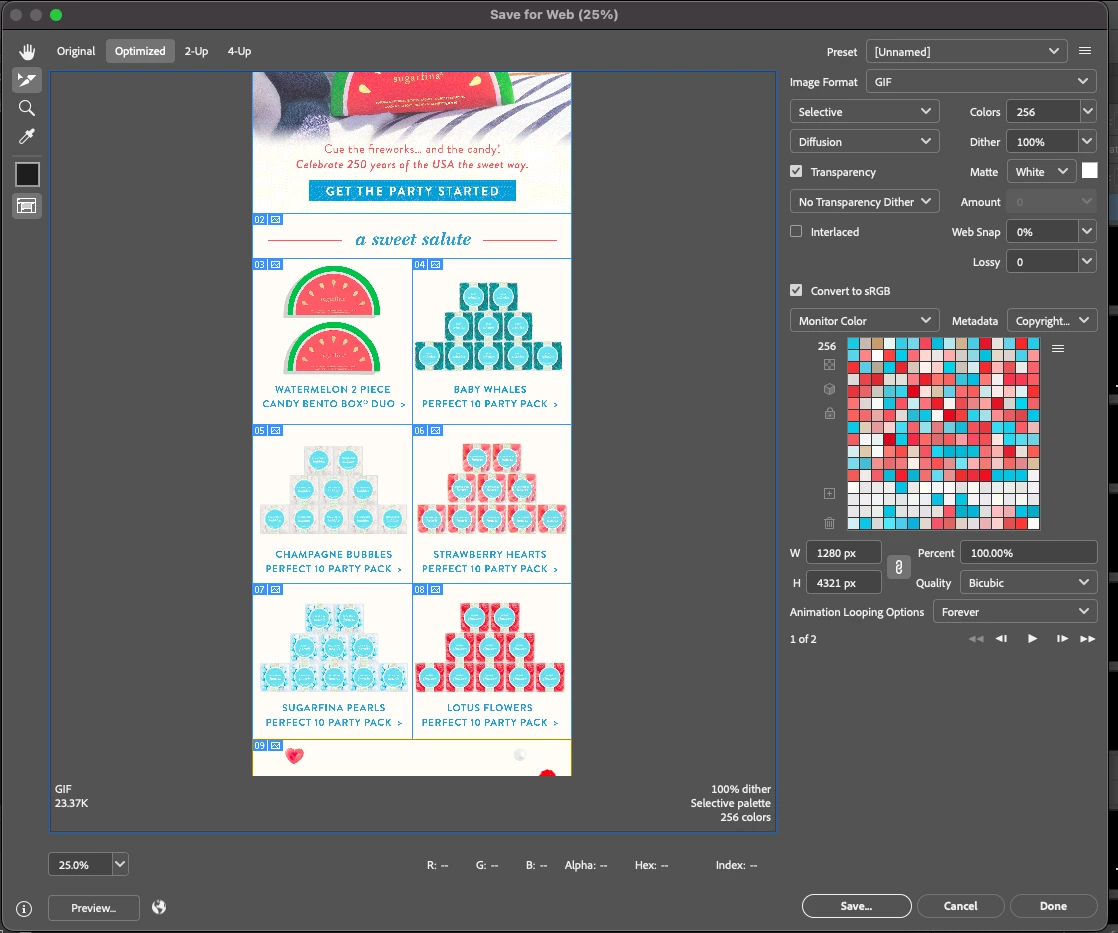
"Save for Web" flow
Issues:
- Cannot fully scroll to bottom or top of asset at smaller percentages of 100%
- Image Format: When attempting to switch from GIF to JPEG, it will not switch when highlighting multiple slices. I didn’t have this issue before this new update. It will require that I select another option and then try changing to JPEG again.
- Highlighting slices and locating what type of sxport they will be is incredibly difficult. The UI is awful and the area where it does say the file type and size on the left hand corner above the percentage drop down menu, is small and not user friendly.
Requests: Adding a scroll bar to the workflow where you view your asset and its slices. Make file type indicator on left hand corner larger or bold so user can understand what slice they are looking at. Some kind of feedback/connection to the selected slice in that moment.
 AdChoices