



Sun2025
Participant
May 4, 2025
Open for Voting

Suggestions on Filling Colors in Photoshop2025 Shape Layers

  • May 4, 2025
  • 2 replies
  • 648 views

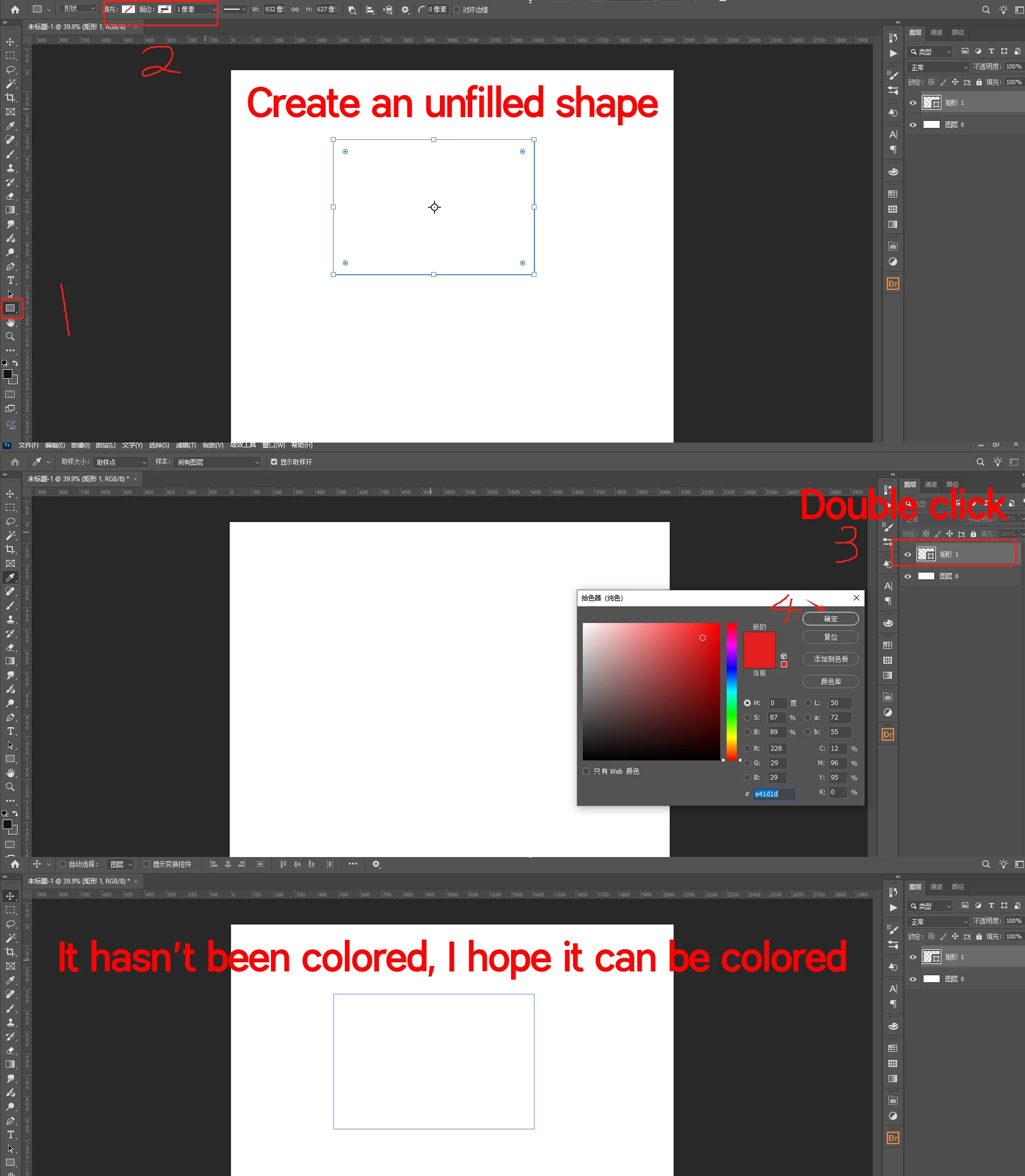
The first suggestion is to create a graphic without coloring using tools. Then the shape layer of the graphic above is filled with colors, but it itself has no effect. I hope it can be filled with colors.

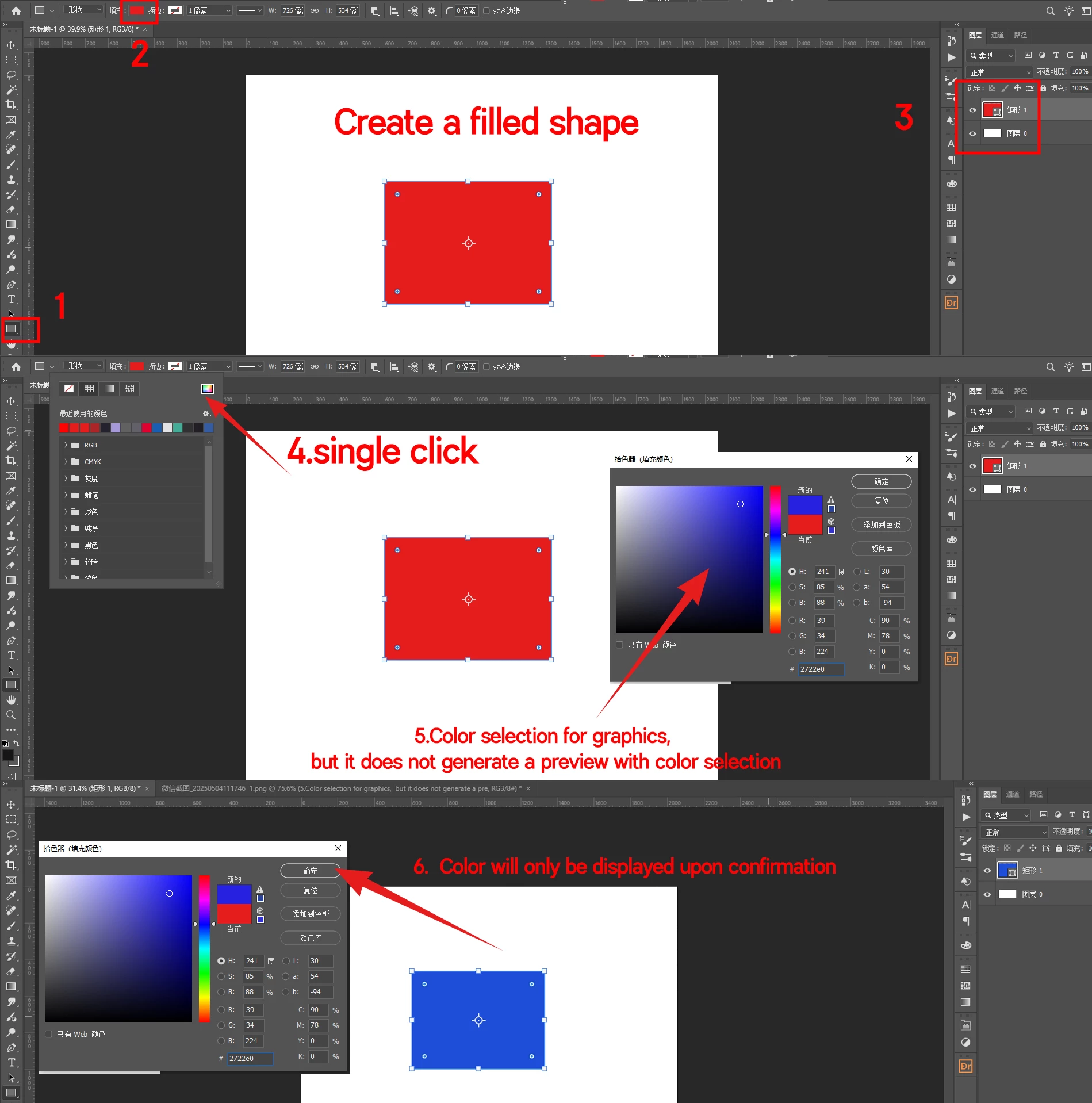
Secondly, it is recommended to use tools to create a colored graphic. Then click on the fill in the upper left corner to color it, but the graphic will not produce a preview with the color selection. I hope it can generate a preview.
2 replies

Bojan Živković11378569
Community Expert
Community Expert
May 10, 2025

This is more suited for the Ideas section, not for discussion. Would you like me to move it there?

Sun2025
Sun2025Author
Participant
May 10, 2025

Sure, thank you very much!

melissapiccone
Community Expert
Community Expert
May 5, 2025

Is there a question on how to do this in there because I have no idea. You can make a shape and when your shape layer is selected you can choose your fill color - Unfortunately I can read tha asian characters. 

You can use the shape tool to create a shape, plixels or a path. You are talking about shapes, so let's create a shape. 

Once you create the shape, you can easily change the color at any time - you need to have the shape layer selected and the options are located in both the properties panel and the contextual task bar.

Melissa Piccone | Adobe Trainer | Online Courses Author | Fine Artist
Sun2025
Sun2025Author
Participant
May 9, 2025

Thank you very much for your response. I understand your point, and I'm aware that colors can be altered in the properties panel. However, I'm looking for a way to change the color by simply double-clicking on the layer. For shape layers that already have color, double-clicking on the layer allows for color modification. But when it comes to creating shape layers without fill, double-clicking on the layer doesn't directly allow for color filling.

melissapiccone
Community Expert
Community Expert
May 9, 2025

Interesting, I've literally never tried it that way before and you are right, if there is no fill color it doesn't work.

Melissa Piccone | Adobe Trainer | Online Courses Author | Fine Artist