


Participant
November 11, 2021
Open for Voting

Text box with red plus sign for cut off text

  • November 11, 2021
  • 3 replies
  • 1293 views

Does anyone know if there is a setting in PS text box so you know when the text is cut off in the text box? Currently is only shows up as a small black colored + sign, unlike in Ai and Id when is shows up as a RED + in the end of the text box letting you know your text is cut off.  I have often overlooked the cut off text because the little box below doesn't stand out in red like it does in the other popular applications. Any suggestions?
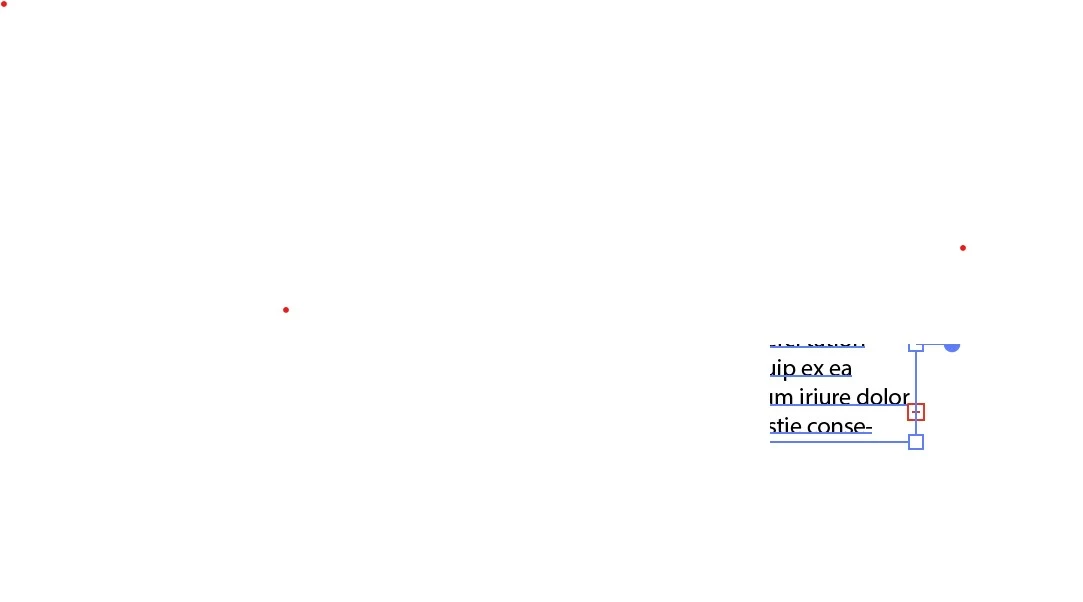
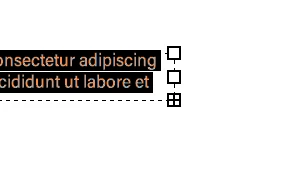


Doesnt just make sense to do it all in red? Black doesn't make sense. It gets lost in a document.

3 replies

Participant
June 2, 2022

Furthermore it would be great to have an overview if there are any overset texts like the InDesign Preflight does.

jane-e
Community Expert
Community Expert
November 12, 2021

Hi @jodi5E83 


I've moved your post from Photoshop Discussions to Photoshop Ideas and voted for the developers to see. I hope more folks will add comments and upvote your idea. It's a good one.


I also found this post from September 2019 where the issue was discussed once before.

https://community.adobe.com/t5/photoshop-ecosystem-discussions/overmatter-overset-text-in-photoshop/td-p/10617982


Jane


davids62
Participant
November 11, 2021

Hi jodi5E83. As far as i know, what you have observed is correct. That is, the black plus (+) sign at the lower right-hand corner of a text box indicates overset text in that box.


For some reason, it is not red, as in InDesign & Illustrator. I agree, that it would be more consistent and also easier to notice, if Adobe would make that symbol red. Perhaps we can all put in a feature request to ask for that in the next update.


Thanks,

Dave Salsbury