


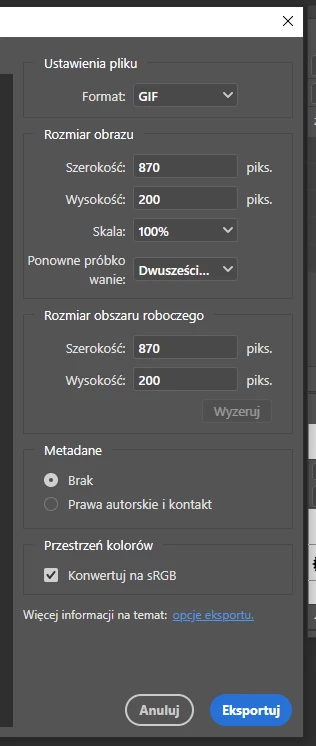
The ability to optimize graphics when exporting multiple workspaces to GIF has disappeared.
The whole export and quality tool looks more like a tool for amateurs than a graphics program for professionals. There used to be a lot of editing possibilities. Now, if I work on multiple workspaces and create separate banners for the web, I have no way of adjusting their quality/size to the client's requirements. I would now have to save each banner as a separate file and optimise it using the good old Export to WEB function. This is not an improvement but a step backwards. Professionals need a tool that will give them full control over the quality and size of the file, not a simplistic kid's tool.
I have changed the export mode in the export options to the old one but all quality options related to the GIF have disappeared, can anyone explain to me what is the purpose of this?
I guess the idea behind having separate workspaces is to produce multiple formats (example: banners). How can the user now control their quality, given that their weight and quality must normally meet certain criteria? Thanks for your reply.
 AdChoices