


acroplex
Participant
May 1, 2023
Open for Voting

UI / Floating document Gaussian blur shadows should be switchable to ON/OFF

  • May 1, 2023
  • 4 replies
  • 881 views

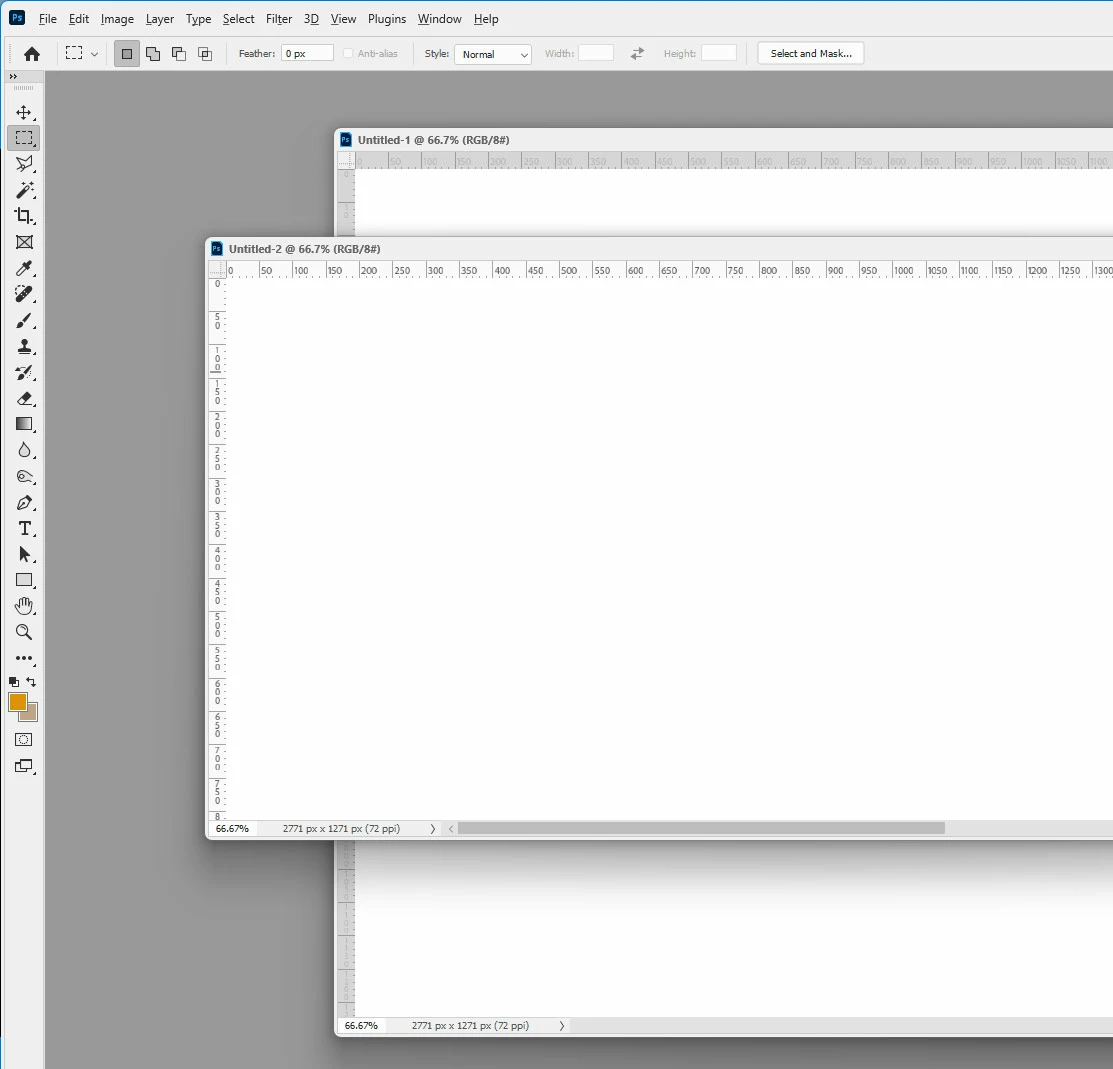
Hello - the UI displays a "drop shadow" (Gaussian blur shadow) around every open document (or group of documents) floating on the artboard. There should be an option to turn this "floating window" drop shadow off, or to lessen its size/boldness. Is it too hard to implement as a setting? For example, floating tool windows drop shadows are much less prominent. Thank you for your consideration.
 

4 replies

Jeff Arola
Community Expert
Community Expert
May 1, 2023

I was going to say that that could be a bug in photoshop 2023 and/or Windows 11.


If you compare ps 2023 vs ps 2022 running on Win 11, the shadow for floating document windows is

almost non existent on 2022, where as the shadow in 2023 is very much too visible.


photoshop 2023 (ps ver 24.4.1)


photoshop 2022 (ps ver 23.5.5)


photoshop cs6


acroplex
acroplexAuthor
Participant
May 1, 2023

Apparently it's a Windows 11 setting that can be toggled. Apologies to Mac users! 🙂 Problem fixed per below:


acroplex
acroplexAuthor
Participant
May 1, 2023

Yes, correct.

Jeff Arola
Community Expert
Community Expert
May 1, 2023

Is this on Windows 11 with Photoshop 2023 (ps ver 24.4.1)?