



While you're making changes......
With all the new features and tools that have been coming out, I'm hoping that a couple things might be able to be included along the way that have been annoying me for 15-20 years. They should be rather simple but would make a significant impact for me and I suspect many others.
The first is actually very simple.... Can we please get some color and contrast in the workspace? It seems to me that a huge company like Adobe, that so clearly defines photo editing that Webster's Dictionary includes as a verb, "To Photoshop", should be able to provide a GUI consisting of more than a colorless, low-contrast, light, dark, and darker GUI.
With so many menus, icons, tabs, etc in the workspace, why in the world aren't you taking advantage of the human eye's ability to more quickly and easily discern color than shapes? I know that Adobe understands this well because when I had to replace a credit card and forgot to update my account there was a huge RED notice on the toolbar to tell me until my new card arrived. There's also a blue "share: button in the upper right corner which tells me that Adobe REALLY wants me to use it.
Why does Adobe get to use the benefit of color to influence my behavior, while I'm unable to use even a hint of color to differentiate tools and menus?
I know that once you open the door to color, you'll have people wanting every possibility under the sun. But is that really an issue? After all, the tools, toolbars, menus, icons, etc already have colors assigned. In my setting, it's 535353 for the toolbars, active tabs, dialog boxes, etc. It's around 454545 for backgrounds to the items set within them. Everything on the interface appears to exist within 8-10 shades of grey....no matter which "color scheme" is selected.
Yeah, I know. The bland interface is probably designed to not pollute the environment with color allowing us to focus more on the subject...but how many of us work in a windowless greyscale office with grey office furniture? I'm sure it could pose a problem for some, but I'm not proposing that the color arangements be changed. Just asking that you allow us to select the colors for the various elements. You don't have to please everyone, or anyone for that matter. We get the ability to please ourselves. 🙂 So I could do this for example, and many would probably be disgusted.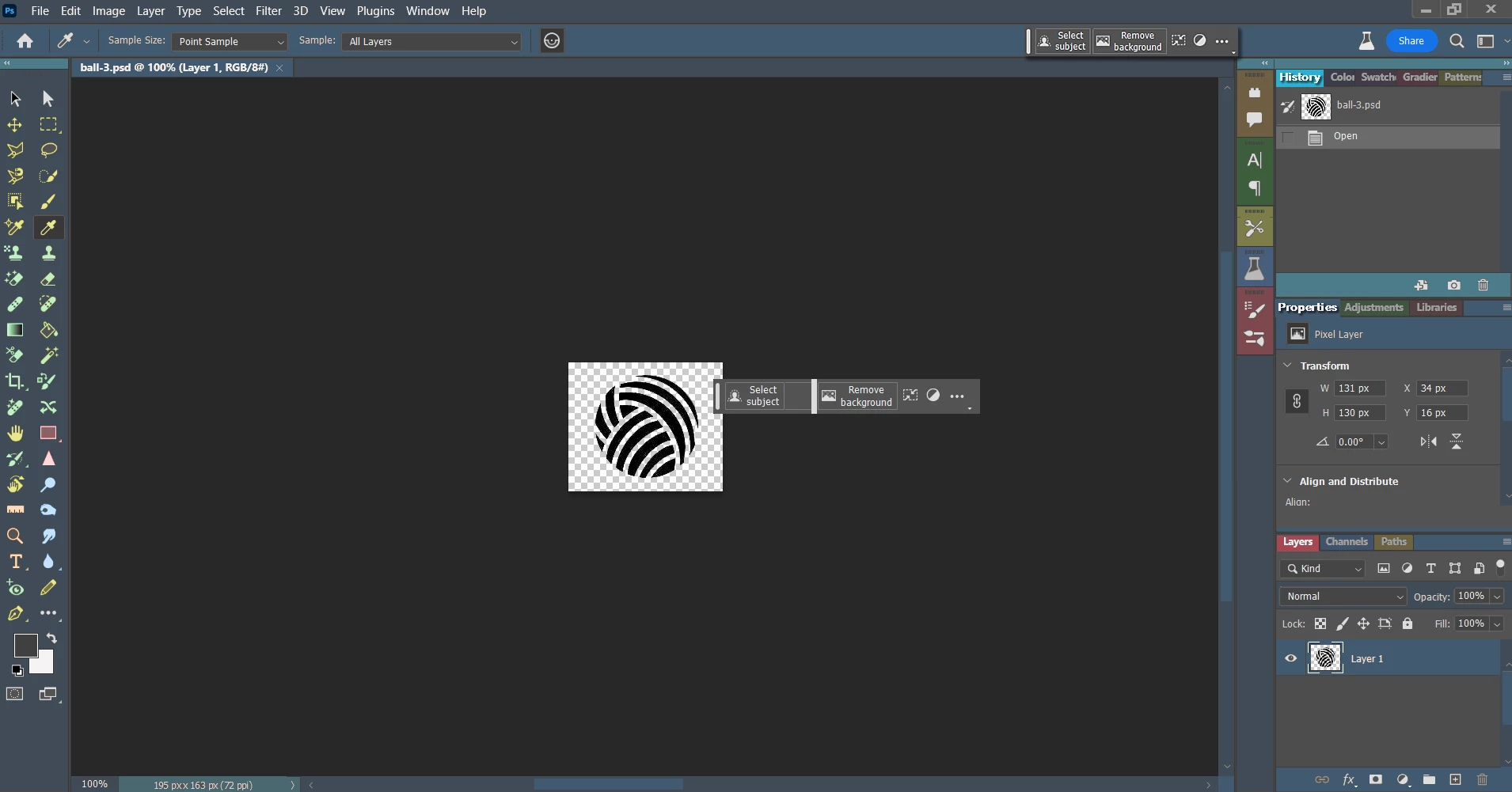
But it simply wouldn't matter. You already have a color picker. The color codes are embedded...so let us pick the colors! (I tool care of that annoying floating but useful toolbar that uses far too much space as well)
OK. Now the other thing...Can we PLEASE get an option on the lasso tool to make the edge hard? This has driven me nuts for I don't know how long. Like many, I've found workarounds but seriously, every other basic editor I've ever used has the ability to make a hard stop wherever the edge is. Several cheap ones can only do this. It would be so much easier if I could just toggle a hard edge function on and off as needed. Sure, the lines cut through individual pixels, but if it would just take the pixels that are more than 50% selected and leave those that are less than 50% selected it would do just what's needed.
Other than that, I'm happy with the way things are going. The new tools are exceptionally cool (although messing with the adjustments panel was a bad idea) I can't wait to see what else is coming!
 AdChoices