



Why is making a custom gradient so difficult now? (24.5.0)
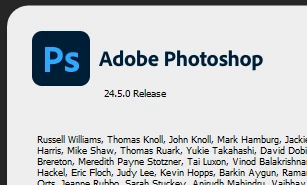
I'm on Windows 11, using Photoshop 24.5.0 (I have to memorize that because if I click away from the Photoshop window, the "About Photoshop" screen closes which is a different brilliant design decision...).
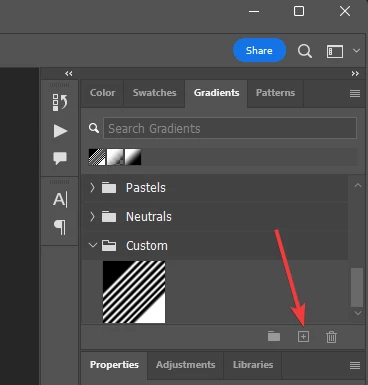
As far as I can tell, to create a gradient you must go to the "Gradients" panel (next to Swatches), and then press the [+] button there to get the Gradient Editor.
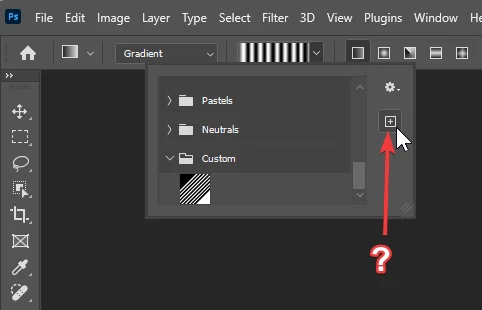
If you click the dropdown when you have the gradient tool selected and click the [+] there, you get to type a name and then it just makes a duplicate of whatever gradient you had picked before. Why does that not open the Gradient Editor?
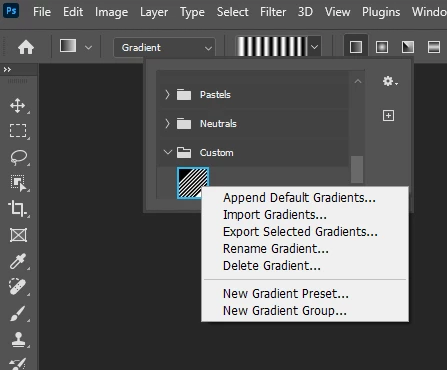
If you right-click on an existing gradient, in that same dropdown, there is no option to duplicate or edit it. Why can't that be the option to edit it with Gradient Editor?
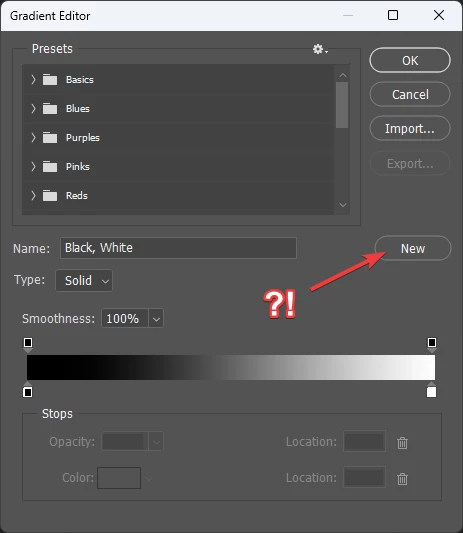
When I finally did get into the Gradient Editor, I made a custom gradient. I thought I had already selected one of the gradients to be editing from the Presets pane (but I guess I did not). The "New" button seemed like it would have wiped my gradient out to be the default black to white one, so I clicked OK. This closed the Gradient Editor box and did not preserve the gradient I had just been working on. It was not applied to any preset, and it had not prompted me to save it as a preset; it just ate it. So I guess I'll get in the habit now of clicking "New" before I start fiddling with the gradient controls.
So that's what making a custom gradient is like at the moment. It's not great. Thanks for reading.
 AdChoices