

2nd System Audio and Text Based Editing - A Key Element Overlooked
I was extremely excited about the new TBE feature in Premiere but have now seen it's shortcomings for higher end, pro-level productions. TBE is great for videos with 2-4 audio channels attached but when you work with 4 plus seperate audio tracks(aka 2nd system audio) there's a few more steps invloved to build out a radio edit.
If working with an interview that has 2 cameras with audio AND 4, 5 or 6 + 2nd system audio tracks you have to work like this:
1. pancake timeline , transcribed INTV sequence on top, mouse click to top sequence, make selection/In and Out, mouse click to bottom blank sequence(radio), and NOW you can paste your selection. (Is there a keystorke that will highlight the bottom sequence window and then back up? If so, that would help but I'm not even sure what to search for to get that answer)
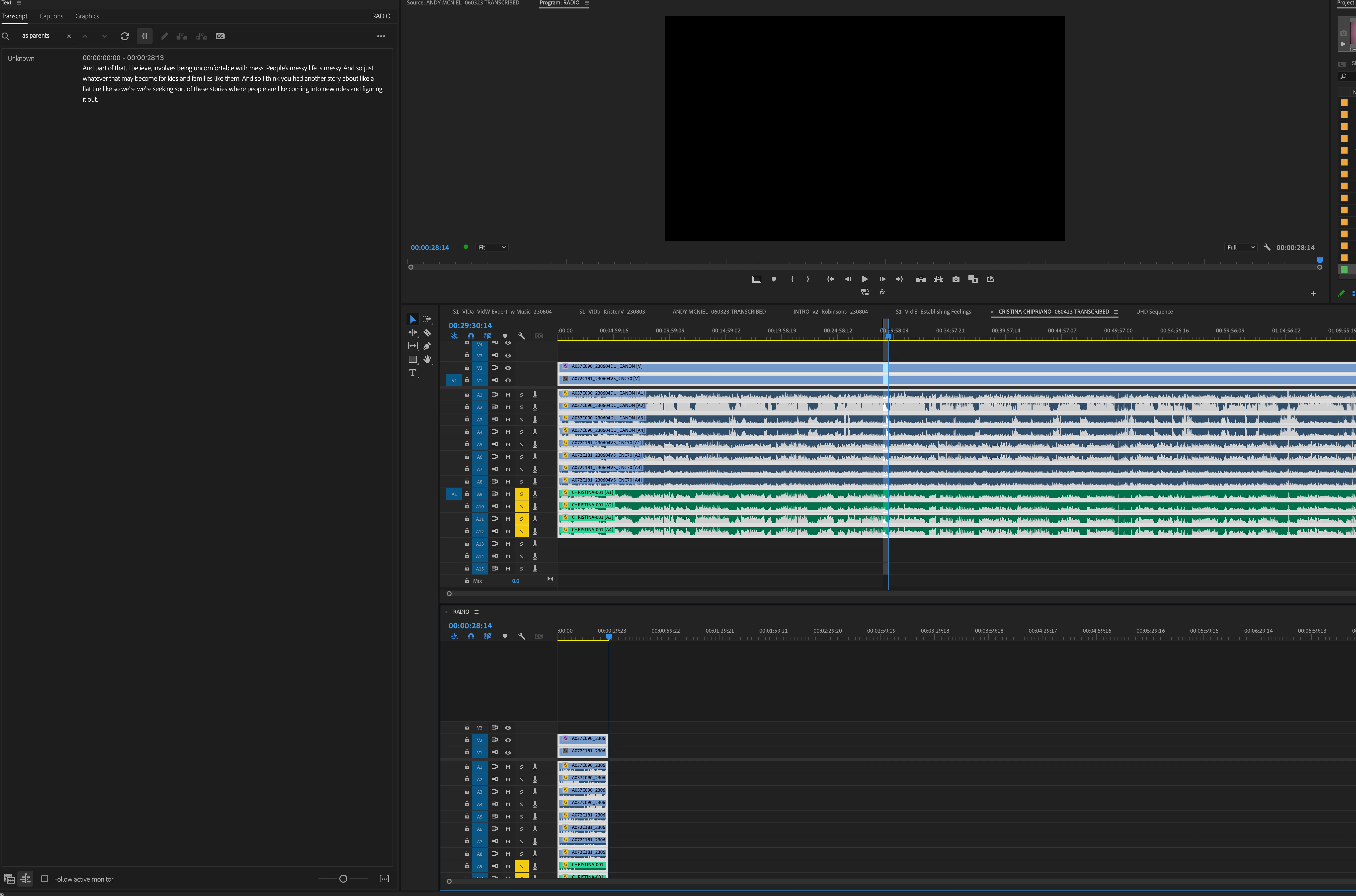
IMO, while better than before TBE, that is just way too many clicks so the alternative's are to ...
2: Duplicate the transcribed sequence and then destructively/subtract what you don't want instead of selecting what you do or....
3: use a 3 point system where you paste from the source monitor BUT it pastes a NESTED CLIP and nested clips are literally the worst thing ever and should never be used when doing higher end work because they're so proned to issues. You can't send for color grading or mix with nested clips in a sequence. We have specifically banned nests for the last several years because they caused so many issues. (no pics cause you get this system)
In summary, if you could make it easier to work with several 2nd system audio clips that would be awesome. Specifically, if we could use the 3 point editing where it pastes selects NOT NESTED but as they are in the original transcribed sequence, that would be a great improvement.
Thank you for your time


 AdChoices