


Open for Voting
Add keyframe indicators on masks in the Monitor View when in Frame Mode
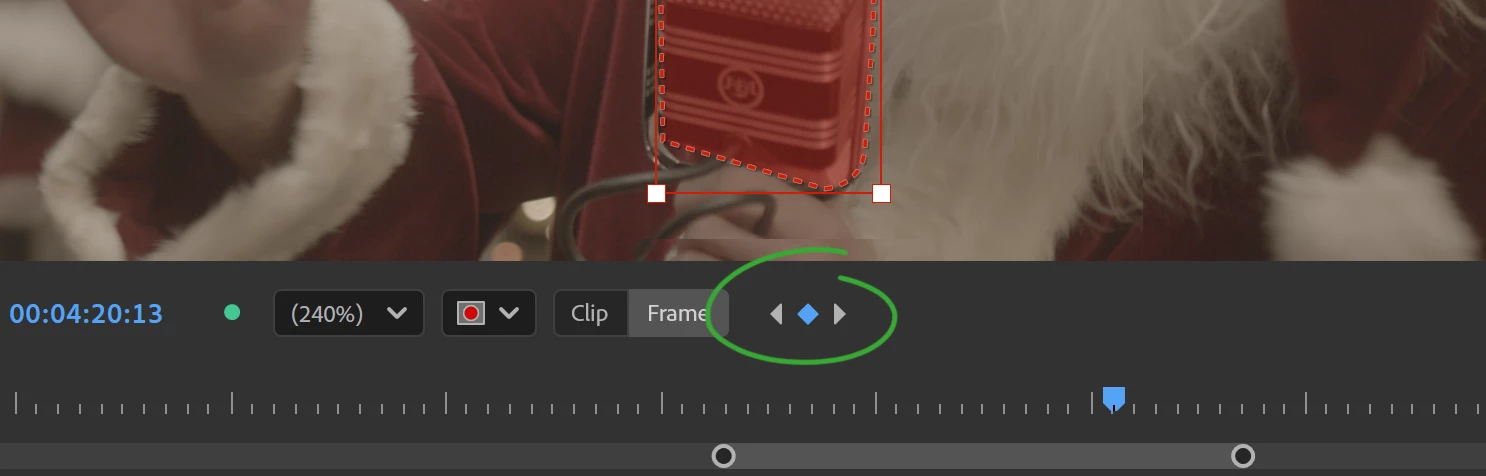
When in the Frame Mode for a shape masks add a way to show that a mask is keyframed on the current frame. eg by turning the mask outline and/or the transformbox red, and make it clearer red for keyframed frames and less red for non-keyframed frames (like how its done in AE) . Also add a buttons to jump between keyframes for the current mask.
This would make it more obvious for users figuring out how the Clip/Frame Mode works and it will be faster to modify already set keyframes so you dont accidentally place keyframes too close to each other.
This is also kinda how it works in Resolve.
see attached mockup:
 AdChoices