

AndrewTheGreat
Known Participant
November 26, 2023
Open for Voting

Add keyframes to where there aren't any!

  • November 26, 2023
  • 4 replies
  • 314 views

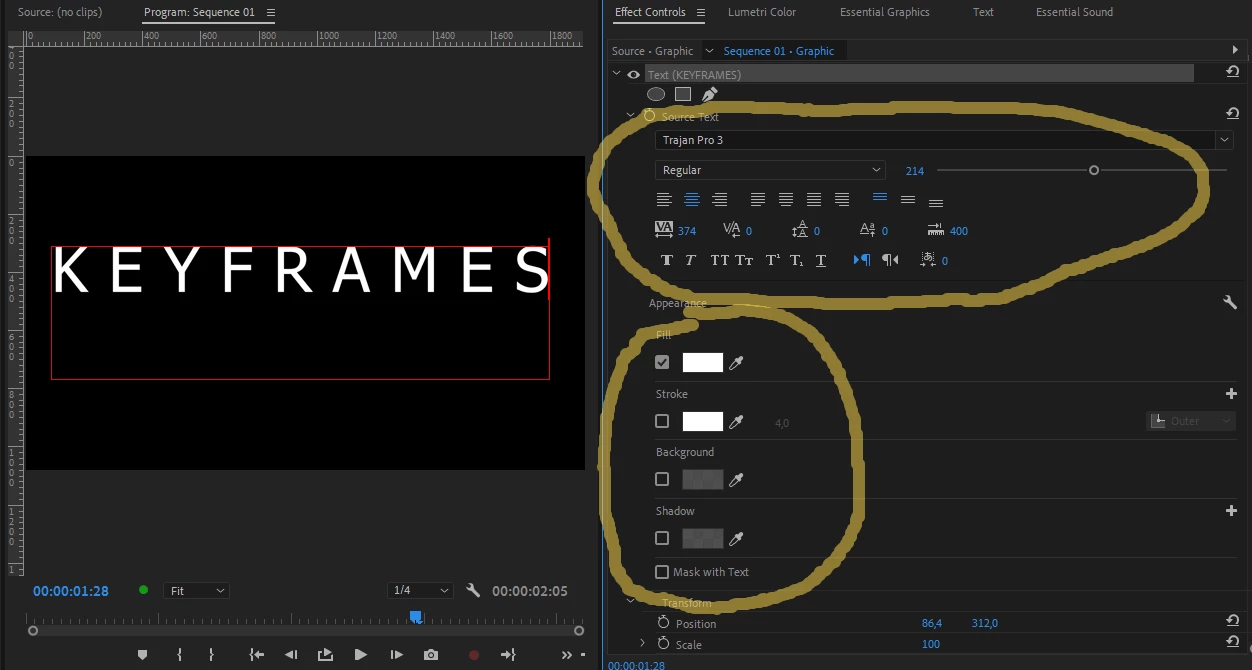
Adobe, please add keframes to the essential graphics panel or at least the text effect controls panel.

We need to animate shadow\background\stroke\fill and what is more important - tracking and other text properties. This is silly to go into After Effects for such simple things available in other video editing software. We used to have it in the Legacy titles which was removed long ago and since then we've had nothing. 
 

4 replies

AndrewTheGreat
Known Participant
November 27, 2023

Those are the same properties you can change in the effect controls panel - ordinary position, scale,rotation - those don't count, and what about tracking, keying, shadow, stroke I pointed out in the first message? And if you toglle the stopwatch next to the Source text the hold keyrames only fork changing the function on\off only

Stop trying to edit and EDIT!
R Neil Haugen
Legend
November 27, 2023

Notice the icons on the EGP for many of the positioning controls? In the Align and Transform section especially?


They're gray, the numbers blue, right? Ever tried clicking on the icons?

Everyone's mileage always varies ...
AndrewTheGreat
Known Participant
November 27, 2023

Neil, EGP has no ability to animate anithing at all except cases when keyframing was embeded into a mogrt file in AE where it had been created. Think you should know that. And what I am talking here is simple texts created in Premiere Pro.


Stop trying to edit and EDIT!
R Neil Haugen
Legend
November 26, 2023

Did you check in the ECP? When  you have mogrt items selected, you can most of the time go to the ECP to animate them. That's ... by design, it seems.

Everyone's mileage always varies ...