
Add option to disable effect thumbnails in Effects panel (List Mode)
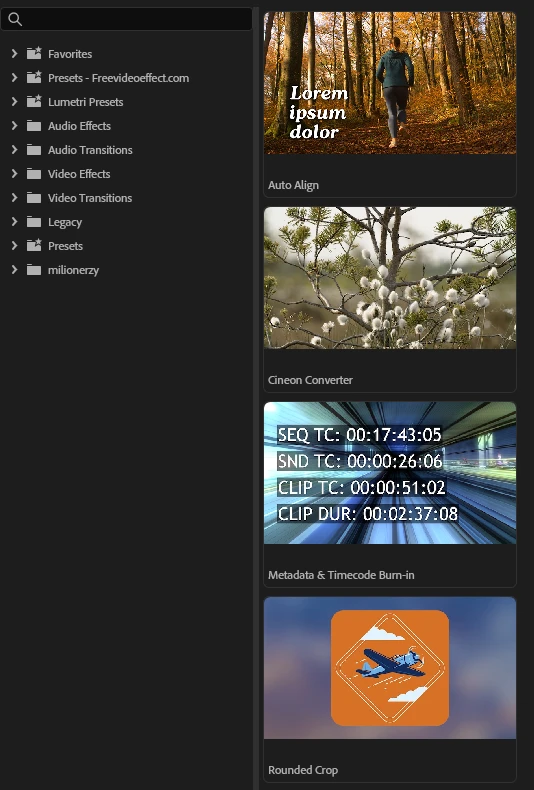
The new effect thumbnails in the Effects panel are a nice idea for beginners, but for more experienced users they are mostly useless and take up a lot of valuable screen space.
I already know what most of the effects do. When I’m looking for something, I either search by name or browse the folders by text. I don’t need a big thumbnail grid next to the list. Right now it feels like we have two similar windows doing the same job — one with text and one with previews — which just eats space.
A simple switch/toggle to turn the thumbnails off (or a proper List Mode) would be perfect. People who want the visual previews can leave them on, and those of us who prefer a clean, compact list can turn them off.
It doesn’t have to be complicated — just give us the option. Screen real estate is important when you’re working on complex timelines, and this change would make the panel much more usable for professional editors.
Thanks.
 AdChoices