

FunFürFelix
Inspiring
February 15, 2023
Open for Voting

Audio peak files not getting displayed after dragging and dropping quickly

  • February 15, 2023
  • 3 replies
  • 1040 views

When dragging and dropping a clip into the project window and then immediately dragging and dropping it into the timeline, the audio peak files do not display correctly... that is, they do not display at all... they just stay blank.
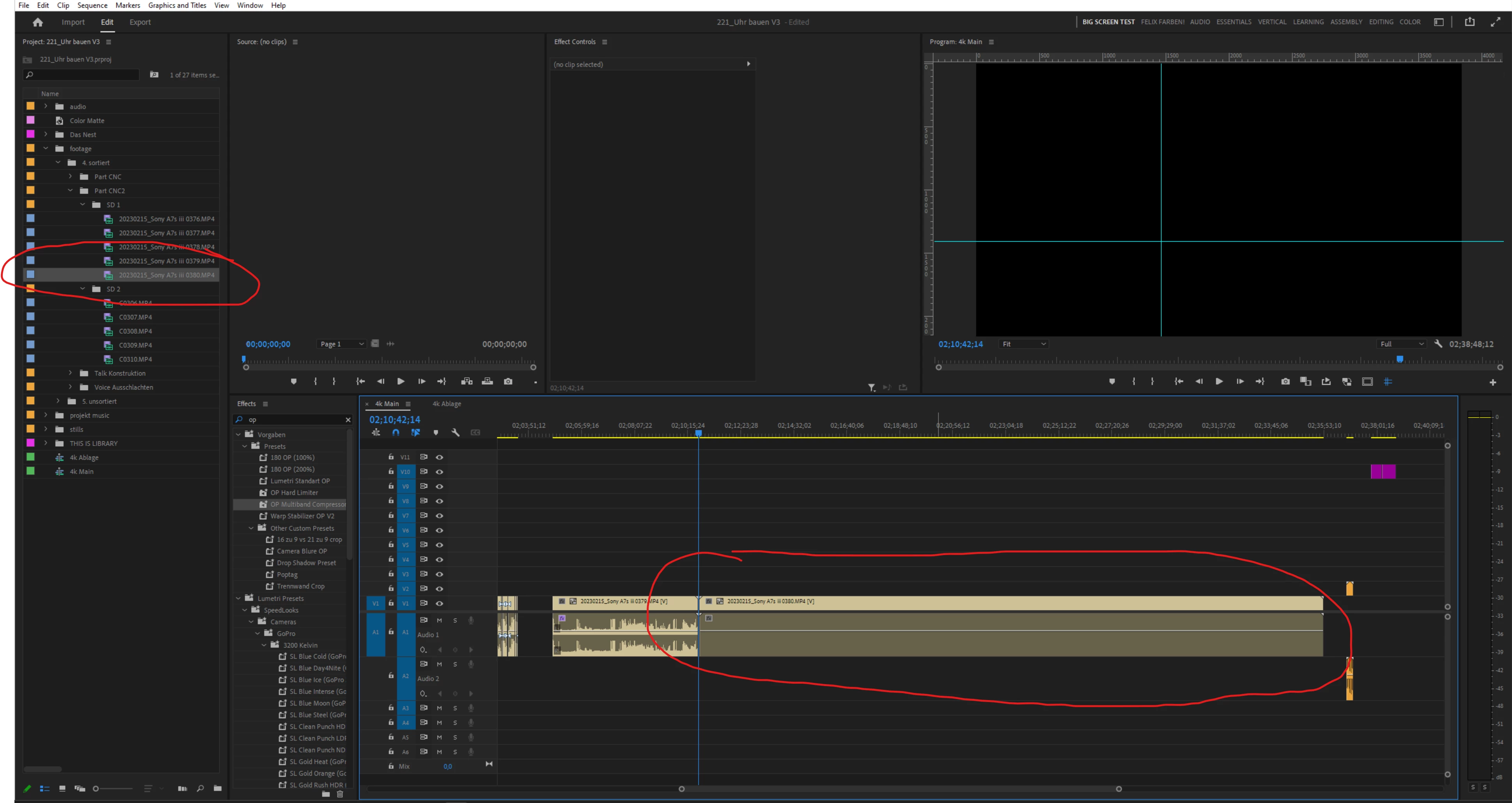


Closing and re-opening the project resolves the issue, but this bug is nonetheless super annoying.


Another thing that adds to the annoyance of the issue is that there is no longer a progress bar that indicates the rendering progress of the peak files. Before I upgraded to the latest version of Premiere Pro, I could at least see if the audio peak file I needed was being rendered. Now I have to guess whether the peak file has been rendered or not. So this is not only a bug report, but a plea to bring back the peak file progress bar!

3 replies

FunFürFelix
Inspiring
March 30, 2023

Thank you for the answer @Ann Bens


I know that I am not giving Premiere the chance to generate the peakfile in time. This is a bug non the less, as Premiere should fill in the missing peakfile after having rendert it.


I am not shure bit I think the bug has since been resolved and the progressbar seems to be back too.


Ann Bens
Community Expert
Community Expert
February 16, 2023

Moved thread to Ideas board: bring back the peak file progress bar.

Ann Bens
Community Expert
Community Expert
February 16, 2023
quote

When dragging and dropping a clip into the project window and then immediately dragging and dropping it into the timeline, the audio peak files do not display correctly... that is, they do not display at all... they just stay blank.


By @FunFürFelix


That is correct, you are not allowing premiere any time to build the peak files.

Wait until they are properly imported, then drag to timeline.