


Better access to Clip Usage
I work mostly in documentary editing (but this apply to any format), where media organization often relies on thematic sequences and/or selects sequences (by subject, character, scene, etc.). This is a well-rounded and common system. Then, once the edit is more advanced and/or notes are coming in, I frequently need to revisit source "selects" sequences. This is where I encounter frustration : reopening these sequences is more cumbersome than it has to be.
For instance - a shot needs to be replaced and I want to look at my selects around the same scene. I have two options :
- Less thinking, maybe quicker, but creates a mess
Match Frame → Reveal in Project → Full screen the project window → Check video usage → Open my "Select sequence" → Reverse Match Frame.Downside: This opens bins and often long list of media in the Project panel, disrupting my workspace organization.
- More thinking, flow breaker, but way cleaner
Match Frame → Manually track down the "selects" sequence in the project panel + open → Reverse Match Frame.Downside: This method seems shorter in theory, but in practice, it requires more mental effort to locate the sequences.
Both approaches take me out of my creative flow and slow down my work.
Suggested Improvement
Add an option to directly access the Video and Audio Usage of a clip via a contextual menu FROM THE SOURCE MONITOR? You know the list that pops up when looking at clip usage ? Make it available from the contextual menu. See a mockup here : 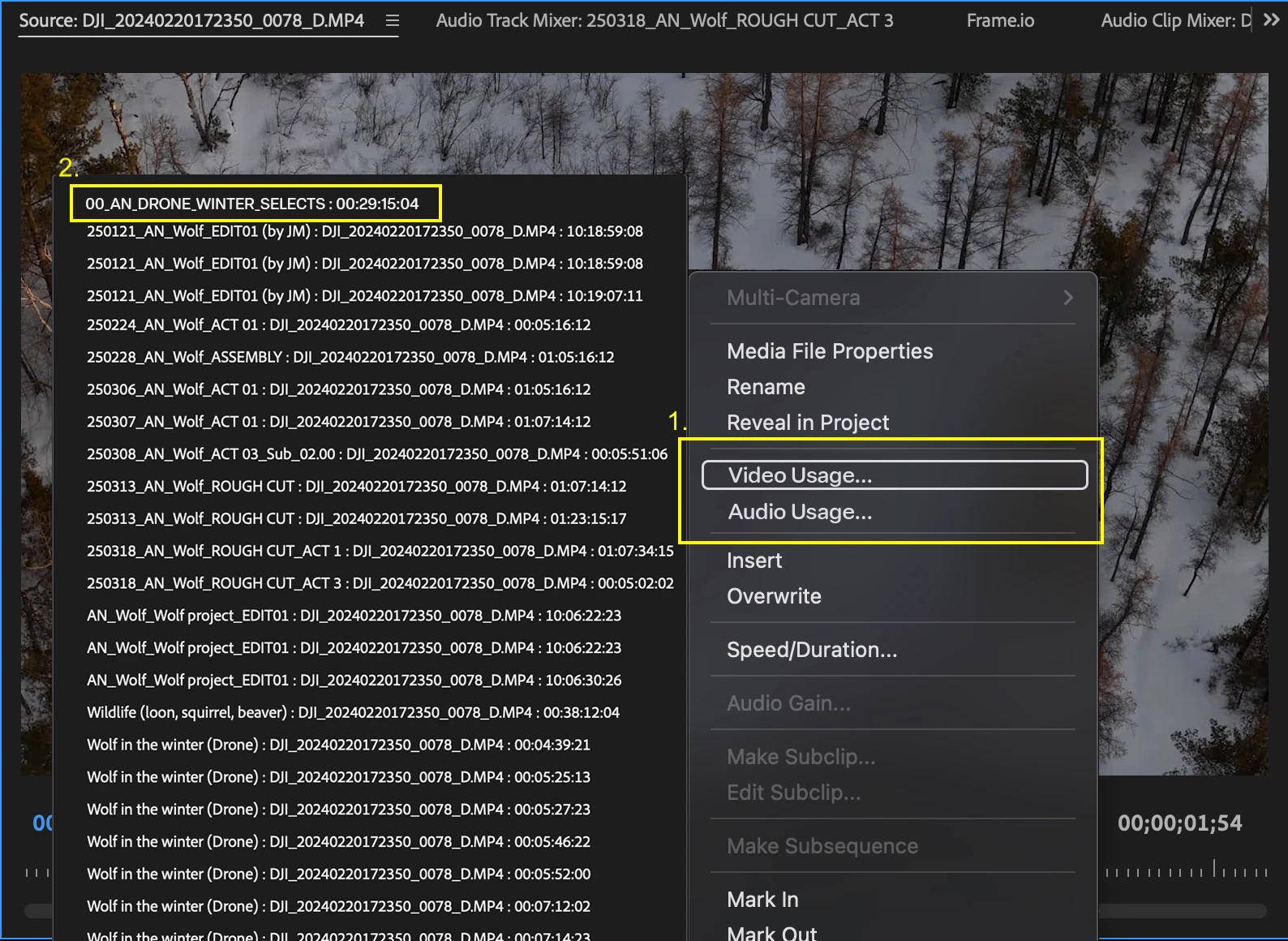
This would greatly improve workflow efficiency, especially for editors who, like me, rely heavily on organized source sequences.
Thank you for your consideration! I’d love to hear if other users face the same challenge.
 AdChoices