
Open for Voting
Easily add Color Fill/Gradient, Stroke, etc to an Image file or Video clip in the Timeline
Basically to have similar settings to what you'd see in the Essential Graphics panel. Or the layer style settings in Photoshop.
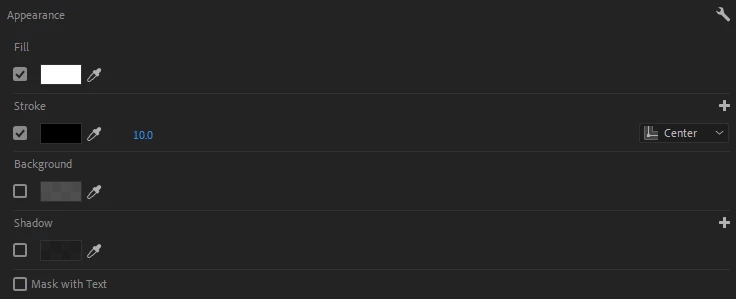
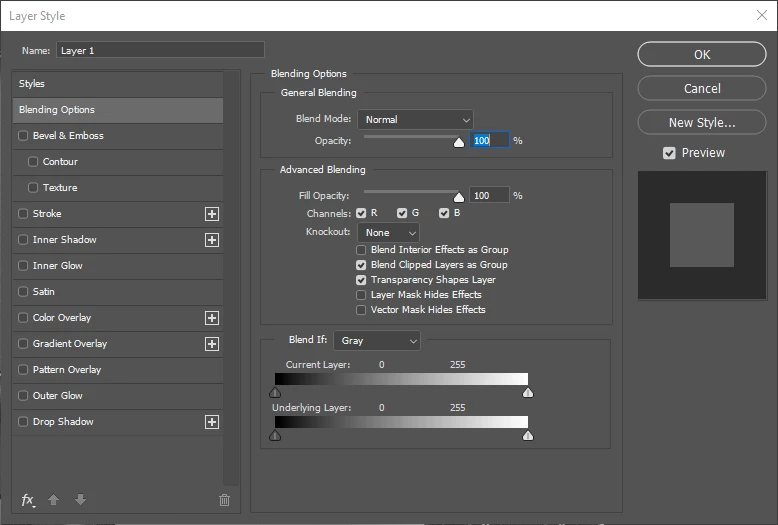
I know there's workarounds by combining multiple different + duplicated effects to emulate the results but it gets annoying and tedious doing this in projects where it's needed for multiple clips. Copy-pasting only goes so far until you need a different color stroke/fill/gradient in each clip/image file, or a different sized stroke for clips of different aspect ratios-- and you need to change multiple settings to do these things. There should be a single effect or window that's simple and straightforward to use like what you see in the layer effects window in Photoshop for example.


 AdChoices