


Effects control panel needs toggleable controls (ie you can hide or show different options)
Do you have any data on how many people use the Anti-flicker Filter? Would none% of users be accurate? Why is that still there? I want to turn it off cos I never use it and it's at the very top of the list of effects..
I'd love it if we could hide/show the various options within the Effect Controls to gain precious space back for the things we don't use.
For eg, you'd just right click on Motion and toggle on/off the ones you don't want. Same with Opacity, Time Remapping and any additional effect you add on.
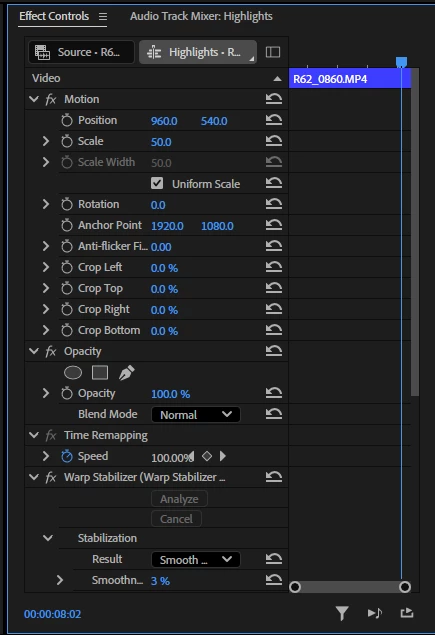
The crop tools are especially egregious. Sure that might be helpful sometimes but for 4 lines of real estate to be constantly in my face when I'm mostly not using it, and then all my additional effects are a large scroll wheel away is very infuriating. This should all be optional. And crop especially should be a twirl down to unveil the 4 crop dimensions, not 4 unmoveable lines.
 AdChoices