



Open for Voting
Export > File Path/Location still does not display full file path
I reported this a long while ago (probably when the “new” universally loathed export tab thing was first introduced...I guess we’ve just got used to the unnecessary multiple clicks it now takes to do basic stuff we took for granted in the good old days), but it’s still not been fixed, so here we go again:
Steps to reproduce:
- Send something to export.
- Make the Settings column of the Export page wider.
Result: …
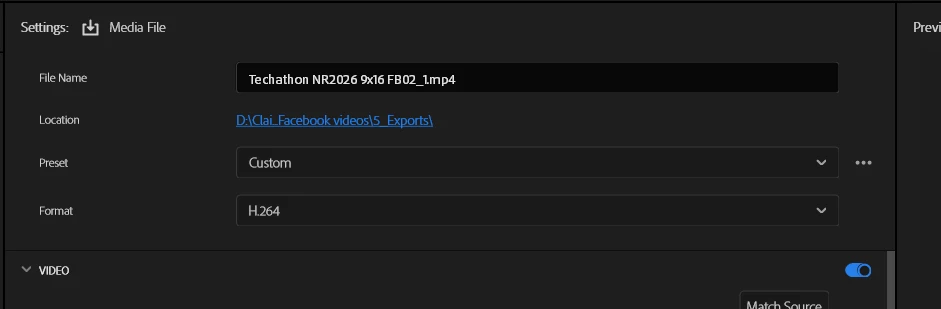
The export file path remains very unhelpfully squished
Expected:
Full file path should be displayed if there’s enough space (which there is).
System info
Application: Premiere Pro (Beta) v26.2.0.14
OS: Windows v10.0.26100, RAM: 127.91 GB GB, CPUs (logical): 32
 AdChoices