
Export Track tagging for simplified project archiving
The ability to tag selected tracks on an export panel would be a great feature for Premiere Pro.
Especially when exporting texted and textless exports. It would also mitigate the need for unnecessary duplicate sequences.
For instance, when exporting a given sequence the export window could add an advanced drop-down (say in effects) tab of the export window, for specific track targeting solo-ing or specific labelled tracks.
This could be listed as exclude or include: ( then select from the drop down ).
An example could be:
Include (all clips with red labels **and only export those clips from the sequence**)
or
Exclude (audio track 3 **which could be a music track**)
or
using ',' or commas to create more complex setups such as:
Exclude: (audio track 3, Video track 6, video track 2, all clips labelled yellow)
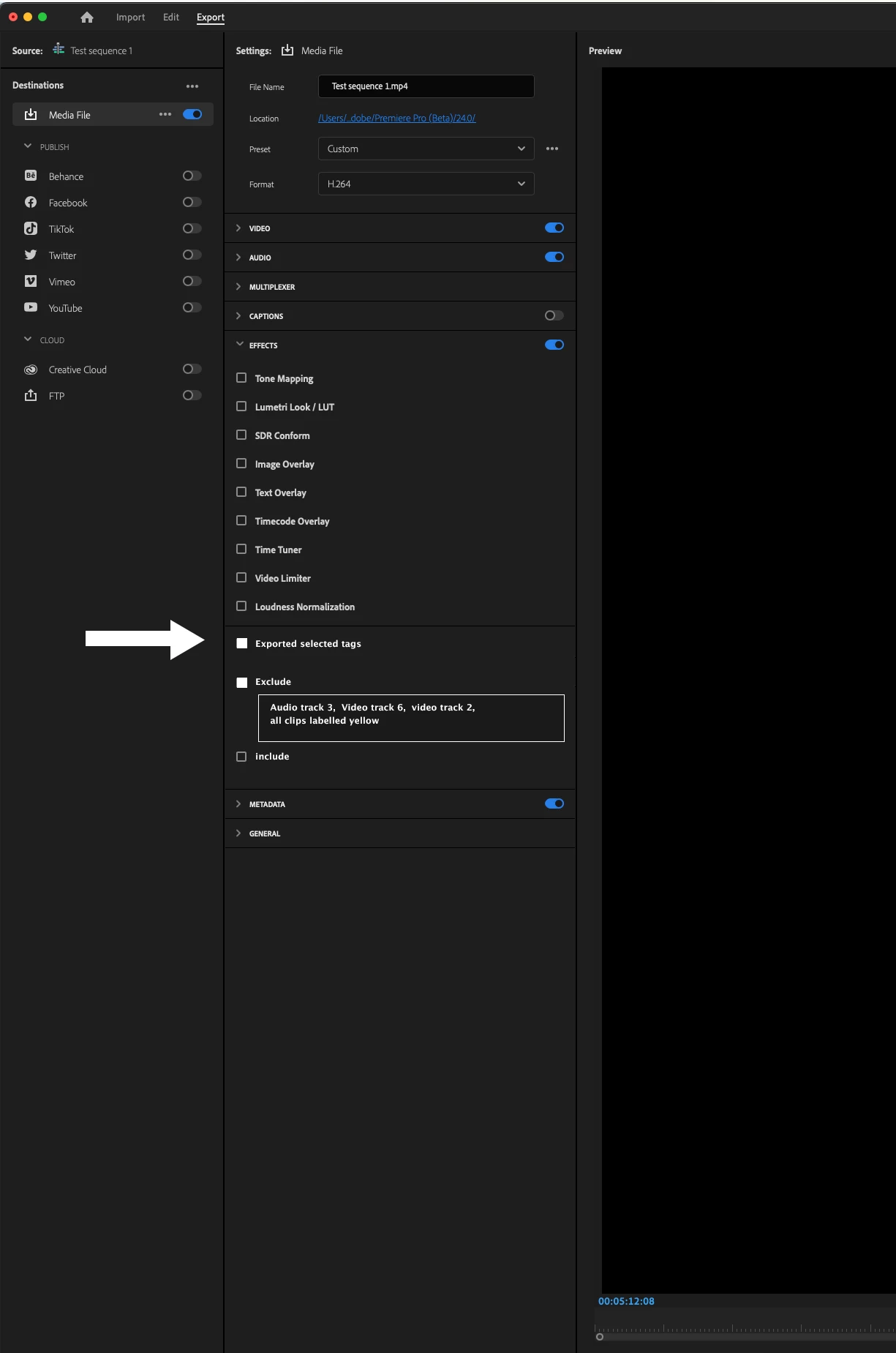
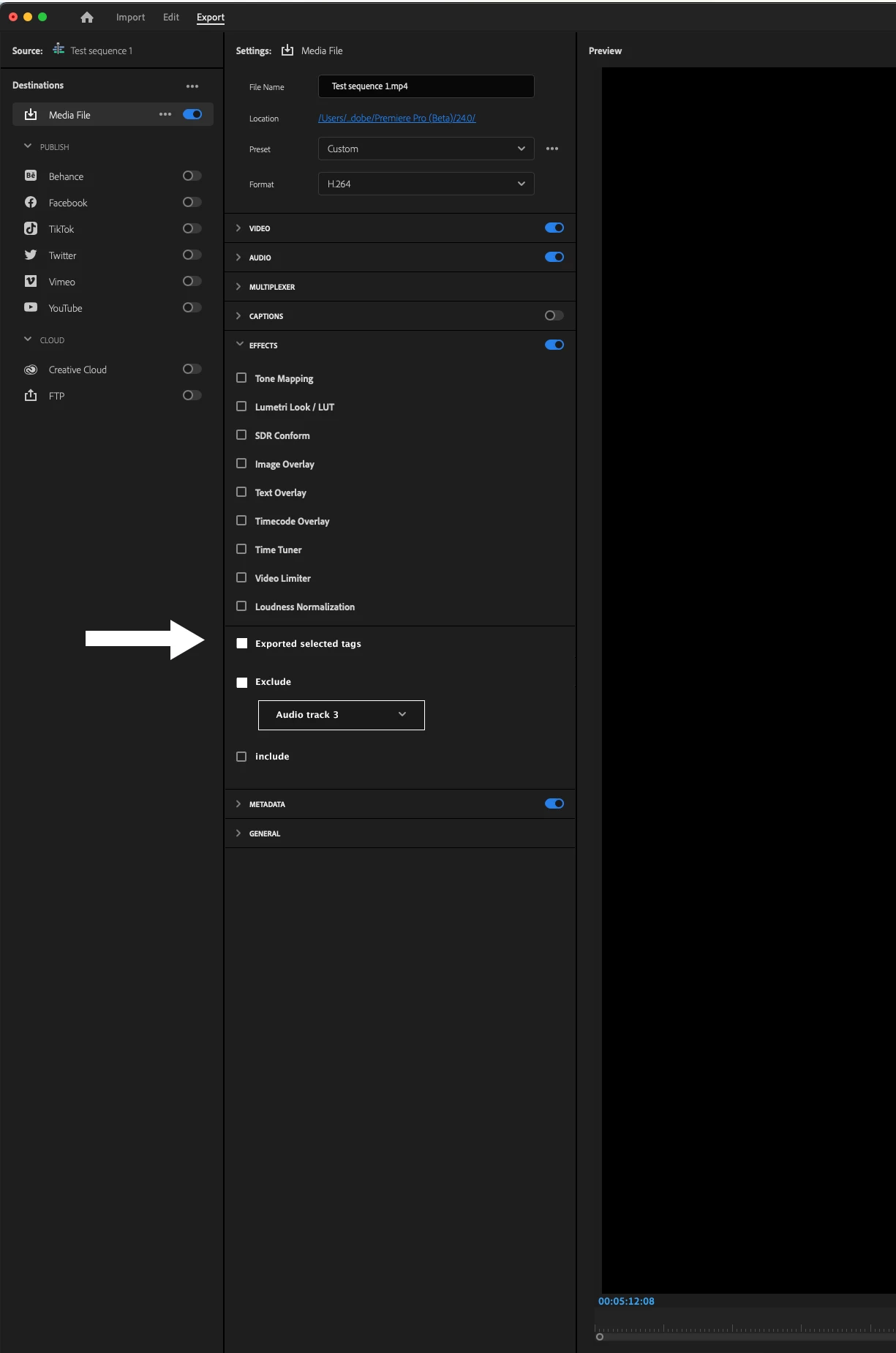
The benefit of this export feature is it would allow a much more efficient workflow, especially with client projects that require VFX or multiple export options for a given project. As often these are things (toggling tracks or specific layers/ clips), that can be missed when revisiting an edit or keeping track of multiple sequences.
Moving this decision-making to the export pane removes the headache and tedium of switching things off just for export, and then going back and making sure everything is switched back again to return to the edit.
I'd love to see this as a future feature and I think there is further possibility to expand it beyond what
I have listed here. Finally, I imagine this must be possible as Premiere Pro already has a strong Ai tagging system for audio files in the current beta. If I it isn't possible I would love to know why.
Thank you for taking the time to read this request!


 AdChoices