


Open for Voting
Export .vtt transcript (with speaker partition)
Hi,
After using the speech-to-text feature in the Premiere Beta version (23.3.0) , I need to export the transcript as a .vtt file that keeps the speaker partioning info intact.
Currently, there are 3 options: export transcript (.prtranscript), export to text file (.txt) and export to csv file.
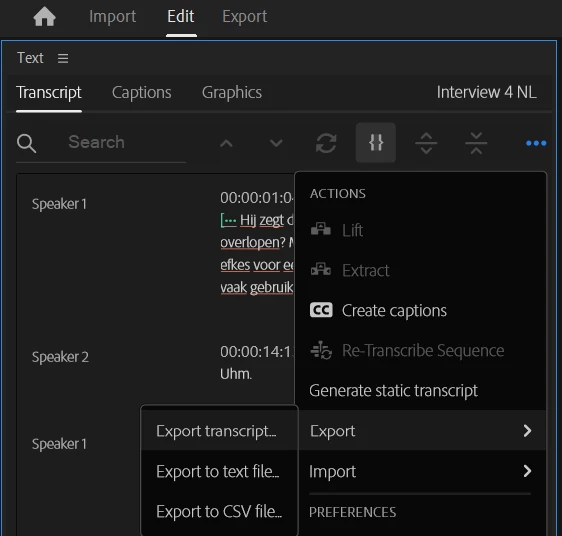
However:
- I couldn't find any tool that convert from .prtranscript to .vtt.
- When converting a .txt to .vtt (or .csv to .vtt), I loose information about the speaker partitioning
- For example:
- Source in CSV:
- "Speaker 1","00:00:01:04","00:00:12:00","This is my first sentence."
- Converted in VTT:
- 1
00:00:01.250 --> 00:00:02.625
This is my first sentence.
- 1
- Source in CSV:
- For example:
Ideally, when exporting .vtt files, the speaker names should be formatted as <v NAME > in order for other tools to correctly extract the speaker name.
Is there any workaround I haven't thought about? Or is it something that Adobe will consider implementing?
Thanks a lot!
 AdChoices