


Open for Voting
Feature request: Disable VR Video default in vimeo.com render preset
I have been rendering with the vimeo preset for many years, over many versions of Premiere Pro. Recently I uploaded a video rendered from Premiere version 24 that would not display correctly on vimeo. The video was enlarged and cropped into the center. The vimeo tech support determined that VR video metadata was tagged to the render. I opened the video panel in the vimeo render preset and...voila! Sure enough, VR video was enabled. Once turned off, the new render and upload worked exactly as expected. Why is VR video enabled now, as the vast majority of videos are NOT VR? 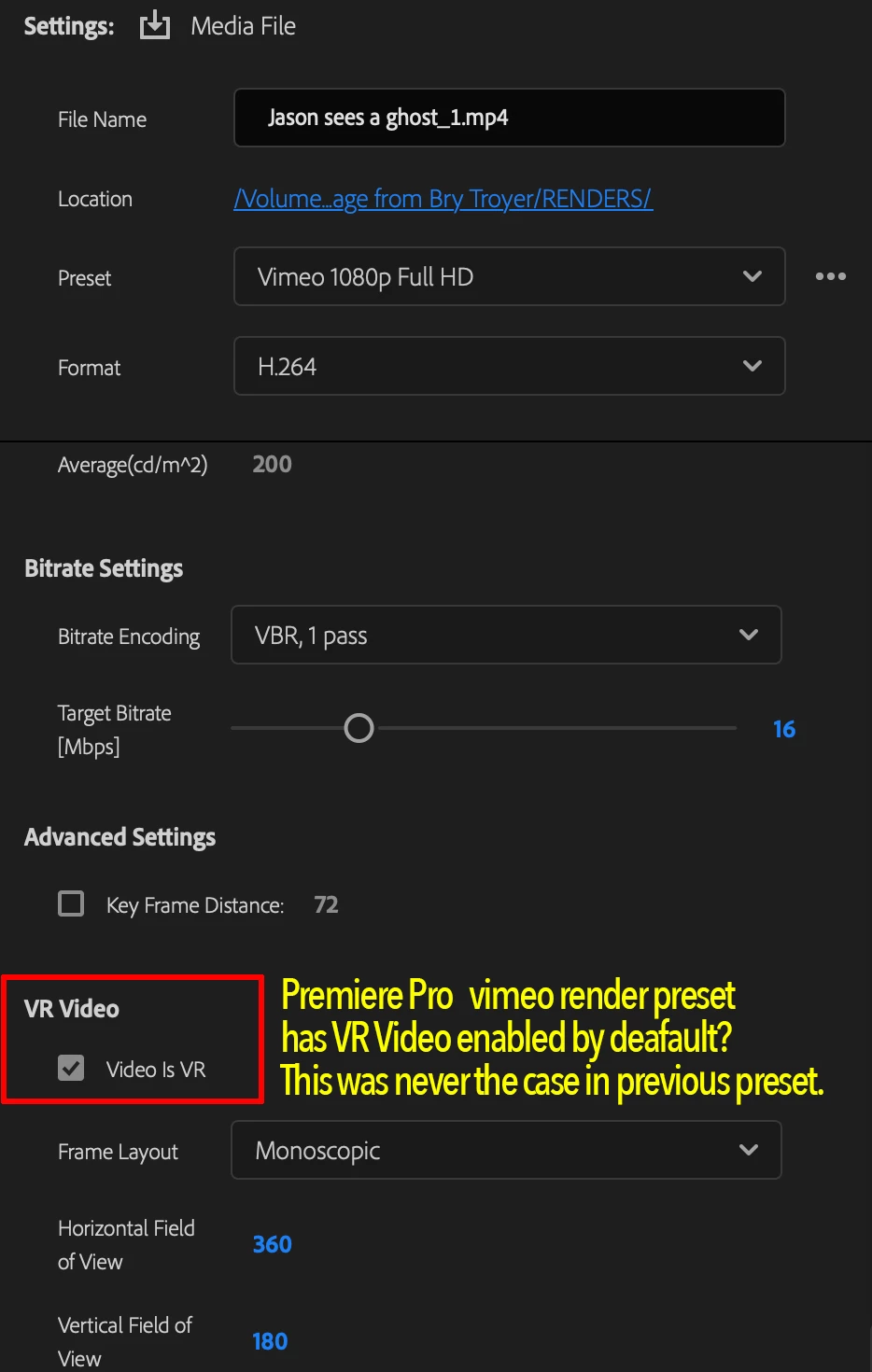
 AdChoices