


Feature request: manual size/zoom adjustments for the UI in Premiere for accessibility
Problem: I've upgraded to an ultra-wide screen external monitor so there's more real estate for Premiere and other programs for editing. However, I've just found out that the UI in Premiere can't be scaled manually - the size of the text and icons (in most cases*) are tied to the desktop resolution.
Unfortunately, when changing the resolution settings on my Macbook, the pixel size stays consistent across resolutions. This means instead of the desktop getting bigger to fill my screen when I choose a lower resolution, the desktop gets cropped instead:
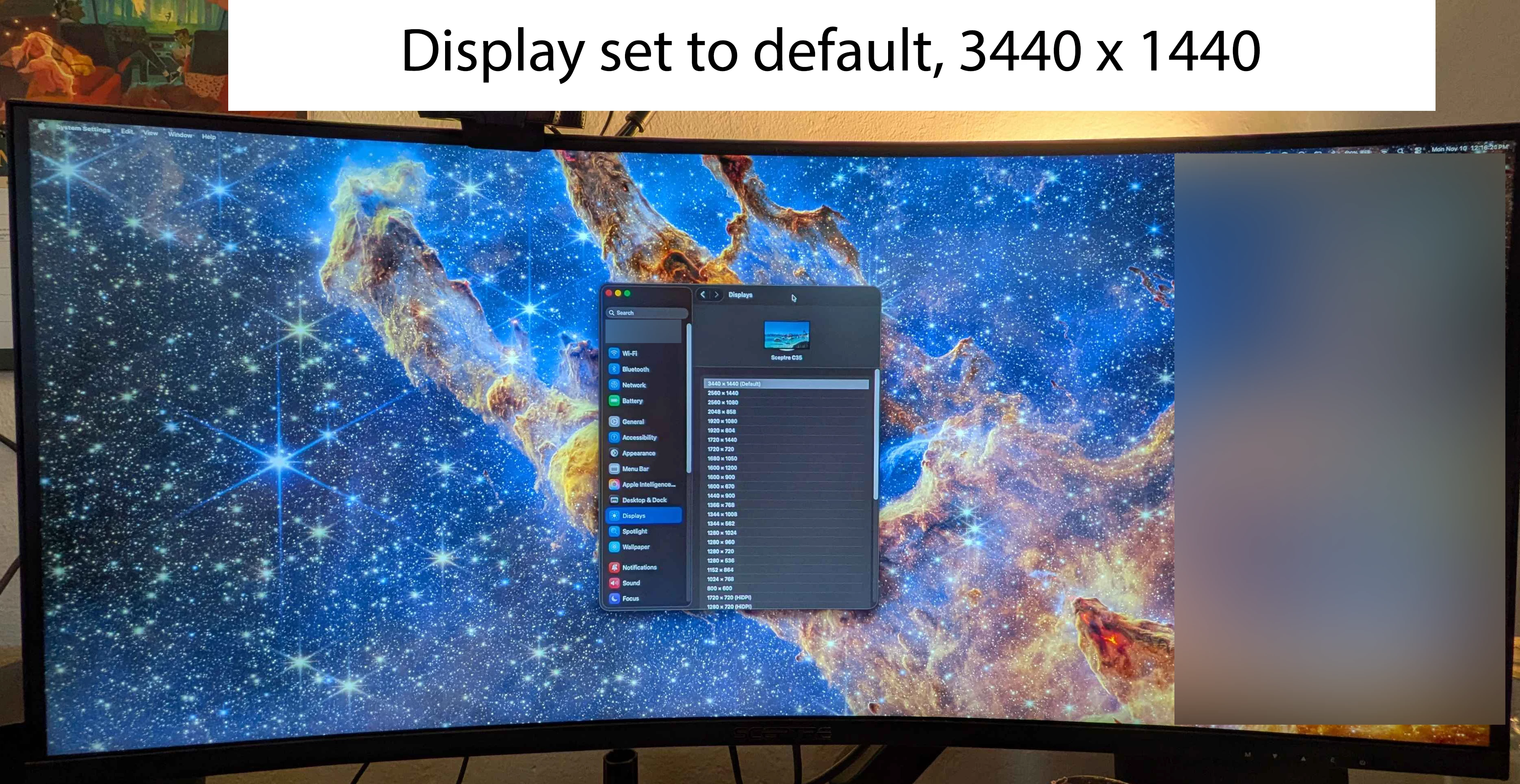
(Alt text: a picture of an ultra-widescreen monitor, open to the MacOS "System Settings" app. The "Display" menu from the side-bar is selected, and the resolution on the monitor is set to the default 3440 x 1440 resolution. The desktop fills the entire monitor screen as expected. Parts of the image have been blurred for privacy.)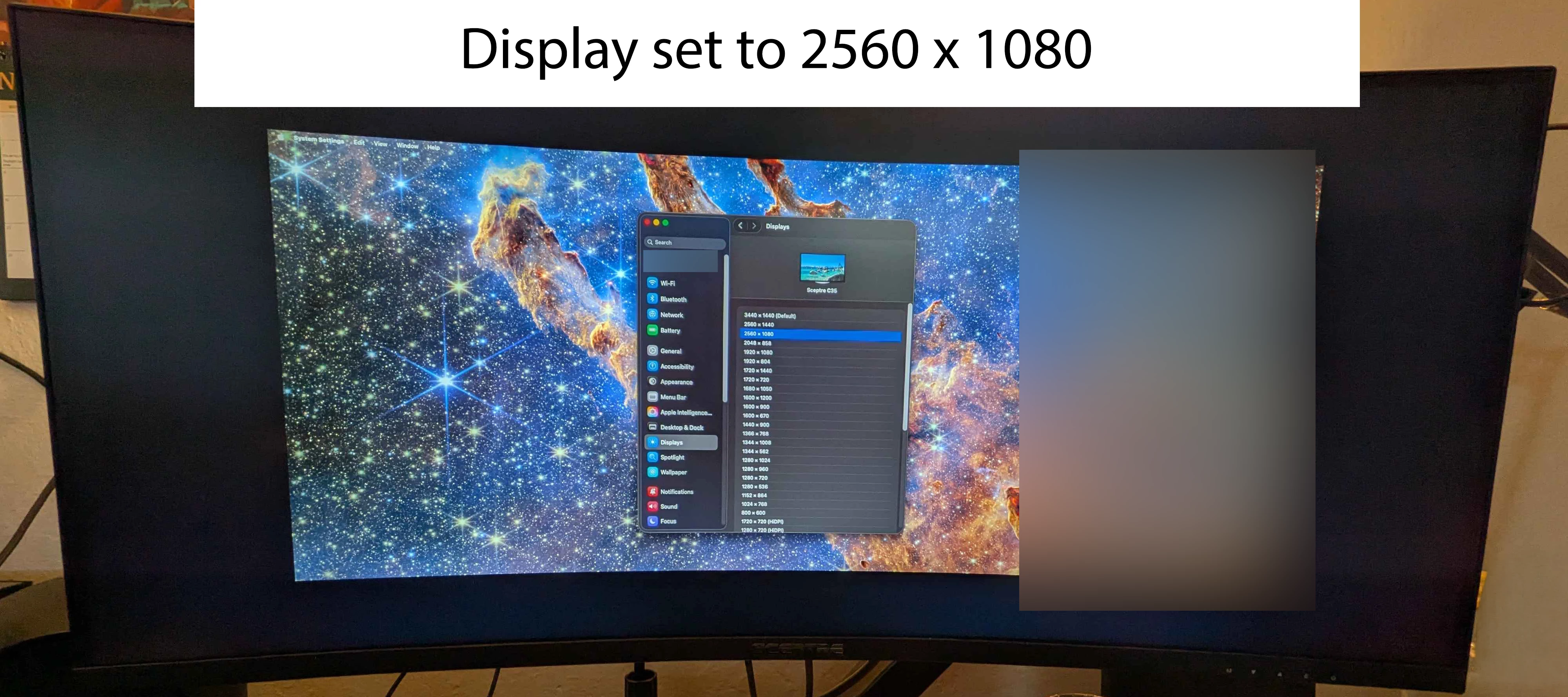
(Alt text: a picture of an ulta-widescreen monitor, open to the MacOS "System Settings" app. The "Display" menu from the side-bar is selected, and the resolution on the monitor is set to a lower resolution of 2560 x 1080, with the default resolution being 3440 x 1440. The desktop does not fill the entire monitor screen as expected, and instead the desktop is cropped with black space on all four sides. Parts of the image have been blurred for privacy.)
This also means that the UI in Premiere remains the same size regardless of the display resolution on Mac.
Feature request: allow for manual adjustment of the size of the UI in Premiere (and other Adobe apps where applicable).
*This is partially implemented in the "Text" window in Premiere - there's a slider at the bottom that allows you to change the text size within that panel. This is great! But the UI in the panel doesn't change size.
Also, there's a slider at the bottom of the "Project" window that you can use to adjust the size of the icons, but it doesn't adjust the size of the text. It'd be better if the text size could also increase with the size of the icons as well.
Why would this be valuable: Accessibility! It can be difficult to read the UI without sacrificing ergonomics or using other software as a workaround.
Non-viable Workaround:
- It looks like there are some third-party programs that can stretch your desktop to fit the screen size when you're picking a lower resolution on Mac, but this is a work computer and I'm limited in what kinds of programs I can install.
Current Viable (but less-than-ideal) Workaround:
- Using Mac accessibility features to magnify certain parts of the screen when needed.
In case anyone is curious:
- Computer:
MacBook Pro, 16-inch, 2021
Apple M1 Pro
32GB Memory
MacOS Tahoe, 26.1 - Monitor:
Sceptre C35, 35-inch ultrawide
3440 x 1440 native resolution
Thanks for your consideration! I hope that Adobe will continue to build accessibility features into their apps to make the programs more easily usable by all.
 AdChoices