
Open for Voting
Full Duration Count on Timeline
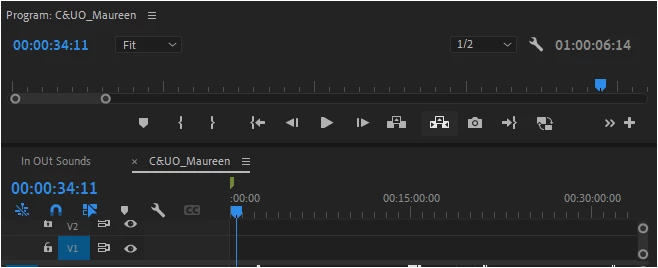
As seen above, the only place to see the full duration of the timeline is in the program monitor.
It would be beneficial if the full duration of the timeline could be visible within the timeline window itself. This would eliminate the need to constantly switch to the program monitor, saving valuable editing time. There already some open space above the timeline to put it on the right underanth where a name would go.
Such a feature would be particularly appreciated by users who spend extended periods working on Premiere Pro. At a glacne inofrmation is a standard eye strayn prevneton fautrye int he broadcast industry.
Theres isn't enough information in Premiere Pro for me to say that the large at a glance information is important to Adobe.


 AdChoices