


How to Set a Shortcut to Insert Footage at Next or Last Clip in Premiere Pro?
Hey everyone,
I'm looking for a way to set a shortcut in Premiere Pro to insert footage at the next or last clip in my timeline, regardless of where my CTI (Current Time Indicator) is located.
As shown in the image below, I can only achieve this by dragging the footage into the program monitor until it shows the overlay options. This process can be cumbersome, and I’m trying to streamline my workflow.
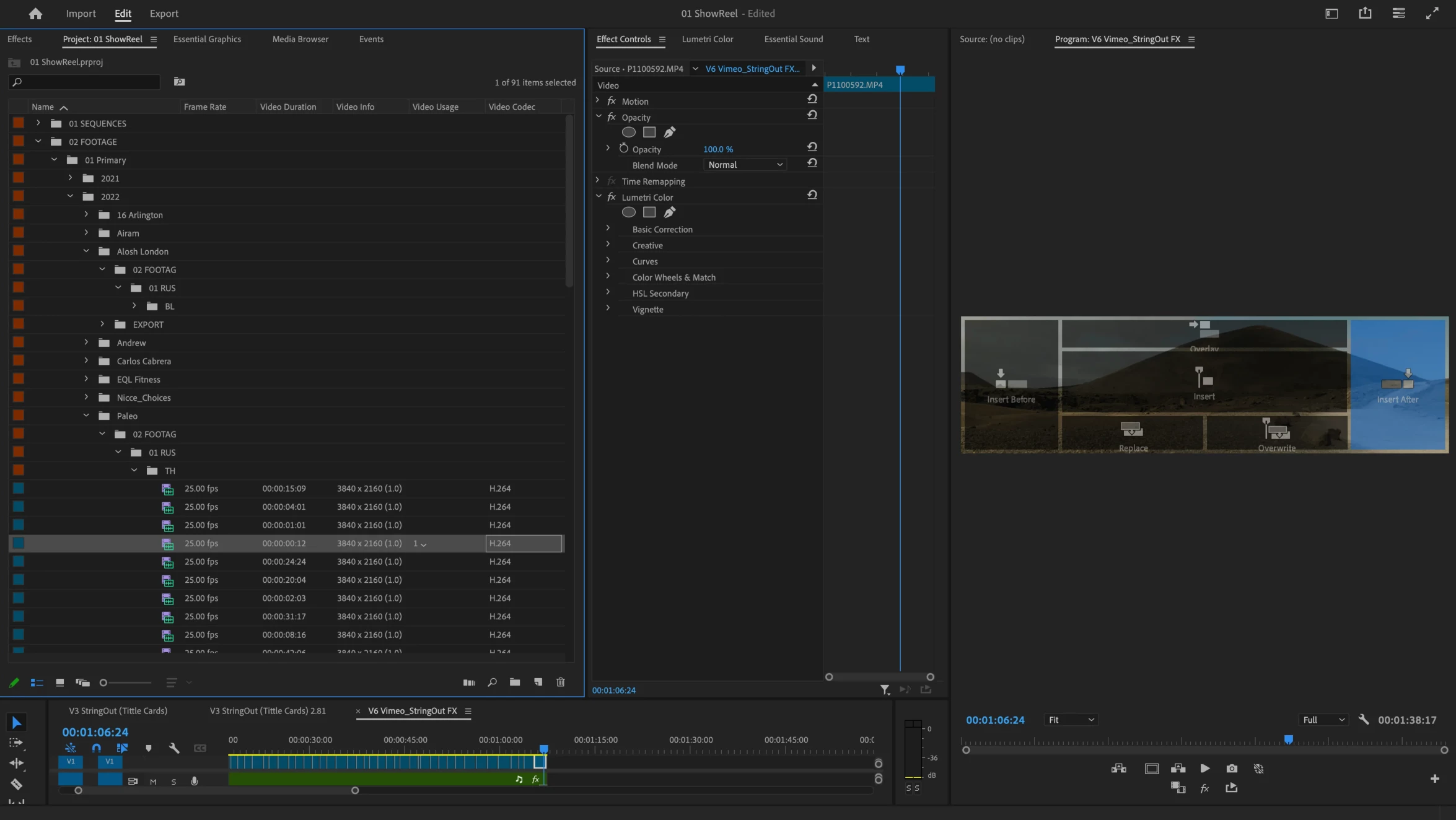
In DaVinci Resolve, there's a feature that allows users to insert clips at the next or previous edit point directly "Append at end", which I have mapped to my keyboard for efficiency. Is there a similar function or workaround in Premiere Pro to insert clips at the nearest edit point, without manually dragging them?
Any pointers or help would be much appreciated!
Thanks!
 AdChoices