


Open for Voting
Idea for Marker Panel: Right click a marker to change its color
Currently within the Marker Panel, one can:
- rename
- retime
- add comments to
...markers.
But the ability to change a marker's color is only available if you double-click on the marker and open a separate dialogue box (which freezes the rest of the progam). I think it would make sense for right-clicking to open a list of marker colors, allowing you to change them on the fly: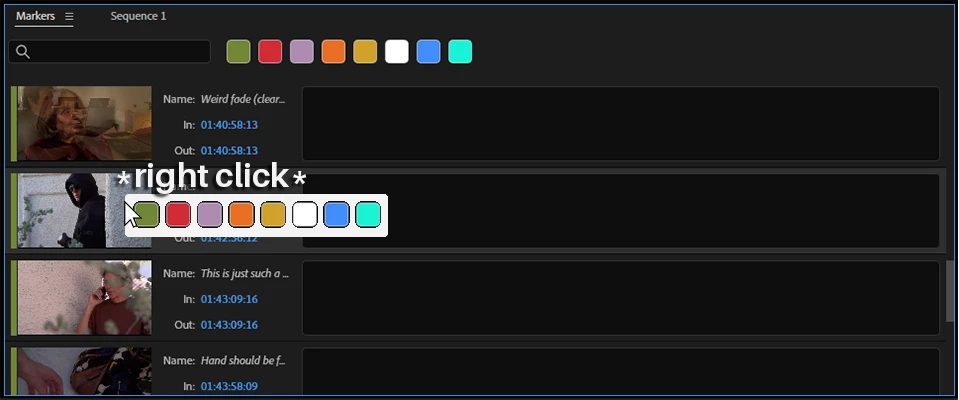
Note: Right-clicking currently does nothing in the Marker Panel, so I think this would be a good use for it.
 AdChoices