



Improve UX properties panel - Remove dead spaces to avoid scrolling
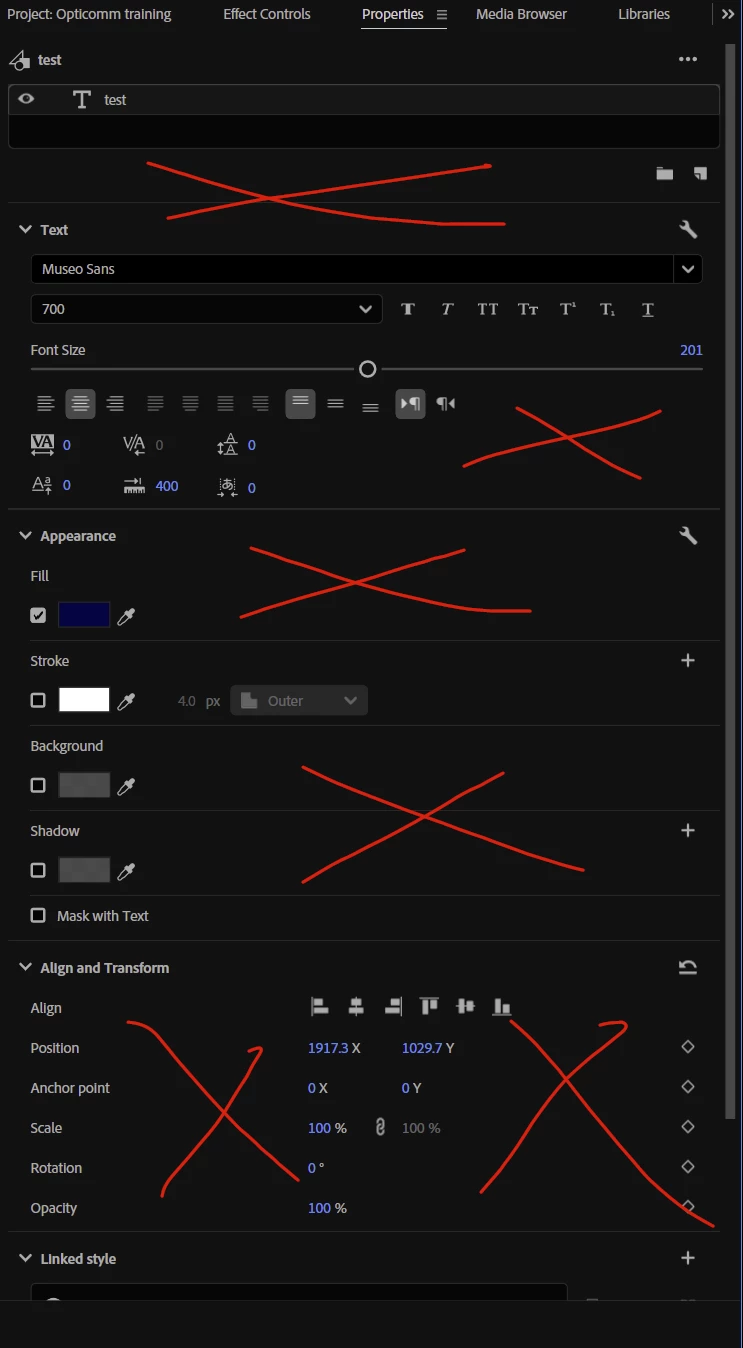
Please remove the large empty spaces in the Properties panel, especially when working with text layers.
For example, when I select a text layer and want to change alignment, position, or other basic properties, there is often so much unused space between sections that I have to constantly scroll up and down to access controls that could easily fit on the same screen.
It would be much faster and more efficient if the most commonly used properties were organised compactly and kept accessible on one page, particularly for text layers.
I really wish Adobe would put more focus on saving users time and making the software faster and more efficient to use, rather than continuing to add more and more AI features.
AI can be useful, but there are many small UI and workflow improvements like this that would make a significant difference to people who use Adobe applications every day.
Less scrolling. Less wasted space. Faster workflows.
Love you all
 AdChoices