
Make it possible to view multicam sources loaded in the source monitor in the timeline
Although a multicam clip is essentially a sequence there is one thing not possible:
When i load a sequence into the source monitor i can get a detailed view of it in the timeline ("open sequence in timeline"):
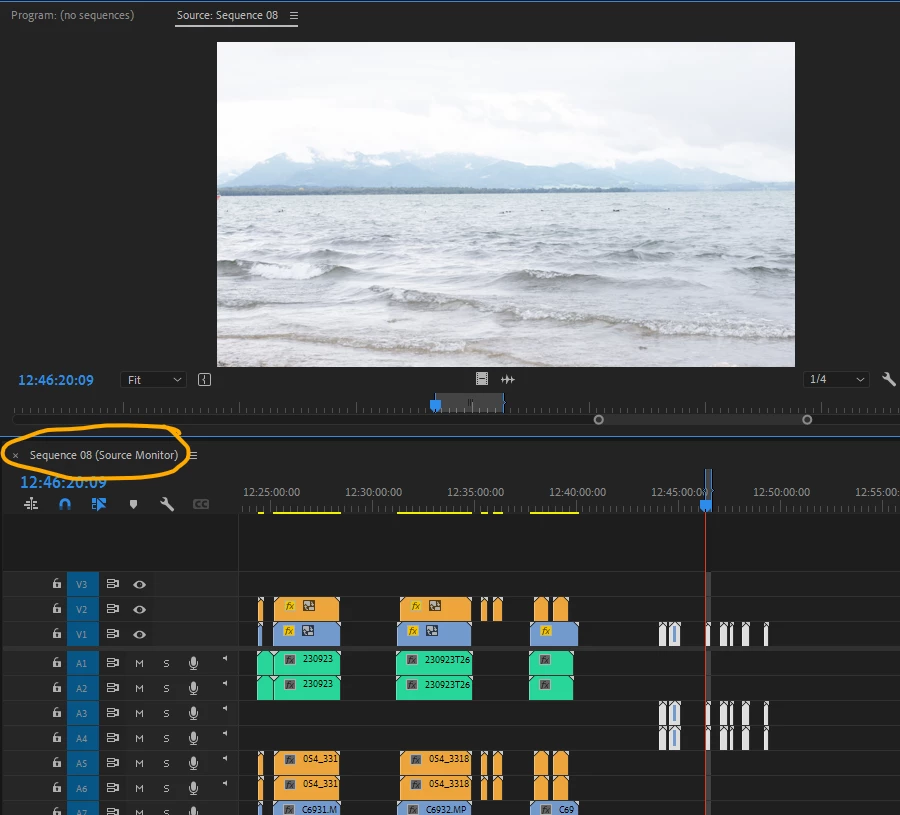
Timeline view and source onitor correspond one with the other, setting in and out points alters both views.
But i can not do that once i promoted the sequence to a multicam clip.
I know that i can open the multicam clip separatly from the project panel, but this view is not linked to the source monitor: Setting in and out points in the timeline view does not set them in the source viewer and vice versa. So i have to read the tc in the timeline panel, enter it manually in the source viewer and set the in point there.
Why do i ask for this feature? I like to work with whole days in a sequence i use as multicam clips, and an overview in the timeline linked to the source monitor would be a great option


 AdChoices