


Make multicam angles (MC1, MC2, etc.) searchable and selectable in Find in Timeline
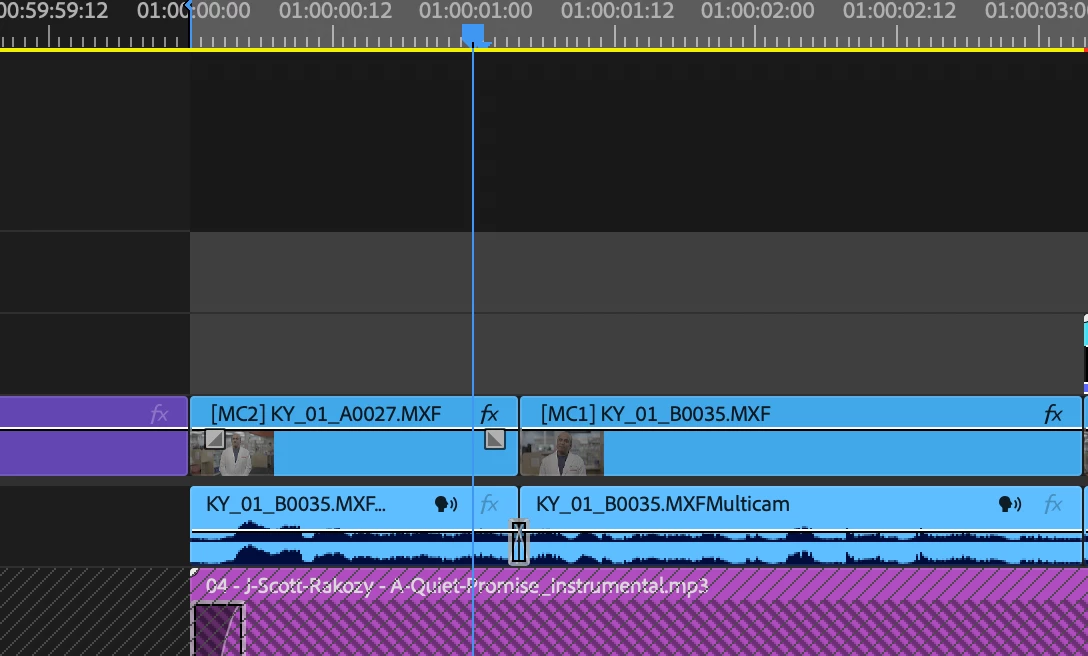
In a multicam edit, the timeline labels each clip with its active angle ([MC1], [MC2], and so on), but Find in Timeline can't search for those labels. Searching "MC1" with Search set to All or Name returns nothing, even when the label is visible on dozens of clips. The angle label seems to be a display overlay, not a searchable clip property.
Why this matters
After a multicam cut on an interview or panel, I often need to act on every instance of one angle at once:
- Apply a color correction, crop, or punch-in to only the B-cam cuts
- Swap every MC1 cut to MC2 when a client decides against an angle
- Check angle balance across the piece (am I sitting on the wide too long?)
- Find and fix every cut from a camera that had a focus, exposure, or sync issue
Right now the options are to scrub the whole timeline and Cmd-click clips by eye, or search by the source clip name for a given angle. The second only goes so far, since a single angle can span many different clip names (card spans, multiple days, camera restarts), so one search never catches them all. It gets worse because I usually have several multicam sequences in the same timeline, which multiplies the number of clip names I'd need to track down for one angle. On a 30 to 60 minute piece that's hundreds of clips, which is slow and easy to get wrong.
Steps to reproduce
- Create a multicam source sequence with two or more angles and cut it into a sequence, switching angles.
- The timeline shows [MC1] and [MC2] labels on the clips.
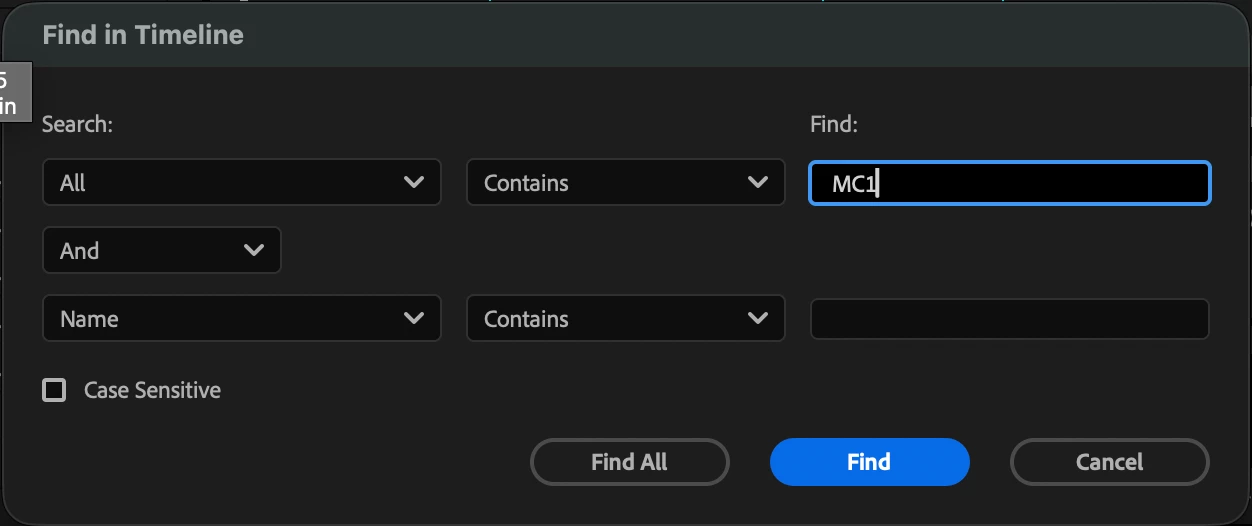
- Open Edit > Find (Cmd+F). Set Search to All, Contains, and enter "MC1".
- Find and Find All return no results.
Expected behavior
Find All selects every clip in the sequence whose active angle is MC1.
Suggested implementation
- Add "Multicam Angle" as a Search property in Find in Timeline, matching by multicam angle number and angle/camera name
- Make it so that “ALL” also can find these multicam angle numbers
- Add a right-click option on multicam clips: "Select All Clips Using This Angle"
- Once those clips are selected, allow batch switching them to a different angle
- Optional: auto-assign a label color per angle so angles are easy to tell apart at a glance
Environment
Premiere Pro [26.5.2 (build 5)], macOS [27.0 (26A428)]
 AdChoices