



Make the blue export/import alerts in Premiere clickable so they navigate directly to the asset the alert is about, instead of only opening the Events panel.
In Premiere 26.3.0 (build 93), blue alerts currently slide in at the bottom-right of the UI to confirm actions like exports and imports. For example:
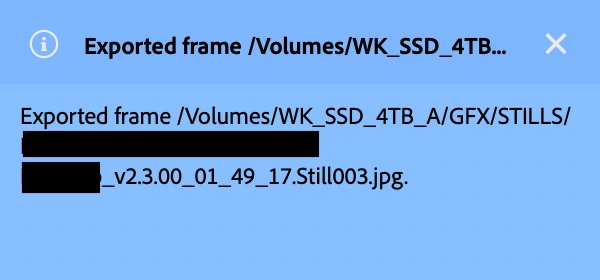
Exporting a still frame shows a blue alert with the full path to the exported file, such as: “Exported frame /Volumes/WK_SSD_4TB_A/GFX/STILLS/…Still003.jpg.”
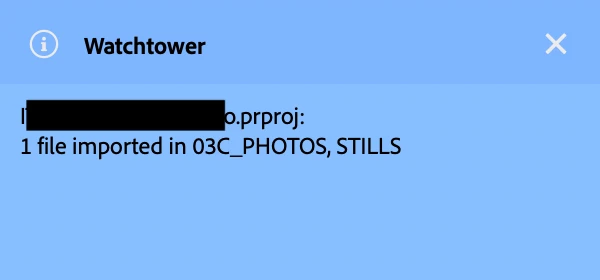
Using the Watchtower panel to import files from a monitored Finder folder into a specific bin shows a blue alert like: “[PROJECT].prproj: 1 file imported in 03C_PHOTOS, STILLS.”
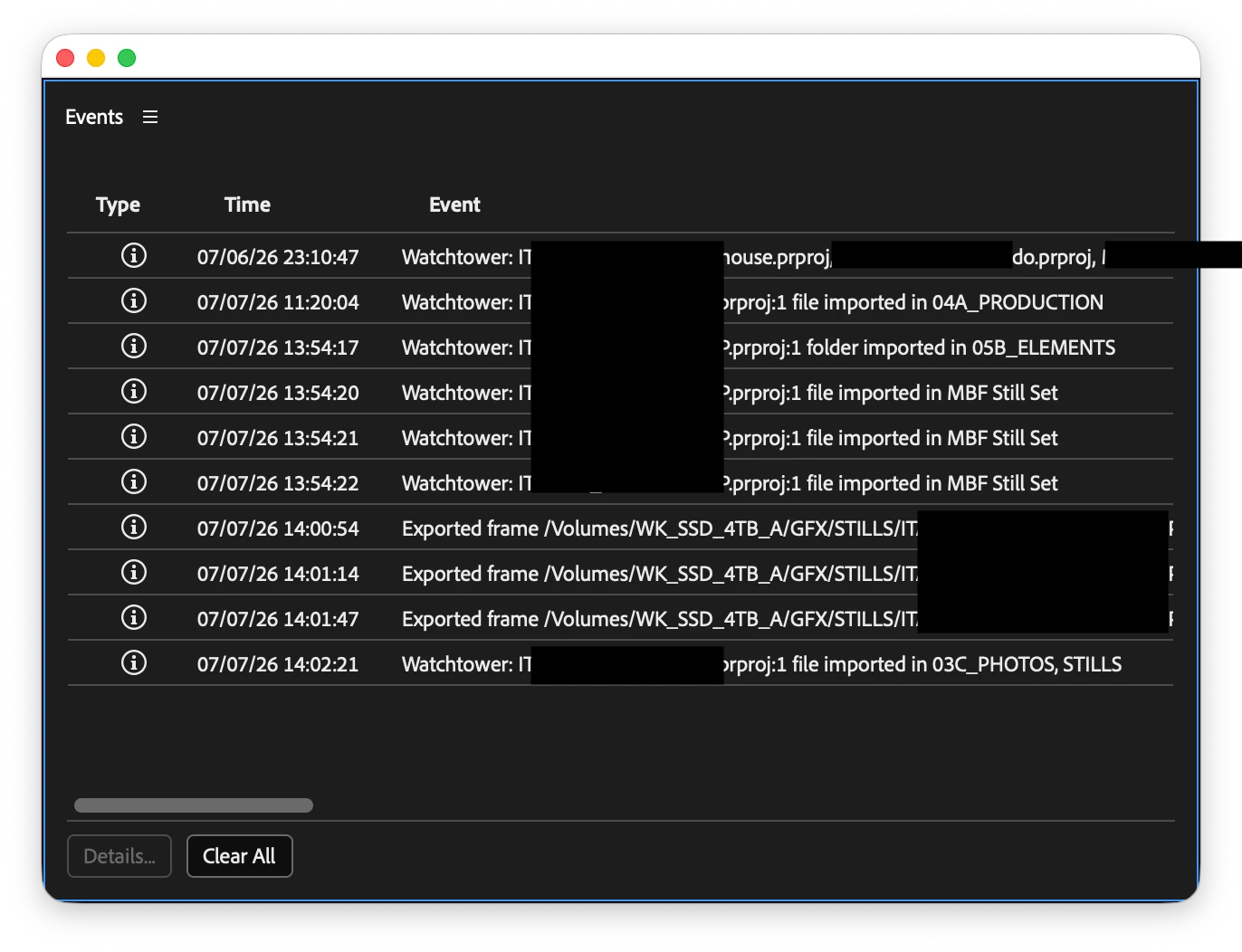
However, clicking these alerts only opens the Events panel. The Events panel shows a log of recent events, but in the moment when the alert appears, what I actually need is quick navigation to the asset or bin referenced in the notification. The alert already contains the exact filename, path, project, and bin information—yet none of that is actionable with a click.
This creates friction in everyday workflows:
- When I export a still, the very next step is usually to reveal that image in Finder/Explorer or bring it into another app. Right now I have to manually navigate through Finder to find it.
- When Watchtower imports new files into a bin, the a nice optional next step would be to go straight to that bin in the Project panel and start working with those assets. Instead, I have to scroll/search in the Project panel to locate the bin and then the newly imported clip or still.
Requested behavior:
- Export alerts
- Clicking a blue export alert should reveal the exported file in Finder/Explorer (or at least provide a clear “Reveal in Finder/Explorer” action).
- This would mirror Adobe Media Encoder, where clicking an export path reveals the rendered file. Users already expect that behavior across Adobe video tools.
- Import alerts (including third‑party panels like Watchtower)
- Clicking an import alert should open the bin mentioned in the alert within the Project panel and select the newly imported asset.
- If the alert references only the bin, selecting the bin is still better than opening the Events panel, because it gets the editor directly to the relevant part of the project.
Why this matters:
- It turns passive notifications into active navigation shortcuts.
- It reduces repetitive panel and Finder hunting, which is especially painful in large projects with deep bin structures.
- It improves integration with third‑party panels like Watchtower that already use the alerts to communicate exactly where assets were imported.
- It makes Premiere’s behavior more consistent with Media Encoder and other Adobe tools, where clicking something that references a file helps you get to that file.
From a UX perspective, even a preference option such as: “On notification click: Open Events panel / Reveal asset / Ask each time” would allow different kinds of editors to choose the behavior that fits their workflow, while still making the alerts more useful than they are today.
 AdChoices