



Manage presets in the Project Manager
Hi. In Pr 2025\\2026b there are no convenient ways to import and manage presets available for the trancoding feature in the Project Manager. Right now the only option to import a preset is to use the Import Preset in the drop down menu:
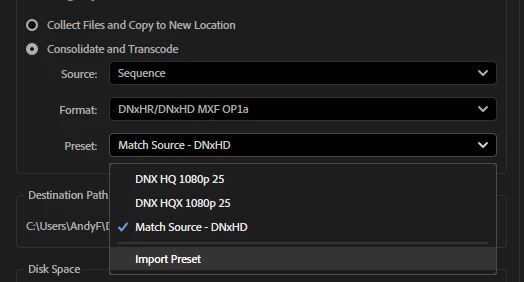
This brings us to selecting a destination folder where you store your .erp preset files you created with the Media Encoder. Well, in case you have some. This is awkward and totally inconvenient. Why not connect this button to the Preset manager available in the Export menu?
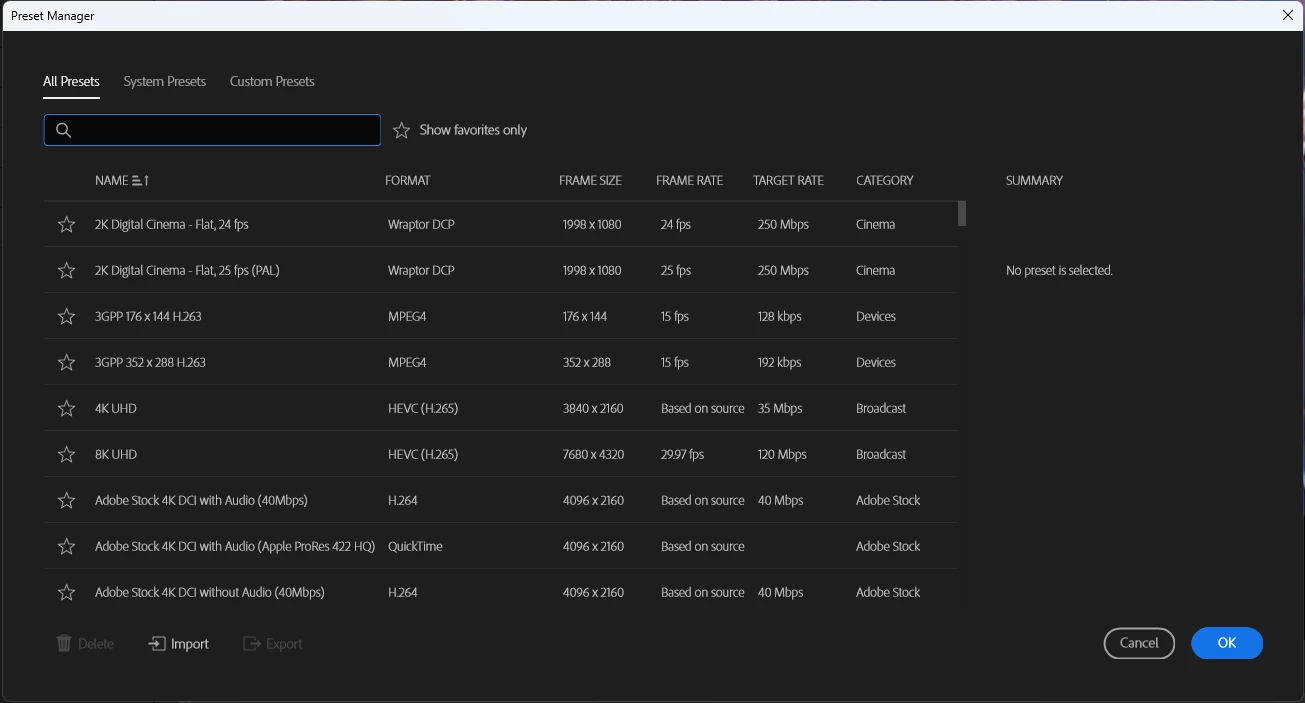
I had to google for how to create a preset for the Project Manager, because the initial DNxHR, MXF and Quicktime are a horrible option for archiving projects. Do you have terabytes of storage space for storing those 500Gb project archives the Project Manager creates with these codecs? I don't. I'm sure 90% of video editors here do not either.
So I created my own h265 10 bit 420 CBR preset with Me and imported it into the Project Manager and then I encountered another problem - there's no way to change the preset names, delete them, group them. So if I want to change one preference in my preset and reimport it to the PM I'll have two presets. This is nonsense. I fugured out how to delete custom presets though, but I spent time on it.
So, Adobe, please consider updating the Project Manager preset managing mechanism.
 AdChoices